

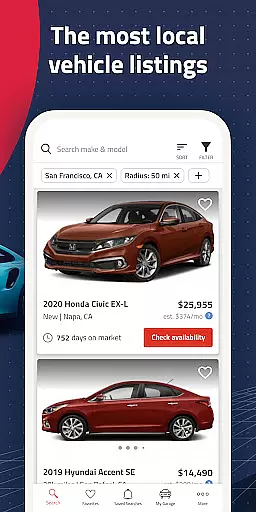
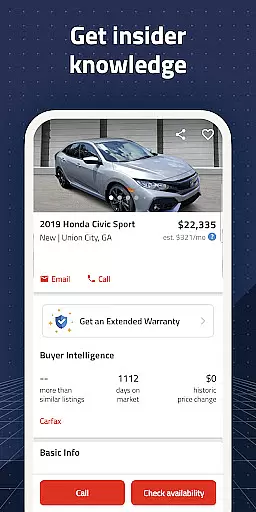
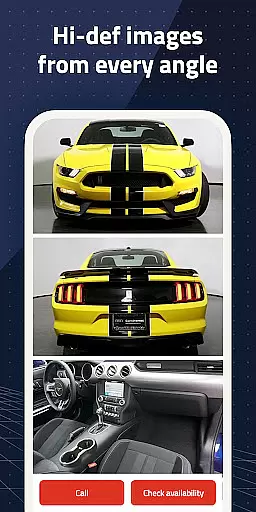
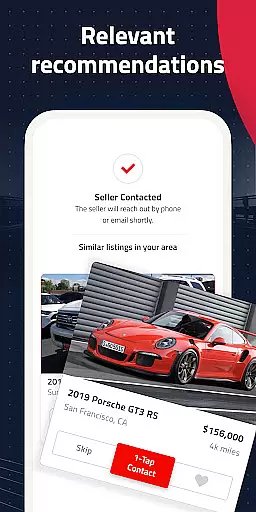

Autolist is a premier automotive marketplace app designed to simplify the car-buying process. With access to millions of used car listings from thousands of sources, it aggregates the largest selection of local cars, trucks, and SUVs in one convenient platform. Whether you're searching for a specific make and model or browsing options within your budget, Autolist provides comprehensive filters to refine your search. The app's intuitive tools include price history tracking, Listimate values, and direct communication with dealers or private sellers, ensuring users can make informed decisions.
Beyond its vast inventory, Autolist stands out through innovative features that enhance user experience. Its proprietary Listimate technology offers estimated market values for vehicles, empowering buyers to negotiate confidently. Additionally, real-time notifications keep users updated on new listings and price changes. Recognized by reputable publications like CNET, Road & Track, and The New York Times, Autolist has earned acclaim as one of the best car-buying apps available today. By combining extensive data resources with user-friendly functionality, Autolist ensures a seamless journey toward finding the perfect vehicle at the right price.
Autolist distinguishes itself with an array of powerful features tailored to streamline the car-buying experience. One standout capability is its robust filtering system, which allows users to narrow down searches based on criteria such as price range, year, color, and installed features. This precision helps buyers quickly identify vehicles that match their preferences without sifting through irrelevant listings. Another key feature is the app's integration of Listimate values and complete price histories for each vehicle, enabling users to assess fair market prices and determine optimal times to buy.
In addition to these analytical tools, Autolist facilitates seamless communication between buyers and sellers. Users can directly call, text, or email dealers and private sellers through the app to inquire about availability, request quotes, or schedule test drives. Furthermore, the app's saved search functionality ensures users stay informed about new inventory matching their criteria, while favorited listings are tracked for price drops and availability updates. These thoughtful design elements not only save time but also empower users to navigate the complex car-buying landscape with confidence and ease.
When searching for a used car, having access to comprehensive vehicle details is crucial for making an informed decision. Autolist provides extensive data on each listing, including specifications such as make, model, year, mileage, and installed features.
The app aggregates information from thousands of sources, ensuring that users have a complete picture of each vehicle's condition and history. This includes not only basic details but also specifics about interior and exterior color options, engine type, and additional equipment.
By presenting all relevant vehicle information in one place, Autolist empowers buyers to compare different options effectively. Users can quickly identify cars that meet their requirements without needing to visit multiple websites or dealerships.
This level of detail helps buyers avoid potential pitfalls and ensures they find a vehicle that truly matches their needs and preferences, ultimately leading to a more satisfying purchase experience.
Understanding the true value of a used car can be challenging, but Autolist addresses this through its robust price transparency features. The app provides complete price history for each vehicle, allowing users to track how the asking price has changed over time.
Autolist's proprietary Listimate value estimation tool offers an additional layer of pricing insight. This feature analyzes market trends and comparable sales to provide a fair market value estimate for every car in the database.
Users can directly contact dealers or private sellers through the app to request quotes or negotiate prices. This direct communication channel ensures buyers receive accurate pricing information without hidden fees or surprises.
With these transparent pricing tools, Autolist enables buyers to approach negotiations with confidence, knowing they have access to all relevant pricing data and market insights needed to secure a fair deal.
User-friendly interface
Extensive vehicle database
Real-time price tracking
Direct seller communication
Customizable search filters
Limited international listings
Occasional outdated info
Premium ads may distract
No financing calculator
Heavy reliance on third-party data

OBD1 ECMs application. Data log or tune directly from your phone or tablet!
 4.60
4.60
Theme for Car Launcher
4.1
Club Car Wash Mobile App—the fast lane to managing your wash membership.
3.30
The ExtraMile App allows you to pay for fuel from the comfort of your car!
4.70
Instant diesel savings. No credit checks or fees. Nationwide growing network.
4.40
Available in select states.
4.00
MySubaru: Download. Connect. Love.
4.70
Trip computer+car diagnostic tool with widest variety of features and dashboard!
4.70
Find, search, and browse 40,000+ used cars, SUVs, and trucks.
4.50
Practice the drills within MotoJitsu Master Riding Program Volume 1 & 2!
4.80
Lexus app currently supports 2010 or newer vehicles (2018 or newer for Hawaii).
4.80
1M+ high-quality auto parts at your fingertips. Fitment guaranteed.
4.70
Browse millions of cars, track vehicle listings or sell your car today
4.70
Easy connect & control your cars from afar. Remote Lock & unlock car and carplay
4.60
Get price alerts, vehicle history details and more for cars near you!
4.50
Secure mobile payments & fuel savings at Phillips 66®, Conoco® and 76® stations
4.40
Simplify your drive
3.90
Wonder how much horsepower and torque your car/truck makes? Look no further.
3.40
Monitor specific TOYOTA parameters by adding this plugin to Torque Pro.
2.00


User Reviews