
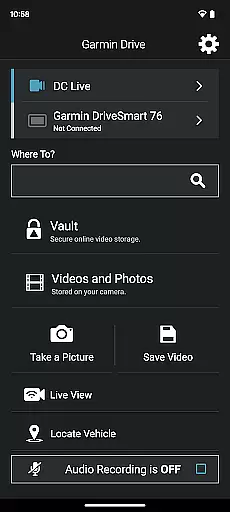
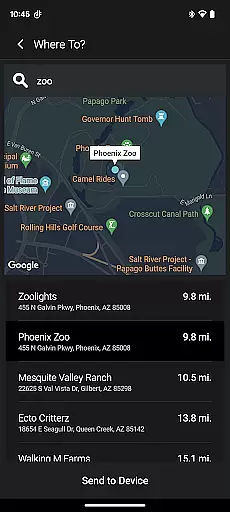
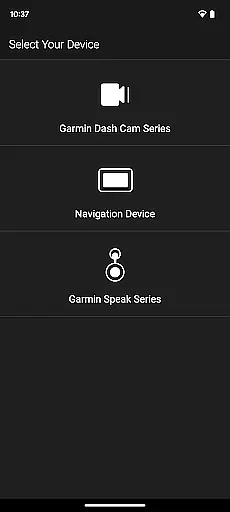
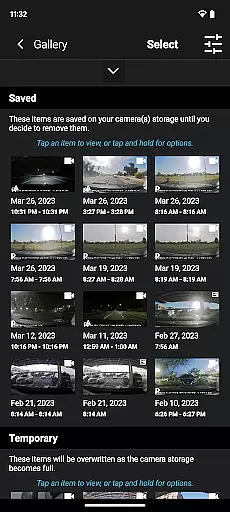
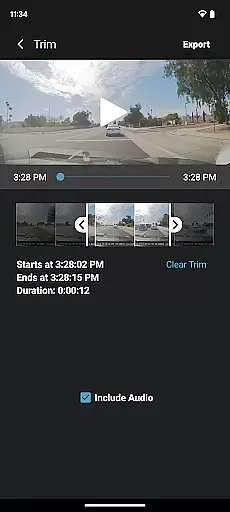
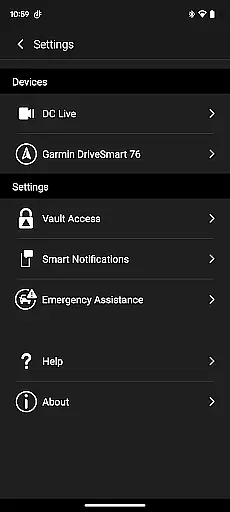
Garmin Drive is a versatile app designed for Garmin automotive navigators and dash cams. It offers real-time traffic updates, parking information, advanced weather alerts, and access to photoLive traffic cameras. The app also integrates with your Bluetooth-enabled mobile device to manage calls, texts, and notifications. For dash cam users, it provides comprehensive camera controls and supports up to four wireless connections for complete vehicle coverage.
The app's 'picture-in-picture' feature allows simultaneous viewing from two perspectives, making video review and sharing easy. Compatible with Garmin Speak, it brings Amazon Alexa into your vehicle, enabling voice commands for music, news, and navigation. Older Garmin devices can use the Smartphone Link app or Garmin VIRB for video access, ensuring broad compatibility across Garmin's product range.
Garmin Drive stands out with its robust feature set tailored for drivers. Real-time traffic and parking data help you navigate efficiently, while advanced weather updates ensure preparedness for changing conditions. The photoLive traffic cameras provide visual confirmation of road situations, enhancing decision-making.
For communication, the app syncs with your mobile device via Bluetooth, allowing hands-free call management and notification handling. Dash cam functionalities include wireless connectivity for up to four cameras, providing 360-degree coverage. The 'picture-in-picture' mode enhances video review by displaying multiple angles simultaneously, which is crucial for incident analysis and sharing with relevant parties.
Accessing detailed vehicle information is crucial for drivers who want to stay informed about their surroundings and vehicle status. The Garmin Drive app excels in providing comprehensive data tailored specifically for automotive navigators and dash cams.
This application offers real-time updates on traffic conditions, parking availability, and advanced weather forecasts. These features ensure that drivers have the most current information to make informed decisions while on the road. Additionally, photoLive traffic cameras provide visual insights into traffic situations, enhancing the driver's ability to navigate efficiently.
For users with compatible devices, the app also allows management of calls, texts, and notifications directly from a Bluetooth-enabled mobile device. This seamless integration ensures that drivers can maintain connectivity without compromising safety or convenience.
Price transparency in automotive services helps consumers understand costs upfront, avoiding unexpected expenses. The Garmin Drive app addresses this need by offering clear information on various services related to navigation and vehicle monitoring.
Through its compatibility with multiple devices, the app provides insights into potential costs associated with routes and parking. Users can leverage real-time traffic data to choose cost-effective paths, reducing fuel consumption and time spent in traffic jams.
Moreover, the app supports up to four wirelessly connected dash cams, allowing users to manage recording settings and footage effortlessly. This feature not only enhances vehicle security but also aids in transparently documenting incidents for insurance claims or legal purposes, ensuring users are well-prepared financially.
User-friendly interface
Comprehensive vehicle coverage
Real-time traffic updates
Advanced weather alerts
Voice command integration
Limited to Garmin devices
Requires compatible hardware
Bluetooth pairing issues
Subscription fees for features
Complex initial setup

ODB2 based monitoring application for the Chevy Bolt (2017-2021)
 4.00
4.00
The Smarter Way Forward
3.30
OBDII - ELM327 Terminal tool for 96-00 Volvos
4.50
Buy and sell your boat
4.70
Discover new and used cars in Syria easily! Browse ads and connect with sellers.
3.70
Automotive Electrical Wiring Diagrams
4.40
1M+ high-quality auto parts at your fingertips. Fitment guaranteed.
4.70
Shop cars & see your financing
4.60
Trip computer+car diagnostic tool with widest variety of features and dashboard!
4.70
Play what you want through Android Auto
4.90
Get more out of your AAWireless adapter with this companion app | aawireless.io
4.80
Marathon ARCO Rewards members earn rewards & apply the rewards for fuel savings!
4.80
DMV practice test 2025: Driver License permit test & written test for all states
4.70
Find Your Local Store or Shop Online for the Car, Truck, or SUV Parts You Need
4.70
Instantly redesign your car with AI. From sporty to futuristic, try it all.
4.50
Taximeter; the professional's choice
4.30
Your car is talking. Start listening.
4.30
OBD diagnostics, Live Data, DPF regeneration for BMW
4.00
App Mirroring for Tesla Car's Browser
2.80


User Reviews