
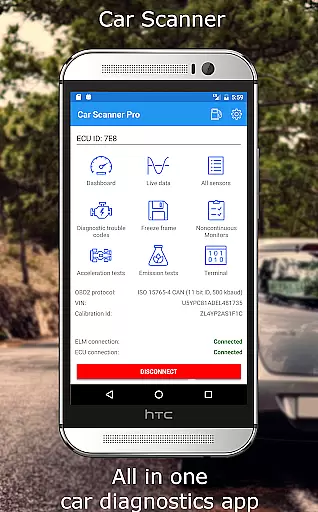
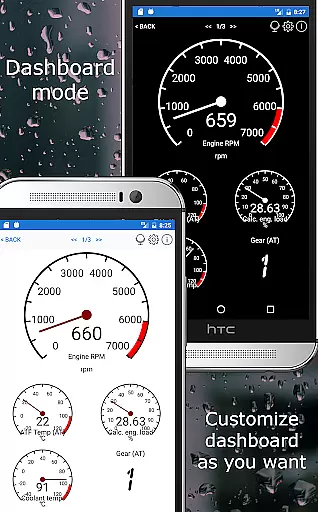
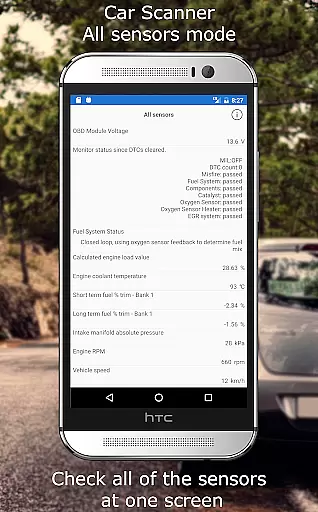
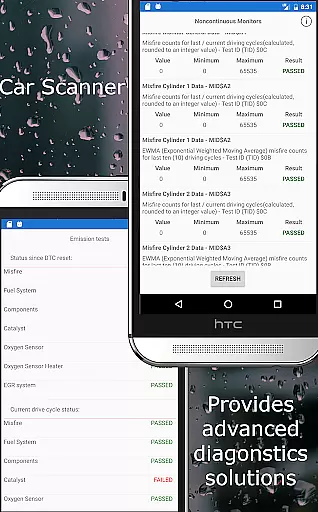
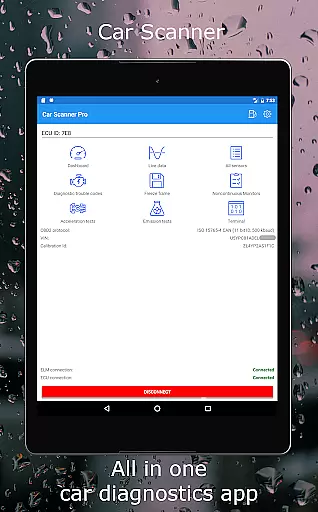
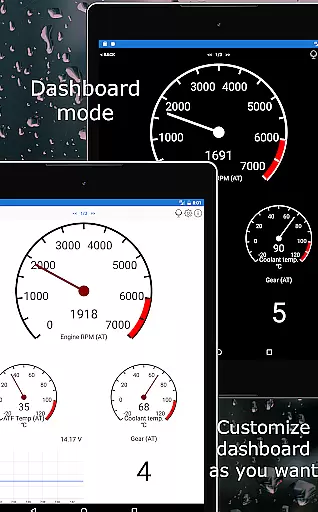
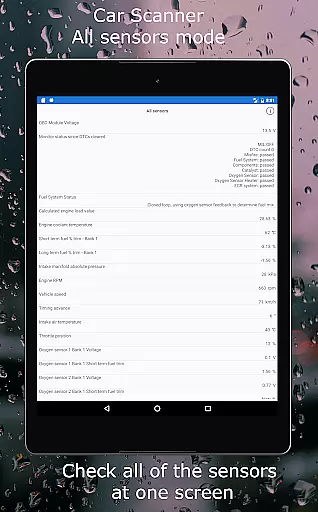
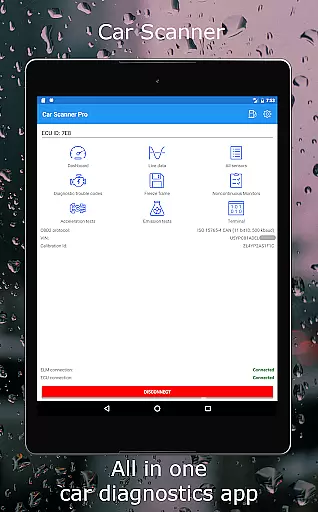
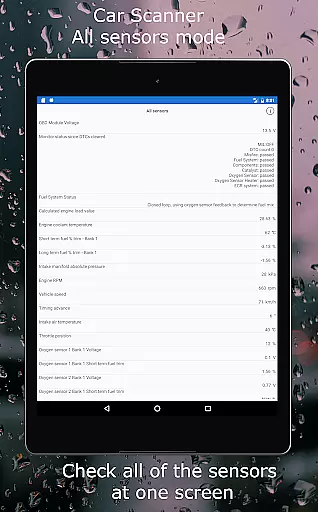
Car Scanner ELM OBD2 is a comprehensive vehicle diagnostics tool that connects to your car's OBD II system through a Wi-Fi or Bluetooth adapter. It provides real-time data on car performance, fault codes, and sensor information. The app supports a wide range of vehicles post-2000 and offers unique features such as customizable dashboards, Mode 06 testing, and HUD mode for projecting data onto the windshield.
This application stands out by offering advanced functionalities like reading free-frames when DTCs are saved, checking emission test readiness, and even coding hidden car settings for certain brands. With its ability to function as a trip computer and provide accurate acceleration measurements, Car Scanner ELM OBD2 is an invaluable tool for car enthusiasts and professionals alike.
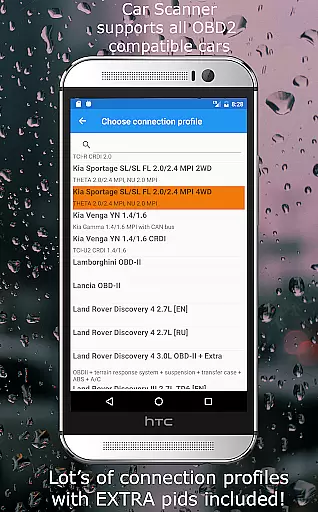
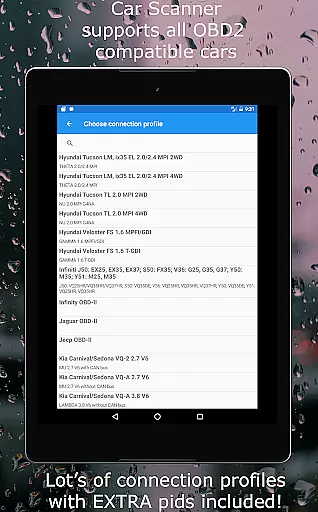
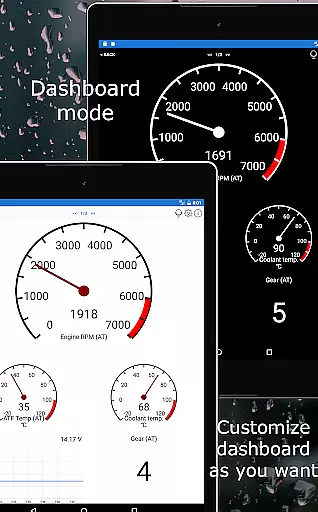
Car Scanner ELM OBD2 boasts an array of features designed to enhance user experience. Users can personalize their dashboard with desired gauges and charts, add custom PIDs for accessing restricted data, and utilize the extensive database of DTC code descriptions. Its compatibility with various connection profiles grants extra functionalities for numerous car brands, including Toyota, Ford, and Volkswagen.
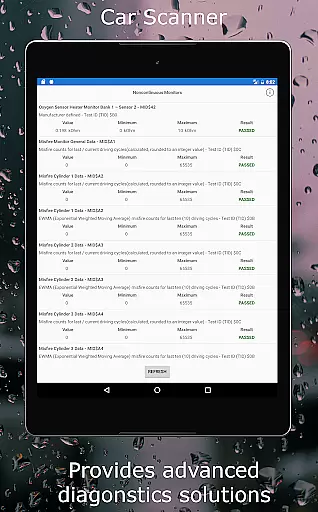
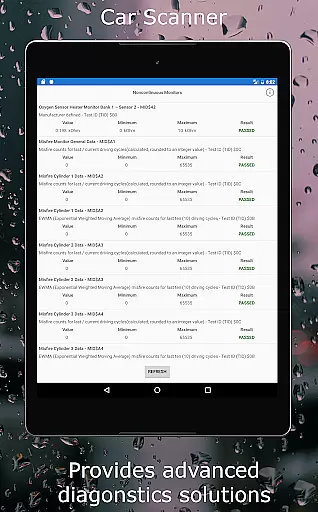
The inclusion of Mode 06 allows users to access ECU self-monitoring results, aiding in cost-effective repairs. Moreover, the app's HUD mode and precise acceleration measurement tools make it versatile for different diagnostic needs. As a trip computer, it delivers fuel consumption statistics, while support for coding enables alteration of concealed car settings, providing unparalleled control over vehicle configurations.
Accessing detailed vehicle information is crucial for both car enthusiasts and everyday drivers. Car Scanner ELM OBD2 provides an extensive range of data points from your vehicle's onboard diagnostics system. This includes real-time performance metrics, sensor readings, and fault codes that offer a comprehensive view of your car's health.
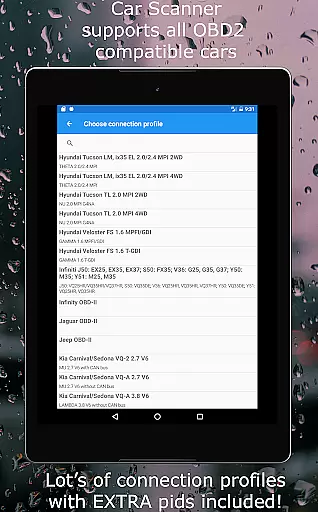
The app supports a multitude of vehicles adhering to the OBD 2 standard, ensuring compatibility with most cars manufactured post-2000. With specific connection profiles for brands like Toyota, Mitsubishi, GM, and more, it unlocks hidden features and settings unique to each manufacturer. This level of detail empowers users to understand their vehicle's condition beyond what is typically available.
Car Scanner goes further by offering advanced functionalities such as Mode 06 tests and readiness checks for emission tests. These features enable proactive maintenance and can help in reducing repair costs by identifying issues early. The inclusion of custom PIDs also allows access to information that might be restricted by the car manufacturer, enhancing transparency.
By providing tools for accurate acceleration measurements and fuel consumption statistics, Car Scanner ensures that drivers have all the necessary information at their fingertips. This not only aids in making informed decisions about vehicle upkeep but also enhances driving efficiency and safety.
Price transparency in automotive tools is essential for consumers looking to manage their vehicle expenses effectively. Car Scanner ELM OBD2 stands out by offering a wide array of premium features without any hidden costs. Unlike many other diagnostic tools, this app provides extensive functionalities for free, ensuring users are fully aware of what they are getting.
The application includes a vast database of DTC code descriptions and supports coding for various car models, allowing users to change hidden settings without additional charges. Whether it's enabling video in motion or configuring ambient lights, these advanced options come without extra fees, promoting fair pricing practices.
Moreover, Car Scanner supports a variety of OBD2 adapters, recommending reliable brands like OBDLink and Veepeak. While it suggests genuine ELM327 adapters for optimal performance, it does not enforce proprietary hardware purchases, thus maintaining cost clarity. Users can choose from a range of compatible devices based on their budget and needs.
By delivering high-quality diagnostics and customization capabilities at no extra cost, Car Scanner fosters trust and satisfaction among its users. This approach not only enhances user experience but also sets a benchmark for price transparency within the automotive diagnostics industry.
User-friendly interface
Extensive vehicle compatibility
Customizable dashboard options
Advanced diagnostic capabilities
Free version with wide feature set
Requires compatible OBD2 adapter
Performance varies by car model
Potential issues with cheap adapters
Complex features may overwhelm novices
Limited by car's ECU sensor support

Practice the drills within MotoJitsu Master Riding Program Volume 1 & 2!
 4.80
4.80
Digital Car Key/Launcher, Screen Mirror, Android Dashboard, Remote Wireless Link
4.40
Control maps, media and messaging, with the Google Assistant while you drive
4.10
Instant diesel savings. No credit checks or fees. Nationwide growing network.
4.40
MySubaru: Download. Connect. Love.
4.70
Marathon ARCO Rewards members earn rewards & apply the rewards for fuel savings!
4.80
PayByPhone: A quick and easy way to pay for parking.
3.80
Easy connect & control your cars from afar. Remote Lock & unlock car and carplay
4.60
Shop, finance, or sell today.
4.80
Play what you want through Android Auto
4.90
The Texaco App allows you to pay for fuel from the comfort of your car!
4.80
7-Day Returns on All Cars
4.80
Buy and sell your boat
4.70
Realtime Charts is a plugin for the Torque Pro App (OBD 2 & Car)
4.20
Monitor your behind-the-wheel behavior to become a safer driver and save.
4.10
OBD diagnostics, Live Data, DPF regeneration for BMW
4.00
Club Car Wash Mobile App—the fast lane to managing your wash membership.
3.30
Better fuel to help keep you on the road
3.20
Theme for Car Launcher
4.4


User Reviews