

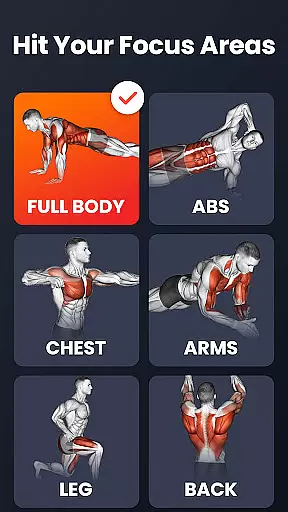

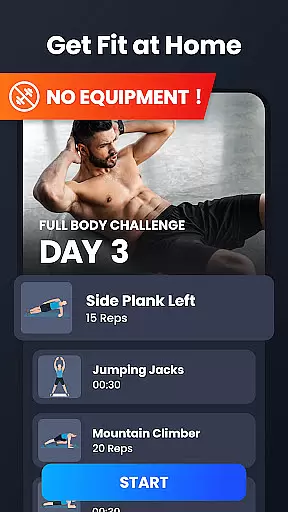
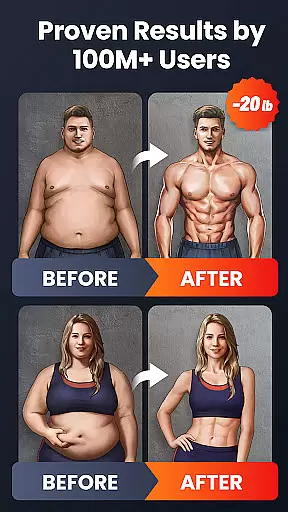
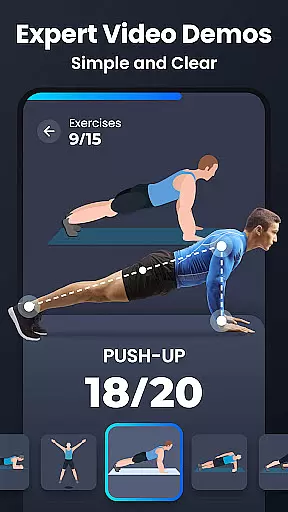
Home Workout is a comprehensive fitness application designed to provide users with daily workout routines that target all major muscle groups. This app enables you to build muscles and maintain fitness at home, eliminating the need for gym visits or equipment. With expert-designed workouts for abs, chest, legs, arms, and full body exercises, Home Workout ensures an effective muscle-toning experience in just a few minutes a day.
The app includes warm-up and stretching routines, automatic progress tracking, weight trend charts, customizable reminders, and detailed video guidance. These features ensure a scientific approach to exercise while helping users achieve their fitness goals efficiently. Whether you're looking to burn fat, gain strength, or simply stay active, Home Workout offers a complete solution tailored to your needs.
Ideal for those seeking a convenient and effective way to work out at home, this app catifies as a personal fitness coach in your pocket, guiding you through each exercise with animations and videos.
Home Workout stands out with its rich set of features tailored to enhance your fitness journey. The app provides warm-up and stretching routines to prepare your body for exercise and aid recovery. It automatically records your training progress and displays weight trends through intuitive charts, keeping you informed about your fitness evolution.
Customizable workout reminders help you maintain consistency, while detailed video and animation guides ensure proper form during each exercise. The inclusion of a personal trainer mode simulates a real coaching experience, offering motivation and guidance throughout your sessions. Additionally, sharing capabilities allow you to engage with friends on social media, fostering a sense of community and support.
With multiple exercises like push-ups, squats, and planks, Home Workout caters to various fitness levels and preferences. Its innovative approach combines traditional strength training with high-intensity interval training (HIIT) for optimal results, making it an indispensable tool for anyone committed to improving their physical well-being.
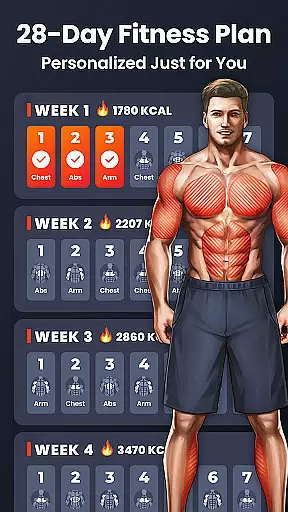
Personalized planning in fitness applications refers to the ability to tailor workout routines specifically to individual user needs and goals. This feature is crucial as it ensures that users engage in exercises that are best suited for their fitness levels and objectives.
Home Workout excels in delivering personalized planning by offering a diverse range of workouts targeting different muscle groups. The app provides daily workout routines designed by expert fitness coaches, ensuring that each exercise is optimized for maximum effectiveness without the need for equipment.
Users benefit from this feature through a structured plan that adapts to their progress automatically. The app records training progress and adjusts accordingly, providing a dynamic and responsive fitness experience that evolves with the user's increasing strength and endurance.
The true value of personalized planning in Home Workout lies in its ability to deliver professional-level guidance without the need for a physical trainer. With detailed video and animation guides, users can perform each exercise with correct form, leading to better results and minimizing the risk of injury.
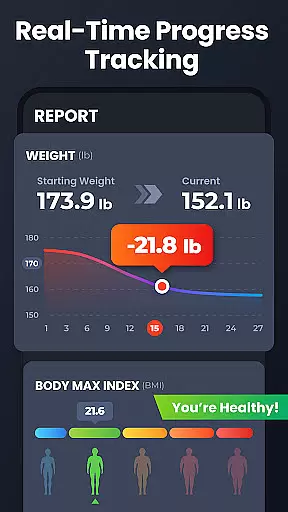
Progress visualization in fitness apps involves presenting users' achievements and improvements in an easily digestible graphical format. This feature is important because it allows users to see their development over time, which can be highly motivating.
In Home Workout, progress visualization is implemented through features like weight trend charts and automatic tracking of completed workouts. These tools provide tangible evidence of improvement, helping users stay committed to their fitness journey.
By visualizing their progress, users gain insights into how their dedication translates into results. This not only boosts motivation but also helps in setting realistic future goals based on past performance trends captured by the app.
Ultimately, the progress visualization offered by Home Workout enhances user engagement by celebrating milestones and encouraging continued effort towards achieving personal fitness goals.
User-friendly interface
Comprehensive workout plans
Automatic progress tracking
Detailed video guidance
Customizable reminders
Limited advanced options
No live coaching
Premium subscription required
Occasional ads
Basic nutritional advice

Easy access to health benefits
 4.70
4.70
Personal Measurements - Track your gains!
4.50
Pack of 66 calming lullabies for smooth fall asleep and relaxation
4.10
Period Tracker, the easiest way to track your periods!
4.50
Measure real-time wrist & ambient temperature with your Galaxy Watch (Wear OS)
3.20
The Official Blood Type Diet® App - know your categorized foods anytime.
4.50
Pilates, Calisthenics, Yoga
4.50
Your personal BP tracking companion, focus on helping you achieve wellness goal.
4.10
The most accurate heart rate app to monitor and track your heart rate & pulse.
4.40
Beauty Care, Makeup & Skin Care Scanner | Pregnancy App For A Mom | Healthy Baby
5.00
Drink water reminder app. Track water intake. Smart simple hydration tracker.
4.70
Your AI pet BFF. Talk, play, and beat anxiety in this calming game.
4.60
The simplest way to track your 21 Day Program containers, exercises, and water.
4.50
Interval timer for High Intensity Interval Training, Tabata and Circuit Training
4.20
Histamine intolerance, low FODMAP diet and irritable bowel syndrome (IBS)
4.00
beat yesterday.
4.00
Your Health Has Met Its App (℠)
3.90
Your Health Assistant
3.90
Optimization for TRT & Enhanced Athletes
4.0


User Reviews