
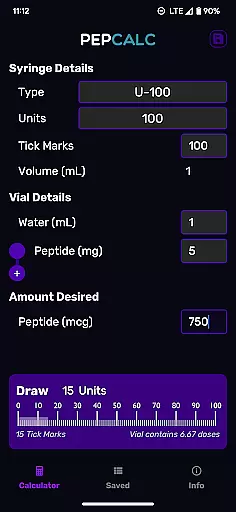
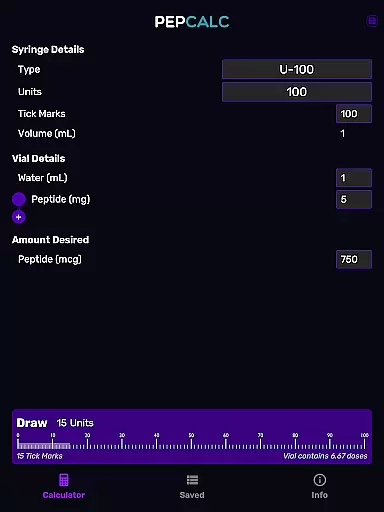
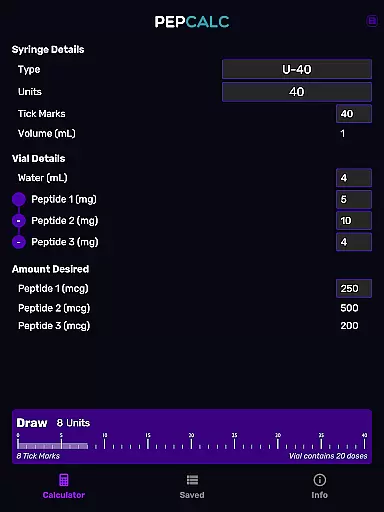
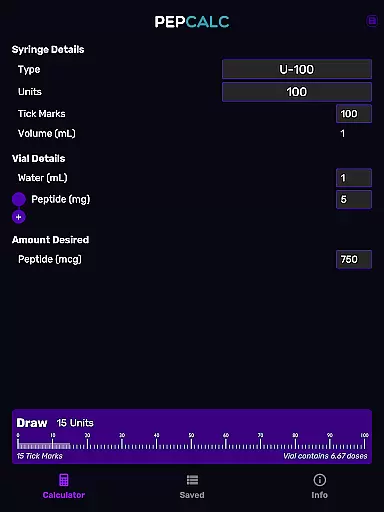
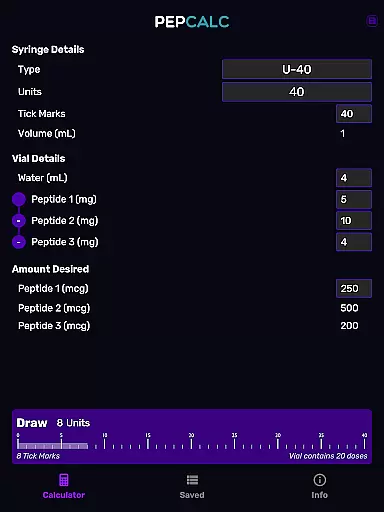
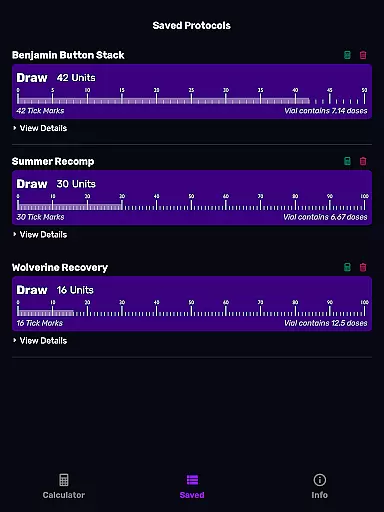
PepCalc is the leading peptide reconstitution calculator app designed for researchers, biochemists, and health professionals. This app simplifies complex calculations by providing accurate measurements for peptide reconstitution in each unit or tick mark. With fully configurable inputs, users can customize volume, units, tick marks, and more to match their specific needs.
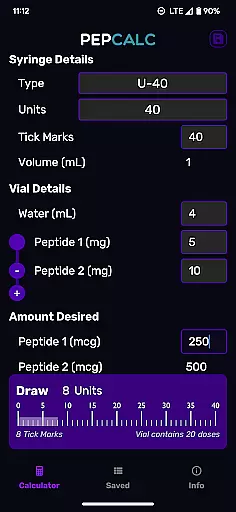
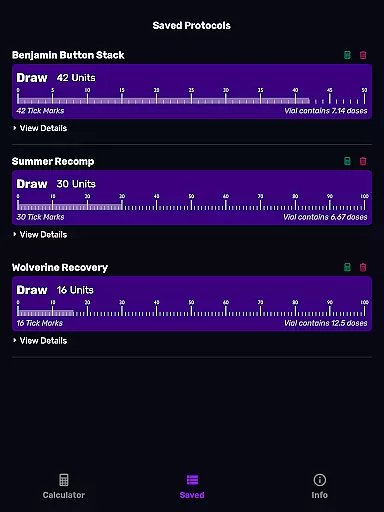
One standout feature is its support for multi-peptide blends, allowing users to compute amounts for various peptides simultaneously. Whether you're working with U100, U40, or other instruments, PepCalc automatically adjusts settings for optimal accuracy. The app also offers saved protocols with notes, ensuring that users can easily retrieve their favorite calculations without retyping data.
This app is ideal for professionals who require precision and efficiency in peptide preparation. By eliminating manual calculations and reducing errors, PepCalc enhances productivity in laboratory environments while offering a user-friendly interface.
PepCalc stands out with its comprehensive set of features tailored for precise peptide reconstitution. The app provides fully configurable inputs, enabling users to enter specific parameters such as volume, units, tick marks, and desired quantities. This flexibility ensures that every calculation matches the exact requirements of different experiments or protocols.
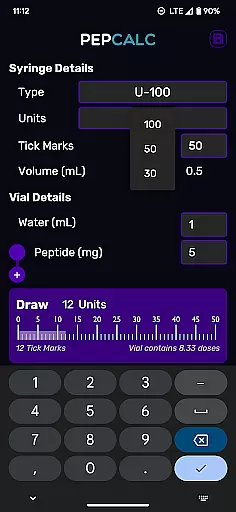
Another key feature is the support for multi-peptide blends. Researchers working with complex mixtures can input additional peptides, and PepCalc will compute all necessary amounts. The app also includes instrument type selection, supporting U100 and U40 syringes, with an 'other' option for custom settings. Saved protocols with notes allow users to store and quickly access frequently used calculations.
With added benefits like dark mode support and an ad-free experience, PepCalc combines functionality with user comfort. Its intuitive design eliminates the need for account creation, making it accessible and easy to use for professionals in the Health & Fitness industry.
Personalized planning in PepCalc allows users to configure inputs according to their specific needs for peptide reconstitution. This feature supports the customization of parameters such as volume, units, tick marks, and quantity of peptides, ensuring that each calculation is tailored to the user's unique situation.
The app offers instrument type selection, where users can choose between U100 and U40, or select 'other' for full control over the inputs. This flexibility ensures that whether you are a researcher or a peptide enthusiast, PepCalc adapts to your level of expertise and specific requirements.
For those working with multi-peptide blends, PepCalc provides the ability to add additional peptides, computing all necessary amounts accurately. This personalized approach saves time and reduces the risk of errors, making complex calculations straightforward and reliable.
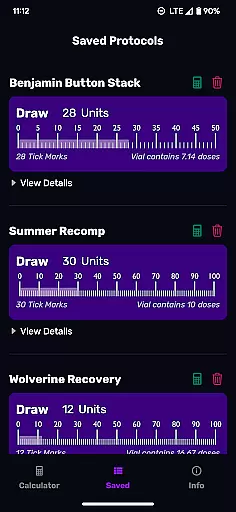
By saving protocols with notes, users can easily recall their favorite peptide reconstitution calculations without the need for repetitive input. This not only enhances productivity but also allows for better organization and management of various peptide projects, supporting a seamless and efficient workflow.
Progress visualization in PepCalc is designed to help users track and understand their peptide reconstitution calculations through clear and intuitive displays. By offering saved protocols with notes, the app enables users to visualize their progress over time, providing a comprehensive overview of their work.
Dark mode support enhances the visual experience, reducing eye strain and improving readability in low-light conditions. This feature ensures that users can comfortably review their calculations and protocols at any time of day, promoting sustained engagement with the app.
The app's interface is crafted to present information in an organized manner, allowing users to quickly identify key data points and trends in their peptide calculations. This clarity in presentation aids in recognizing patterns and making informed decisions based on accurate data visualization.
With no signup required and no ads, PepCalc provides an uninterrupted environment for progress visualization. Users can focus on their work without distractions, ensuring that their attention remains on the critical aspects of peptide reconstitution and management.
Accurate calculations
User-friendly interface
Multi-peptide support
Saved protocols feature
No ads or signup required
Limited to peptide use
Fewer general health tools
Premium price point
Requires manual input
Specialized audience only

Create powerful subliminal audio with custom affirmations and background music.
 4.00
4.00
Transform your body and soul with DBFFitness, with a 40-day fitness journey.
4.4
Histamine intolerance, low FODMAP diet and irritable bowel syndrome (IBS)
4.00
Use your watch as a bike computer, heart rate monitor and cycling power meter
2.50
Get lasting results with Chair Yoga, Wall Pilates, and Walking workouts!
4.60
3D Body Measurement System
3.60
FitCloudPro takes care of your health every minute.
3.70
Mood journal, habits, self-care tracker, self-love
4.90
Workouts for everyone
4.70
Mind on steroids - relaxation, productivity, meditation and sleep!
4.60
Personal Measurements - Track your gains!
4.50
Period Tracker, the easiest way to track your periods!
4.50
Eat smarter with Eato, your personal calorie counter and nutrition tracker!
4.40
Track heart rate & HRV in 30s! Get live health insights and anomaly alerts
4.40
The most accurate heart rate app to monitor and track your heart rate & pulse.
4.40
Pack of 66 calming lullabies for smooth fall asleep and relaxation
4.10
Find Paid Clinical Trials In Your Area
3.70
GloryFit is a companion app for the smart bracelet.
3.60
Your plan in your pocket 24/7
3.00


User Reviews