
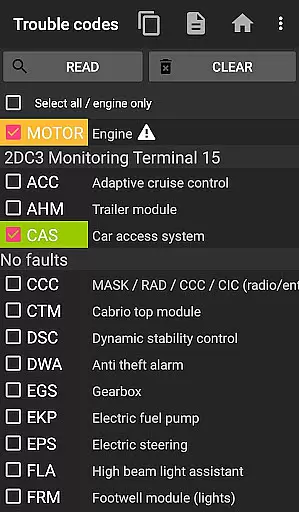
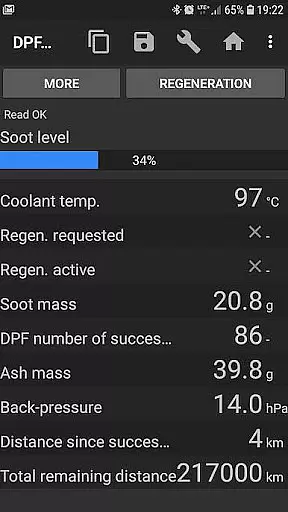
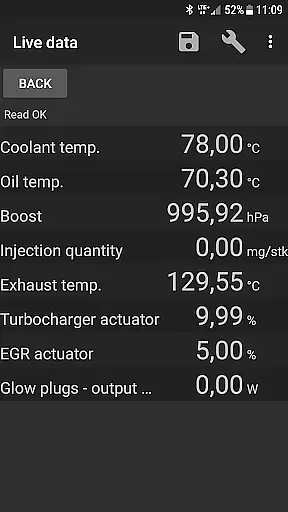
bimmer-tool is a comprehensive diagnostic application designed specifically for BMW car owners and enthusiasts. This app allows users to read and clear fault codes, request DPF regeneration, and access real-time engine data in compatible BMW models. It supports a wide range of functionalities including monitoring exhaust fumes pressure, reading injector adjustments, and logging data to CSV files for further analysis.
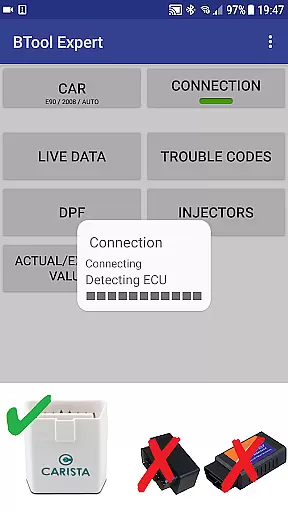
The application works optimally with reliable OBD adapters such as K+DCan USB cables, ENET adapters for F/G series, and specific Bluetooth adapters like Vgate vLinker and UniCarScan. For older BMW models below 2008, a wired connection is recommended for full functionality. bimmer-tool provides an essential toolset for maintaining and troubleshooting modern BMW vehicles, making it invaluable for both personal and professional use.
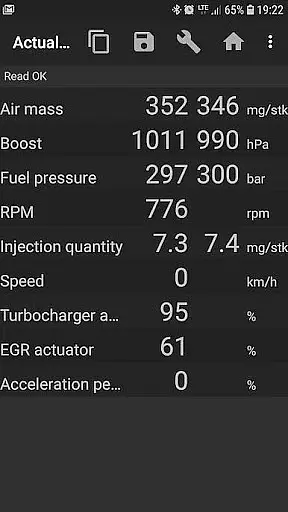
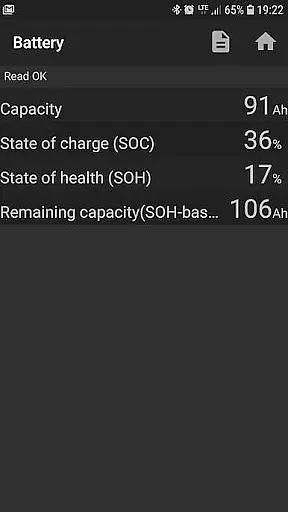
bimmer-tool offers an extensive set of features tailored for BMW diagnostics. The app enables users to perform critical maintenance tasks such as reading DPF regeneration status, resetting DPF adaptation values after filter replacement, and registering battery replacements without altering battery properties. Additionally, it provides detailed insights into engine performance by displaying actual and expected values for air mass, intake manifold pressure, and fuel pressure.
One of the standout capabilities is its support for various OBD adapters, ensuring compatibility across different BMW models and years. Whether using a K+DCan USB cable for older engines or ENET adapters for newer F & G series, users can reliably connect and interact with their vehicle's systems. The app also facilitates data logging to CSV files, allowing for advanced analysis and record-keeping, which is crucial for ongoing vehicle maintenance and troubleshooting.
bimmer-tool provides comprehensive access to detailed vehicle information, ensuring users can monitor and manage their BMW's performance effectively. The app allows users to read engine live data, including parameters such as air mass, intake manifold pressure, and fuel pressure. This real-time insight into the vehicle's operations enables car owners to stay informed about their car's health and make necessary adjustments or repairs.
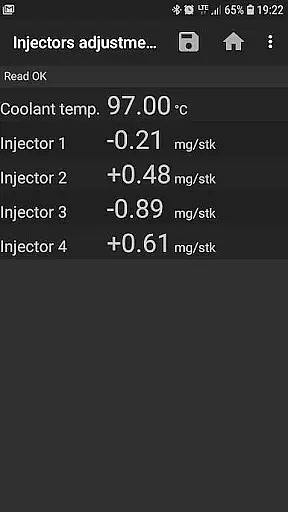
In addition to live data, bimmer-tool supports reading injectors adjustments and exhaust fumes pressure, which are crucial for maintaining optimal engine performance. By providing these specific details, the app empowers users with the knowledge needed to address potential issues promptly. Such functionality is particularly beneficial for those who prefer a hands-on approach to vehicle maintenance.
Furthermore, the application facilitates logging data to a CSV file for further analysis. This feature is invaluable for enthusiasts and professionals alike, allowing them to track changes over time and identify patterns or anomalies in vehicle performance. With this level of detail, users can ensure their BMW remains in top condition, ultimately enhancing both safety and driving experience.
While bimmer-tool focuses primarily on vehicle diagnostics, it also emphasizes price transparency regarding the tools required for its operation. The app outlines the necessity of a reliable OBD adapter, recommending options like the K+DCan USB cable, ENET adapter, or specific Bluetooth adapters. By detailing these requirements, bimmer-tool ensures that users understand the initial investment needed to utilize the app fully.
The application lists several compatible adapters, complete with purchasing links and setup instructions. For example, it recommends Vgate vLinker MC/FS/BM/FD and UniCarScan UCSI-2000/USCI-2100, specifying settings like D-Can mode: MODE2. This openness about accessory costs helps users budget accordingly and select the best tools for their needs without hidden expenses.
Moreover, bimmer-tool provides clear guidance on the limitations and capabilities of different adapters, ensuring users make informed decisions. Whether opting for a cost-effective Bluetooth solution or investing in a more reliable USB connection, users can anticipate all associated costs upfront. This transparency not only builds trust but also enhances user satisfaction by eliminating unexpected expenses during the vehicle diagnostic process.
User-friendly interface
Wide adapter compatibility
Comprehensive diagnostic tools
Real-time data monitoring
CSV data logging
Limited old model support
Requires reliable OBD adapter
Complex setup process
Potential connectivity issues
Advanced technical knowledge needed

Wonder how much horsepower and torque your car/truck makes? Look no further.
 3.40
3.40
Blink Charging Mobile app makes finding an EV charger an intuitive experience.
3.80
Car Values, Research and More
4.80
Instant diesel savings. No credit checks or fees. Nationwide growing network.
4.40
Lexus app currently supports 2010 or newer vehicles (2018 or newer for Hawaii).
4.80
Secure mobile payments & fuel savings at Phillips 66®, Conoco® and 76® stations
4.40
Your car is talking. Start listening.
4.30
PayByPhone: A quick and easy way to pay for parking.
3.80
Shop, finance, or sell today.
4.80
Play what you want through Android Auto
4.90
Get more out of your AAWireless adapter with this companion app | aawireless.io
4.80
MySubaru: Download. Connect. Love.
4.70
Shop cars & see your financing
4.60
Easy connect & control your cars from afar. Remote Lock & unlock car and carplay
4.60
CVT diagnostics with ELM327 for Nissan-based vehicles
4.40
OBD2 car scanner and diagnostics: read Check Engine, DTC, economy....
4.30
Discover new and used cars in Syria easily! Browse ads and connect with sellers.
3.70
Mobile Phone Parking - So easy to park
3.70
Monitor specific TOYOTA parameters by adding this plugin to Torque Pro.
2.00


User Reviews