
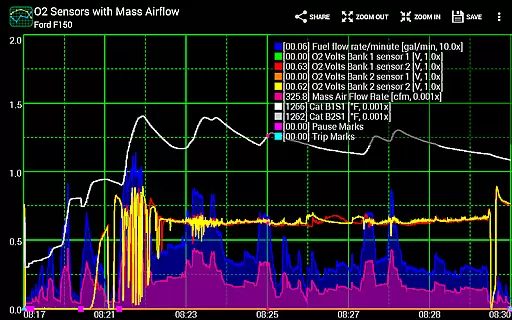
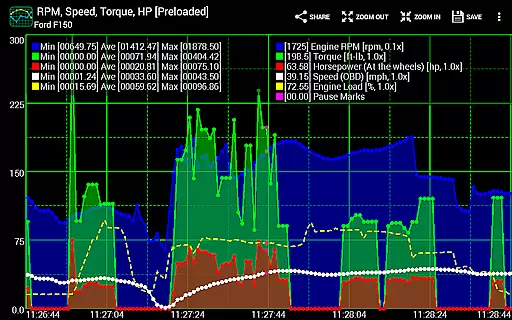
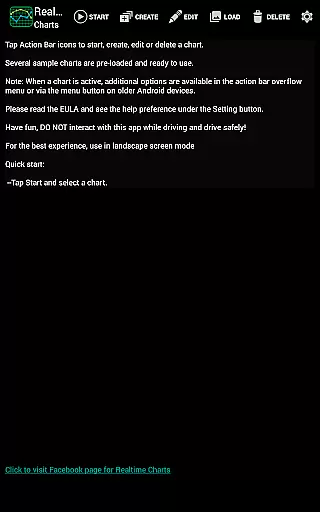
Realtime Charts for Torque Pro is a specialized plugin designed for automotive enthusiasts who require detailed performance monitoring of their vehicles. This app allows users to graph up to 10 engine sensors simultaneously, providing real-time data visualization on Android devices. With the ability to customize charts and analyze vehicle performance through scatter plots, it serves as an essential tool for both professional mechanics and hobbyists.
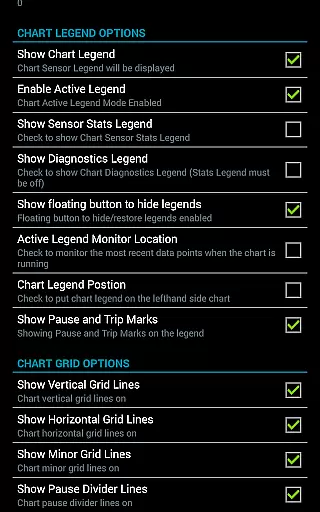
The app's standout feature is its capability to capture sensor data based on specific criteria, such as RPM or speed thresholds. This functionality enables more precise performance tuning and diagnostics. Additionally, Realtime Charts supports features like auto-pausing when the vehicle stops and exporting data in Excel CSV format, making it versatile for various analytical needs.
Useful for creating shareable content for automotive forums, this app bridges technical analysis with community engagement. By integrating seamlessly with Torque Pro, it offers a comprehensive solution for those invested in understanding and optimizing their vehicle's performance.
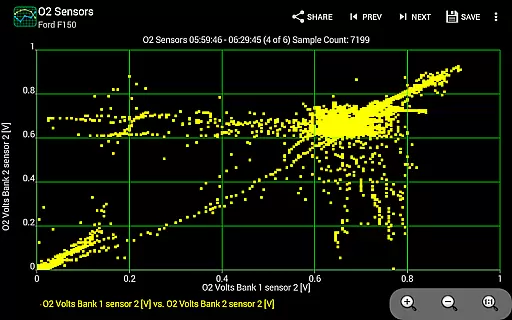
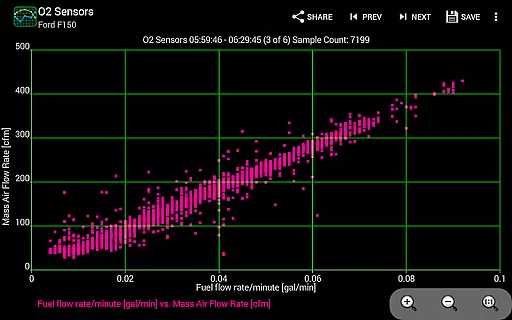
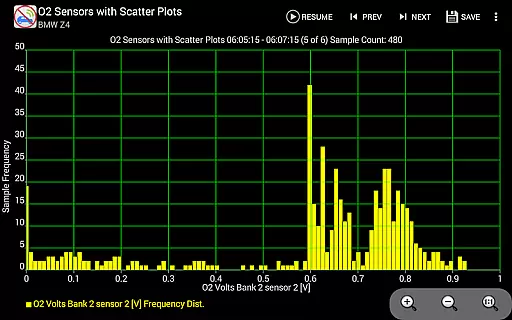
Realtime Charts for Torque Pro boasts an array of sophisticated features tailored for automotive diagnostics. Users can monitor and graph multiple engine parameters in real time, including RPM, speed, and MPG. The app supports scatter plot analysis, which is crucial for identifying correlations between different engine metrics. This feature is complemented by dynamic scaling options that allow users to adjust the sensitivity of data points.
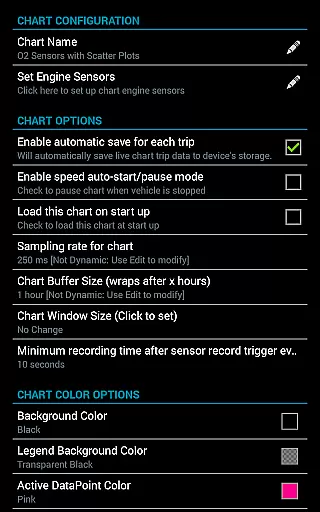
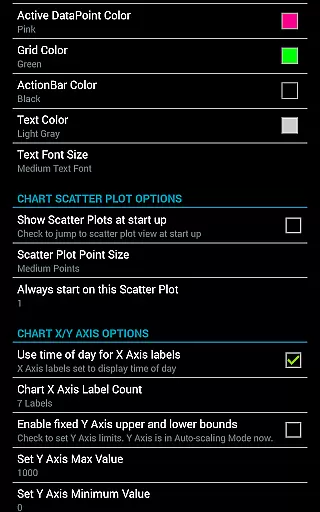
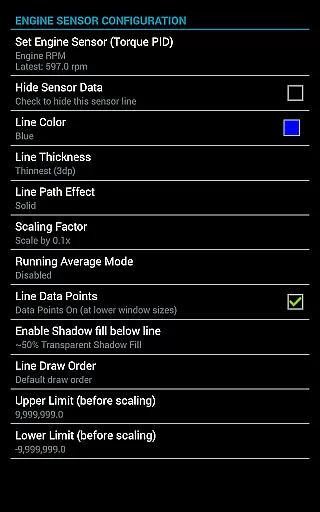
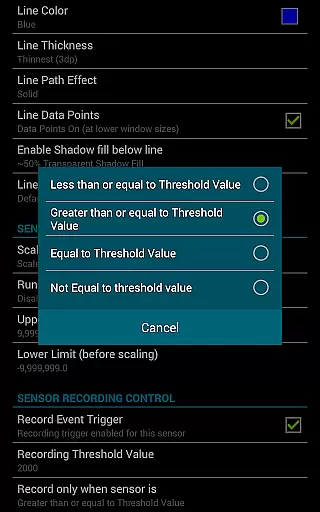
Customization is at the heart of this app's design. Users can create up to 100 unique charts, each capable of displaying different sensor combinations. These charts are highly configurable, with options to modify colors, sampling frequencies, and axis labels. Advanced functionalities include setting triggers for data capture based on custom thresholds and managing storage space automatically, ensuring efficient data handling.
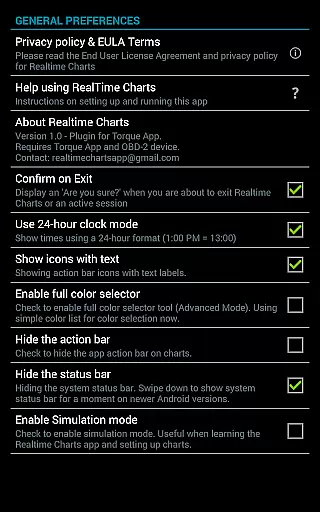
Practicality extends to usability features such as simulation mode for chart design without needing an ECU connection and background recording capabilities. These aspects make the app not only powerful but also user-friendly, catering to both seasoned professionals and newcomers in automotive diagnostics.
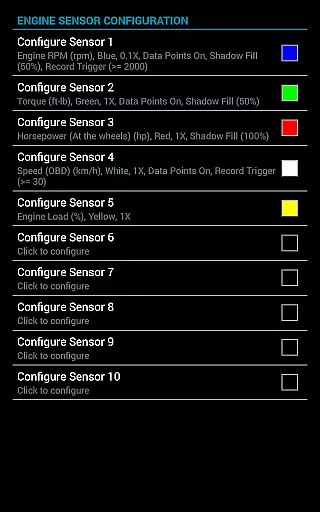
Realtime Charts for Torque Pro offers an extensive monitoring solution that allows automotive enthusiasts to access detailed vehicle information. This plugin app enables users to graph multiple engine sensors simultaneously, providing real-time data on parameters such as RPM, speed, MPG, horsepower, and torque. By visualizing up to ten different Parameter IDs (PIDs), users can gain in-depth insights into their vehicle's performance characteristics.
The application supports the creation of custom charts, with the possibility to configure up to 100 unique combinations of sensor data. Users can specify sampling frequencies, chart aesthetics, and series attributes, tailoring the monitoring experience to their needs. With features like scatter plot analysis and dynamic scaling of data points, the app ensures accurate and adaptable tracking of vehicle metrics.
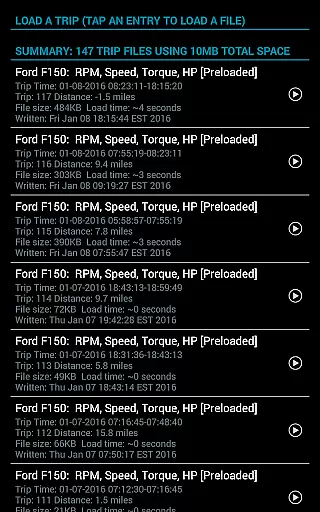
For those looking to analyze their vehicle's performance post-drive, Realtime Charts provides options to save data for later review. The ability to scroll, zoom, and adjust time-of-day axis labels makes historical performance analysis both flexible and precise. These capabilities ensure that users have all the tools necessary to monitor and understand their vehicle's behavior over time.
While Realtime Charts for Torque Pro is a paid application, it maintains price transparency by clearly outlining its cost structure on the Google Play Store page. Potential users can easily view the pricing details before downloading, ensuring there are no hidden fees or unexpected charges. This straightforward approach allows users to make informed decisions about their purchase.
In addition to one-time purchase costs, the app requires certain prerequisites for operation, which are clearly communicated. Users must own a compatible wireless OBD 2 adapter and have the 'Torque Pro' app installed on their device. These requirements are explicitly stated in the app description, preventing any surprises regarding additional expenses needed to utilize the full functionality of Realtime Charts.
Furthermore, the app offers various advanced features without in-app purchases or subscription models, delivering comprehensive value within the initial investment. With capabilities such as exporting Excel CSV data files, simulation modes, and automatic trip storage management, users receive a complete package that enhances their vehicle diagnostic experience without additional costs. This commitment to clear pricing ensures trust and satisfaction among its user base.
Real-time data visualization
Highly customizable charts
Advanced scatter plot analysis
Auto-pause functionality
Exportable data formats
Requires separate OBD2 adapter
Dependent on Torque Pro app
Complex for beginners
Limited to Android platform
No iOS version available

OBD2 car scanner and diagnostics: read Check Engine, DTC, economy....
 4.30
4.30
Theme for Car Launcher
4.2
* This app needs an adapter cable and a certain OBD2 adapter to work *
4.20
Launcher for use in the car
4.40
Get more out of your AAWireless adapter with this companion app | aawireless.io
4.80
DMV practice test 2025: Driver License permit test & written test for all states
4.70
Find, search, and browse 40,000+ used cars, SUVs, and trucks.
4.50
7-Day Returns on All Cars
4.80
Quick and easy car diagnostics to get you the right fix.
4.70
Browse millions of cars, track vehicle listings or sell your car today
4.70
Listings of Tesla's with FSD - Included package
4.60
CVT diagnostics with ELM327 for Nissan-based vehicles
4.40
A full featured, real-time transit locator system
4.30
Your car is talking. Start listening.
4.30
Get your personalized financing options and shop for used cars today!
4.20
myAudi offers users services and Audi connect services for Audi drivers
4.10
OBD diagnostics, Live Data, DPF regeneration for BMW
4.00
App Mirroring for Tesla Car's Browser
2.80
Theme for Car Launcher
4.0


User Reviews