
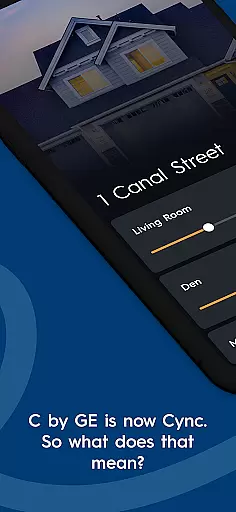

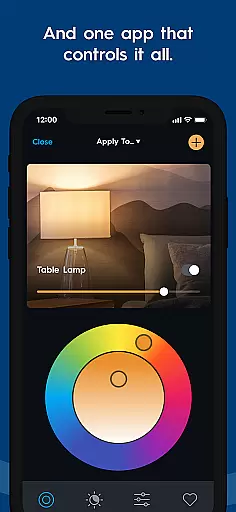
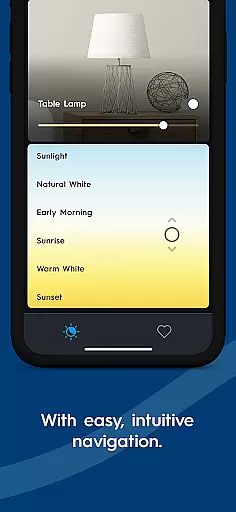
Cync is a smart home app that allows users to control Cync and C by GE products with ease. The app features an intuitive interface with enhanced personalization options, including the ability to add photos of devices and rooms for easy identification. Its dynamic home screen provides quick access to frequently used products, while the patented TrueImage technology lets users experiment with light colors and brightness remotely.
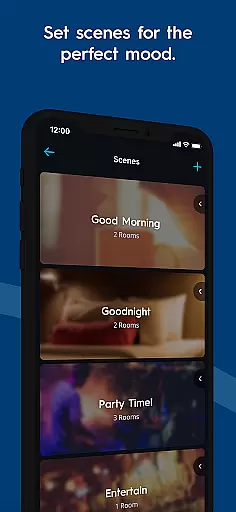
With advanced color control and group device management within rooms, users can customize their smart home experience like never before. The app also offers improved stability and speed, ensuring faster and more reliable connections compared to its predecessor. Whether setting light schedules or creating the perfect sleeping scene, Cync delivers both convenience and personalization in one powerful package.
The Cync app stands out with its innovative features designed to enhance user experience. One of the key highlights is the advanced color control, allowing users to input RGB values to match lighting with paint or decor. The double color wheel feature enables precise color selection for any space, making it ideal for interior design enthusiasts.
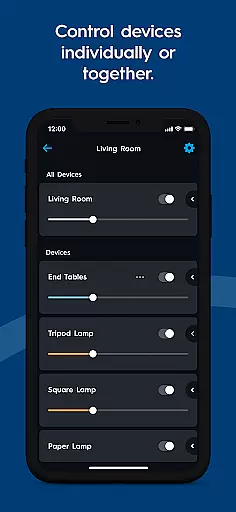
Another notable feature is the ability to group devices within rooms, providing greater control without needing to create new rooms in the app. For example, users can separate 'Island Fixtures' from 'Ceiling Fan' in the kitchen for individual or paired control. Additionally, the app supports voice compatibility with Amazon Alexa and Hey Google, offering seamless voice control without requiring a hub. These features collectively ensure a smarter, more connected home environment.
The Cync app offers comprehensive lifestyle category coverage by integrating smart home functionalities into everyday living. This includes advanced lighting control, scheduling, and color customization that allows users to effortlessly adapt their environment to different moods or occasions.
With features like TrueImage technology and dynamic home screen personalization, the app provides a tailored experience for managing various smart devices within the home. Users can easily adjust settings for individual rooms or groups of devices, ensuring maximum convenience and efficiency in their daily routines.
In addition to lighting, the app supports smart cameras and plugs, enhancing home security and automation. The ability to create multiple profiles and share control with family members adds another layer of practicality, making it an all-encompassing solution for modern households.
Cync ensures content authenticity through its direct association with GE Lighting, a trusted brand in home solutions. The app's features are backed by patented technologies like TrueImage, which demonstrates the company's commitment to innovation and reliable smart home experiences.
Expert credibility is further established through seamless integration with popular voice assistants like Amazon Alexa and Google Assistant. This compatibility guarantees users access to proven and widely-adopted smart home ecosystems without requiring additional hubs or complex setups.
The app's development team regularly updates its features based on user feedback and technological advancements, maintaining high standards of quality and relevance. With official documentation and support available through GELighting.com, users can trust they are receiving accurate and professional-grade information about their smart home products.
User-friendly interface
Advanced customization options
Reliable connectivity
Voice assistant integration
Dynamic home screen
Limited third-party support
Requires compatible devices
No iOS widget support
Premium features may cost extra
Occasional bugs reported

Countdown to Christmas 2025 with festive games & activities in a virtual village
 4.80
4.80
Big bold weather watch face with dynamic backgrounds and 3 complications
4.0
Unique Dark Analog style for Wear OS watches.
4.3
Your home in your hand
3.80
LineLearner, the quick way to learn lines.
2.90
The App can control Roborock vacuum cleaners from anywhere with rich features.
4.60
Redecor your home with Home AI interior design, room planner and home designer.
4.50
Your store’s deals, where you are.
4.80
Remotely monitor the time and temperature of food cooking on your grill.
4.60
Get roadside help, discounts, travel tools & more — AAA is with you everywhere.
4.80
Tap to the beat with interactive videos — warm up your reflexes & have fun
4.70
Kasa Smart is your portal to your TP-LINK Smart Home.
4.70
Premium floor cleaning robots
4.50
This app is intended to support professional EMDR therapy.
4.50
A smart Siddur with halachic times
4.50
Take Hobby Lobby with you wherever you go!
3.40
Duo Watch Face (animated)
4.0
Immerse yourself in the serenity of lavender fields and white butterflies
4.3
Futuristic watchface inspired by Back to the Future: sleek, retro, timeless
4.3


User Reviews