
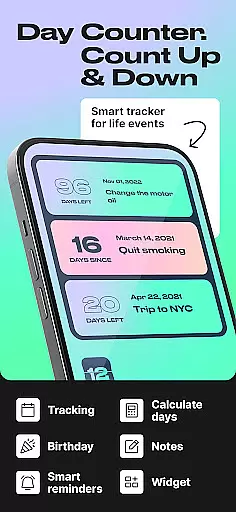
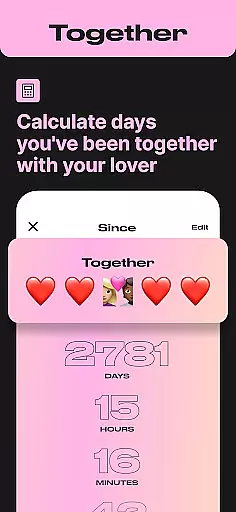
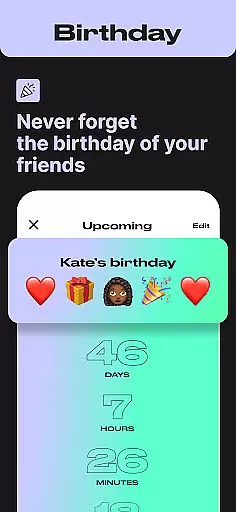
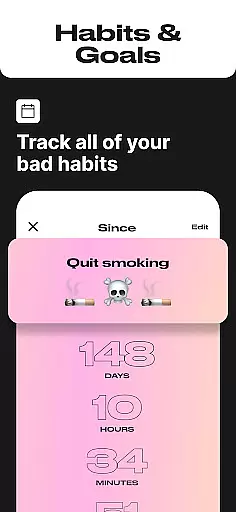
Day Counter is an intuitive Events app designed to help users track important dates and milestones with precision. This app offers both count-up and countdown modes, allowing you to monitor days since or until any significant event. Whether it's personal goals, work deadlines, or special occasions like birthdays and holidays, Day Counter keeps you organized and informed.
The app stands out with its unlimited counters, customizable notifications, and clean minimal design. You can create as many trackers as needed for various events while enjoying a distraction-free interface. Its practical features make it suitable for both personal and professional use, ensuring you never miss an important moment.
For individuals seeking better time management, Day Counter serves as a productivity assistant. It helps maintain focus on long-term objectives and fosters healthy habits by tracking progress over time. With dedicated reminders and widgets, staying on top of your schedule becomes effortless, making this app an essential tool for anyone wanting to manage their time effectively.
Day Counter boasts several notable features that cater to diverse user needs within the Events category. One key aspect is its dual-mode functionality, offering both count-up and countdown timers. This allows users to either look forward to future events or reflect on past milestones, providing comprehensive time tracking capabilities.
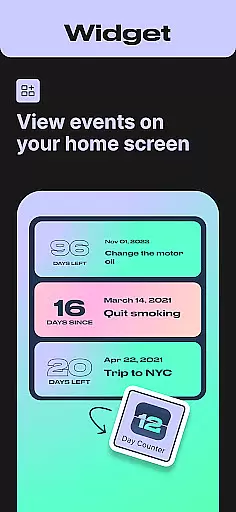
In addition to versatile counting modes, Day Counter supports unlimited counters, enabling users to manage multiple events simultaneously. Each counter can be personalized with custom names and dates, ensuring clarity and relevance. The inclusion of widgets and reminders enhances accessibility, keeping critical dates at your fingertips without needing to open the app.
Another standout feature is the ability to review past events by week, month, or year, facilitating better planning and reflection. Custom notifications ensure timely alerts for upcoming milestones, while the minimalist design promotes ease of use. These combined elements make Day Counter not just a date calculator but a holistic tool for managing life's important moments efficiently.
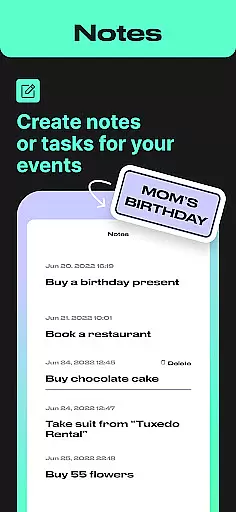
Task creation and detail customization are essential features for any event management app. Day Counter excels in this area by offering users the ability to create unlimited counters for various events, from personal milestones to work deadlines. Each counter can be individually named and set with specific dates, allowing for a highly personalized tracking experience.
The app's intuitive interface makes it easy to customize every aspect of your counters. Whether you're counting up or down, you can tailor each event with unique labels and descriptions. This level of customization ensures that every countdown or count-up timer is meaningful and relevant to the user's specific needs.
Users benefit from the flexibility to track multiple events simultaneously without losing sight of what truly matters. The ability to name and categorize each counter means you'll never confuse one important date with another. This feature is particularly useful for those juggling numerous personal and professional commitments.
The value of detailed customization extends beyond mere organization. It empowers users to maintain better control over their time management, ensuring they never miss significant moments. With Day Counter's robust customization options, users can effectively prioritize their schedules while maintaining clear visibility on approaching deadlines and upcoming celebrations.
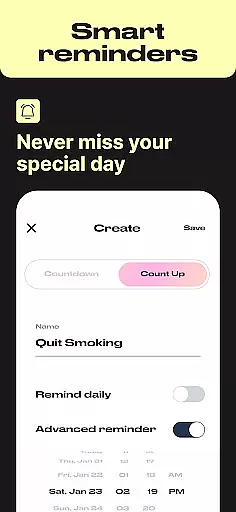
Reminder settings in Day Counter provide an essential function for staying on top of important dates and events. The app offers custom notifications that ensure users never miss a milestone or special occasion. These reminders can be tailored to individual preferences, making time management both effective and personal.
The notification system is designed to be flexible yet unobtrusive. Users can set up alerts for each counter they create, choosing when and how they want to be reminded. Whether it's days before a deadline or hours before a meeting, the app delivers timely notifications that help maintain focus and punctuality.
This feature proves invaluable in both personal and professional contexts. For work-related tasks, reminders keep projects on track and teams accountable. In personal life, the app ensures you're always prepared for birthdays, anniversaries, and other meaningful events. The ability to receive notifications across devices enhances this functionality further.
What sets Day Counter apart is how its reminder system integrates seamlessly with its counting features. Users can track progress toward goals while receiving motivational alerts along the way. This combination of countdown functionality with smart notification options creates a comprehensive time management solution that adapts to various lifestyle needs.
User-friendly interface
Unlimited event tracking
Customizable notifications
Clean and minimal design
Versatile counting modes
Limited advanced analytics
No built-in calendar view
Premium features require subscription
Occasional sync issues
Basic widget customization

Browse events, find transportation, keep up with the latest news from your team
 4.5
4.5
Community for Mods, Addons, Melsaves, Melmods for Melon Playground
4.4
Rocket Monkey - Space rocket launch schedule for launch sites around the world
4.20
Find EDM shows near you! See your favorite artists live, and discover new music.
4.90
Fast Scans. Happy Fans. For Every Hometown!
4.60
Introducing the official Magic: The Gathering app for mobile.
4.20
Octrober 2025: We've updated the MyGenMobile App with a new look and feel!
4.40
Buy tickets for any event!
3.90
Buy and sell tickets to sports, concerts, theater, festivals, and comedy events
4.10
Save money on concert, sport, and theater tickets, and discover upcoming events.
4.80
Beautiful invitation cards + easy RSVP tracking for any event. Design Invites.
4.80
Discover events & experiences in NYC, LA, Chicago, DC, Miami and more!
4.70
Here you can choose tickets for films, performances, concerts and other events
4.60
Listen Full Quran MP3 Offline - Qibla Compass, Salah Timing & 99 Names of Allah
4.60
For weddings, parties & events
4.60
Greeting card maker with photos best app| Birthday cards| All wishes eCards FREE
4.50
Freebie Games for Epic Games, Steam, Amazon, Rockstar etc.
4.40
No invest, Easy way to earn USDT through crypto cloud mining
3.80
It is an Event Planning Application.
4.2


User Reviews