
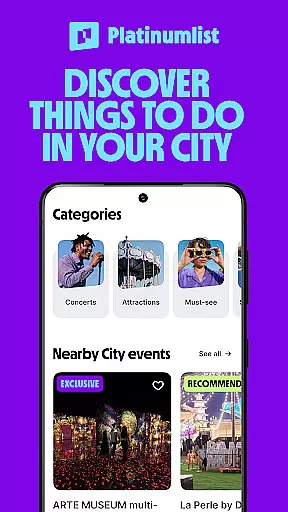
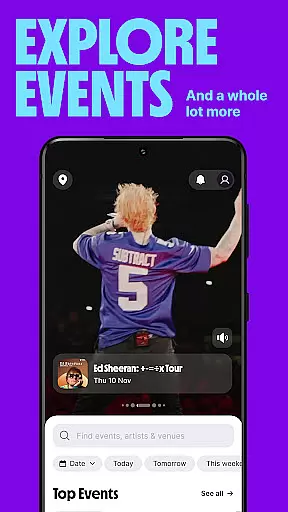
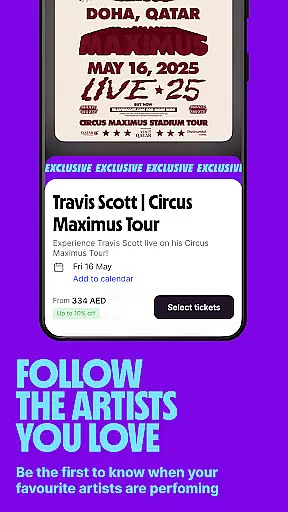
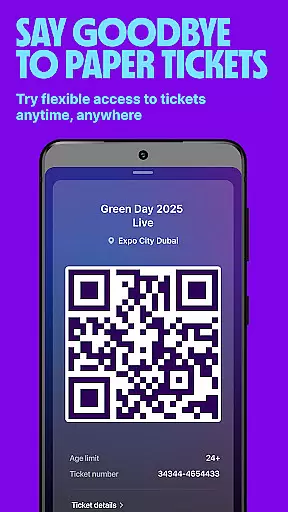
Platinumlist is a comprehensive event discovery and ticketing app designed to help users find and book tickets for concerts, festivals, shows, outdoor activities, and more. With over 12 years of experience in the entertainment industry, this app serves as a one-stop platform for all your entertainment needs. Whether you're looking for live concert tickets, desert safari experiences, or family-friendly attractions, Platinumlist ensures you have access to a wide range of events across multiple categories.
The app stands out with its user-friendly interface, instant mobile ticketing system, and tailored recommendations based on individual preferences. By providing exclusive offers and keeping users updated on the latest happenings, Platinumlist makes it easy to stay engaged with the best entertainment options available in your area. Trusted by millions, it combines convenience, variety, and reliability to enhance your event-going experience.
Platinumlist offers an impressive array of features that cater to diverse entertainment needs. One of its standout capabilities is the ability to discover and purchase tickets effortlessly. Whether you're planning a family day at a theme park, attending a live concert, or embarking on an adventurous desert safari, the app simplifies the booking process through intuitive navigation and secure payment options.
In addition to seamless ticketing, Platinumlist provides personalized recommendations tailored to your interests. This feature helps users explore new activities such as camel rides, buggy tours, and local brunch spots they might not have considered before. The app also ensures convenience with its instant mobile ticketing system, eliminating the need for printed tickets. Furthermore, users can take advantage of exclusive deals and stay informed about upcoming events, ensuring they never miss out on their favorite performances or activities.
Task creation and detail customization are essential features for any event management app. The Platinumlist app excels in this area by offering users the ability to create and customize event tasks with ease. This functionality allows users to tailor each event to their specific needs, ensuring a personalized experience.
The app provides an intuitive interface where users can input detailed information about events, such as date, time, location, and type of activity. Additionally, it supports adding special instructions or notes, making it easier for attendees to know what to expect and how to prepare.
For those planning multiple outings or activities, the customization options allow for organizing events by categories, setting reminders, and even sharing details with friends or family. This ensures that every planned activity is not only well-documented but also easily accessible to all relevant parties.
Ultimately, the task creation and customization capabilities of the Platinumlist app enhance user engagement by providing tools that make planning and attending events seamless and enjoyable. Whether you're organizing a small gathering or a large-scale concert, these features ensure that every detail is accounted for, leading to successful and memorable experiences.
Reminder settings play a crucial role in ensuring that users never miss an important event or activity. The Platinumlist app offers robust reminder functionalities that help users stay on top of their schedules. By allowing users to set custom reminders for various events, the app ensures timely notifications that keep them informed and prepared.
Users can choose from different types of reminders, including push notifications, email alerts, or SMS messages. These reminders can be set to notify at specific times before the event starts, giving ample time for preparation. Moreover, the flexibility to adjust reminder settings according to personal preferences adds another layer of convenience.
In addition to basic reminders, the app also supports recurring reminders for regular events or activities. This feature is particularly useful for those who frequently attend similar events or have standing reservations. By automating these notifications, users can focus more on enjoying their experiences rather than worrying about remembering dates and times.
Overall, the reminder settings in the Platinumlist app significantly enhance user satisfaction by providing reliable and customizable notification options. With these tools, users can confidently plan their entertainment schedules, knowing they will receive timely updates and never miss out on exciting opportunities.
User-friendly interface
Wide range of events
Instant mobile tickets
Personalized recommendations
Exclusive offers
Limited offline functionality
Geographic restrictions
Occasional service fees
Dependent on event availability
Requires constant updates

Manages display and transfer of tickets from the Mundo Tickets platform
 3.80
3.80
The calendar app in this 2026 year see all dates.
4.20
PheedLoop Go! is the mobile event app for events powered by PheedLoop.
4.40
CUE Live utilizes ultrasonic sound waves to sync devices at CUE enabled events
4.80
Purchase line-skip passes, drinks, cover, and more at bars and clubs
3.50
Clubs, Festivals, Discounted Tickets, Guest Lists & VIP Tables
4.90
Instant photo sharing for every occasion
3.80
The Official Football Ticketing App for Fans in Qatar
4.5
Freebie Games for Epic Games, Steam, Amazon, Rockstar etc.
4.40
TodayTix is the easiest way to get tickets to the best shows in your city.
4.90
Beautiful invitation cards + easy RSVP tracking for any event. Design Invites.
4.80
Create Wedding Invitation and Wedding Anniversary Cards using our app
4.60
Text message invitations for birthday party, wedding, graduation, baby shower +
4.60
Fast Scans. Happy Fans. For Every Hometown!
4.60
Everything you need for the Best Thursday Ever.
4.40
Rocket Monkey - Space rocket launch schedule for launch sites around the world
4.20
Watch live football matches and streaming events on our Arabic TV app!
3.50
Buy event tickets easily with our user-friendly App. Stay updated on hot events
4.3
Some connections are better kept private
4.4


User Reviews