
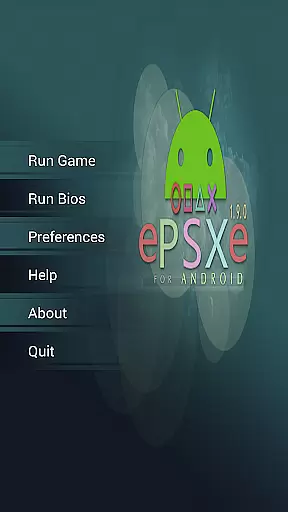
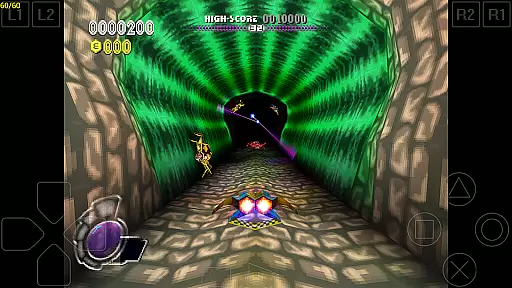
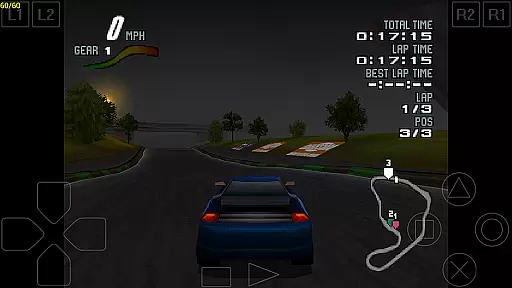

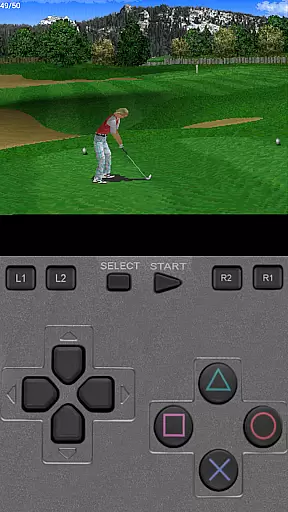
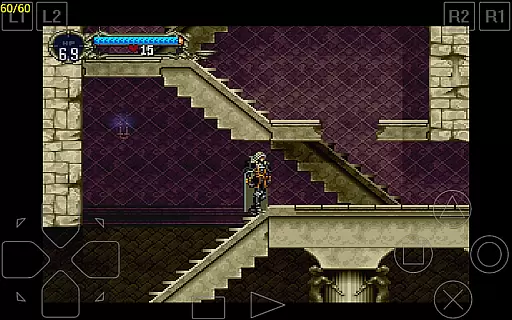
ePSXe for Android is a high-performance PlayStation emulator that brings PSX and PSOne gaming to modern smartphones and tablets. With compatibility exceeding 99%, it ensures smooth gameplay and accurate sound reproduction, making it one of the most reliable emulators available.
The app supports both single-player and multiplayer modes, including an innovative split-screen feature for two players. It offers versatile control options such as touchscreen controls, hardware button mapping, and external gamepad support via Bluetooth or USB. Whether you're using an ARM or Intel Atom X86 device, ePSXe delivers optimized performance tailored to your hardware.
Enhanced graphics capabilities allow users to enjoy games in HD quality with multiple rendering options. The inclusion of cheat codes, savestates, and memcard compatibility further enhances the nostalgic gaming experience, while seamless integration with the PC version ensures continuity across devices.
ePSXe stands out with its comprehensive feature set designed for both casual gamers and enthusiasts. The emulator supports advanced graphics enhancement options, including 2x/4x software rendering and two OpenGL renderers, allowing users to customize visual fidelity according to their device's capabilities.
A key highlight is the extensive controller support system. The app maps hardware buttons for devices like Xperia Play and provides compatibility with various external controllers, including WiiMote, Sixaxis, Xbox 360, Moga, and Ipega. This flexibility ensures players can choose their preferred control method while maintaining responsive gameplay.
Additional features include native support for both ARM and Intel Atom X86 architectures, ensuring optimal performance across different Android devices. The emulator also maintains full compatibility with save states and memcards from the PC version, enabling seamless transitions between platforms. These technical achievements make ePSXe a versatile solution for enjoying classic PlayStation games on mobile devices.
Arcade authenticity and nostalgia are crucial elements for any gaming emulator, as they ensure the original experience is faithfully recreated. ePSXe for Android excels in this area by providing a highly compatible Playstation emulation environment that supports both PSX and PSOne games. With compatibility rates exceeding 99%, users can expect an authentic arcade experience that closely mirrors the original console gameplay.
The emulator goes beyond just compatibility by incorporating advanced features such as HD enhanced graphics. This includes options for 2x/4x software rendering and two OpenGL renderers, which not only preserve the nostalgic feel of the original games but also enhance them for modern displays. These enhancements allow players to revisit their favorite titles with improved visual fidelity while maintaining the charm and excitement of arcade classics.
Moreover, ePSXe offers versatile control options that cater to various devices and preferences. From virtual touchscreen pads to hardware button mapping, including support for external gamepads like WiiMote, Sixaxis, Xbox 360, Moga, and Ipega, users can enjoy a customizable and immersive gaming experience. The inclusion of a split-screen mode for two-player games further enriches the nostalgic multiplayer experience, making it ideal for shared gaming sessions with friends or family.
Control responsiveness is a critical factor in delivering an engaging and seamless gaming experience. ePSXe for Android addresses this by offering extensive customization options for controls, ensuring that every player can tailor the setup to their liking. Whether using touchscreens, physical buttons on devices like the Xperia Play, or external controllers connected via Bluetooth or USB, ePSXe provides precise mapping capabilities that result in immediate and accurate responses during gameplay.
In addition to supporting a wide array of input methods, ePSXe enhances control precision through its analog stick support. This feature allows for more nuanced movements in games that require fine control, such as racing or flight simulators. Players will appreciate the tight integration between the emulator and their chosen input method, resulting in a responsive and intuitive interface that captures the essence of arcade gaming.
Furthermore, ePSXe's optimization for different hardware configurations ensures consistent performance across various devices. By natively supporting both ARM and Intel Atom X86 architectures, the emulator delivers smooth and reliable control feedback regardless of the user's device specifications. This commitment to performance guarantees that gamers can focus on enjoying their favorite titles without being hindered by lag or unresponsive controls.
High compatibility rate
Excellent sound accuracy
Versatile controller options
HD graphics enhancement
Multiplayer functionality
No included games
Complex setup process
Requires powerful hardware
Limited customer support
Paid application

Neogeo MVS/AES Emulator
 3.30
3.30
Snake Legacy, sans pub, repensé pour une expérience fluide et élégante.
4.1
Playing venom RPG alien games? Set spider alien isolation base, with no survivor
4.30
Slice up a juicy storm!
4.20
Suck the other’s blood and be the longest surviving mosquito!
4.40
Master the skies in this epic airplane shooting game! Join the air force now!
4.80
This app is a very fast emulator
3.40
NEOGEO's masterpiece game is now available in the app!
4.10
Save the galaxy from alien shooter in classic galaxy shooter-classic arcade game
4.80
Venture into the galaxy to fight against the invasion of space invaders.
4.60
Master the hills in this extreme downhill racing game!
4.60
Nostalgia.GBC is a high quality GBC emulator.
4.50
Payback 2 includes everything from tank battles to high speed helicopter races!
4.50
Use superpower in your magic hands. Defeat the enemies in a fun elemental game.
4.50
Three awesome new levels for The Impossible Game.
4.30
A fast, full-featured GB/GBC emulator with link cable emulation.
3.80
You are a Black Hole, escaping the darkness trying to swallow you!
3.60
John GBA is GBA emulator. This emulator is easy to use.
3.10
Spaceship racing on a rocky planet — pure action and challenge.
4.5


User Reviews