
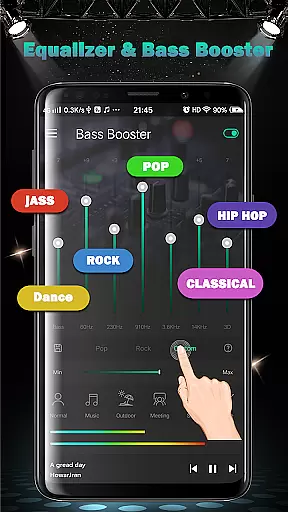
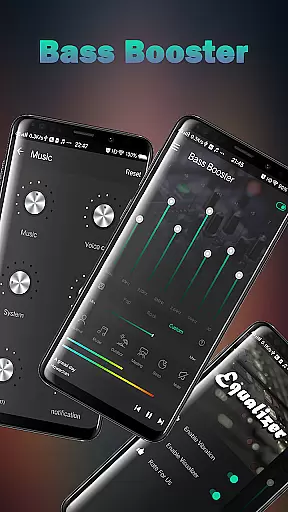
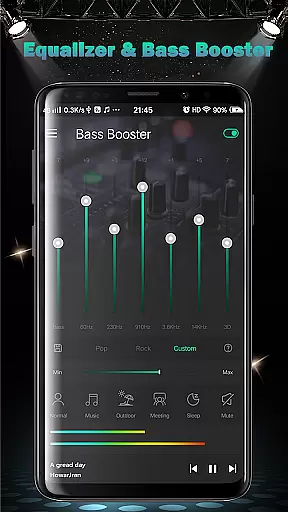
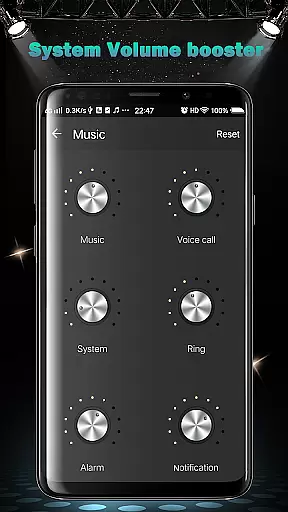
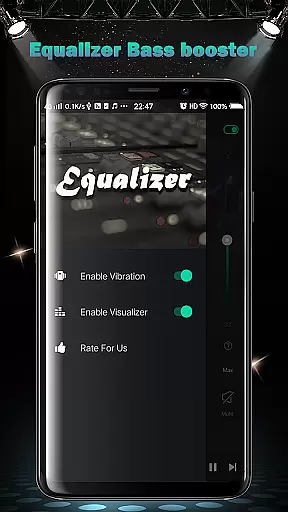
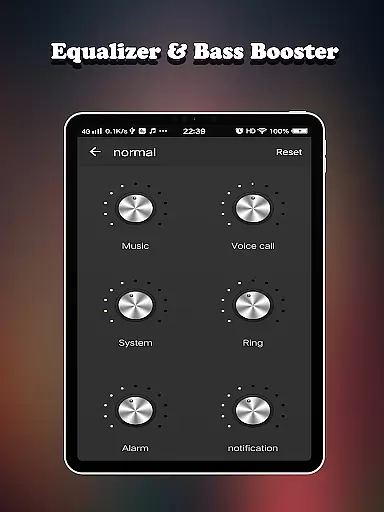
Equalizer FX Pro is a comprehensive audio enhancement application designed for Android users who seek to elevate their sound experience. This app combines an equalizer, bass booster, and volume booster to optimize audio quality across all media players on your device. Whether you're listening to music, watching videos, or playing games, Equalizer FX Pro ensures superior sound output tailored to your preferences.
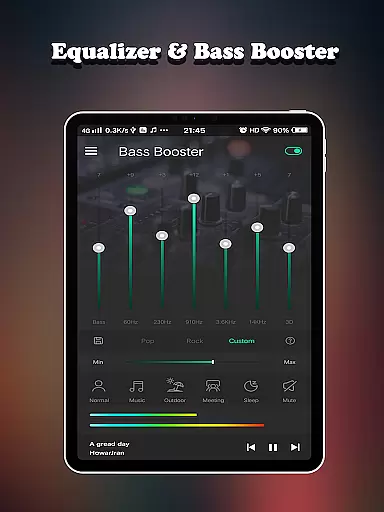
The app offers advanced features such as 7-band equalizer control, virtualizer effects, and 10 customizable presets. It also includes six distinct volume modes - normal, music, outdoor, meeting, sleep, and mute - allowing users to adjust settings based on different scenarios. With its intuitive interface and powerful audio processing capabilities, Equalizer FX Pro delivers professional-grade sound enhancement in the palm of your hand.
Ideal for audiophiles and casual listeners alike, this application transforms your mobile device into a sophisticated audio workstation. By providing precise control over frequency ranges and volume levels, Equalizer FX Pro helps users rediscover their favorite tracks with enhanced clarity and depth, making it an essential tool for anyone who values high-quality audio reproduction.
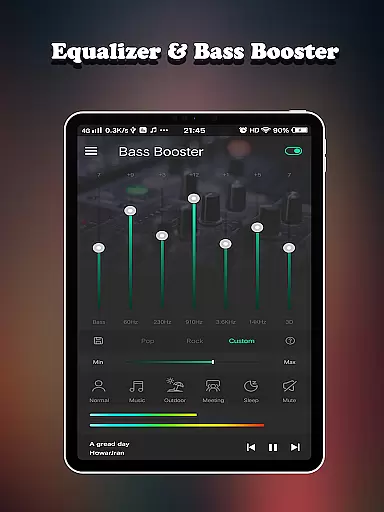
Equalizer FX Pro stands out with its comprehensive suite of audio enhancement tools. The core feature is its 7-band equalizer that allows users to fine-tune specific frequency ranges from 32Hz to 16kHz. This granular control enables precise sound customization, whether you're boosting bass for electronic music or enhancing treble for classical compositions. The app also includes a virtualizer effect that creates a surround sound experience, perfect for immersive movie watching or gaming sessions.
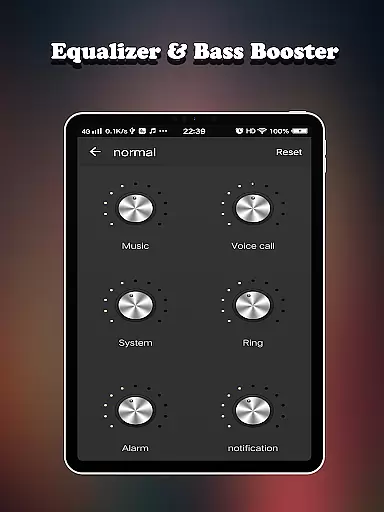
One of the most impressive aspects is its versatile volume management system. Users can independently control six different volume types including media, voice, system, ringtone, alarm, and notification sounds. The app provides six dedicated volume modes optimized for various situations, plus a custom mode for personalized settings. Additionally, the built-in bass booster enhances low-frequency response, while the volume booster amplifies overall sound output beyond standard limits.
For convenience, Equalizer FX Pro offers 10 professionally designed equalizer presets covering popular music genres. Two visual spectrum analyzers provide real-time feedback on audio frequencies, helping users make informed adjustments. The app also integrates basic music playback controls and works seamlessly with any media player, making it a complete solution for mobile audio enhancement without requiring technical expertise.
Equalizer FX Pro offers a comprehensive suite of audio enhancement tools that significantly improve the sound quality of your Android device. While it doesn't directly provide a music library, its compatibility with all audio sources ensures an optimized listening experience across various media players.
The application features a 7-band equalizer with 10 presets, allowing users to customize their audio experience according to different music genres and personal preferences. The inclusion of virtualizer effects and visual spectrums enhances the overall audio immersion, making each listening session more engaging.
Regarding copyright authenticity, Equalizer FX Pro respects intellectual property rights by providing original audio processing algorithms. The application's features are developed in-house, ensuring legitimate and safe usage for music enthusiasts who want to enhance their audio experience without infringing on any copyrights.
Users benefit from the application's ability to work seamlessly with their existing music libraries while enjoying improved sound quality. The equalizer settings can be adjusted to complement different music styles, from classical to electronic, providing an authentic and enhanced listening experience across various audio sources.
Audio quality enhancement stands as a core feature of Equalizer FX Pro, offering multiple options to optimize sound output. The application provides six volume modes including normal, music, outdoor, meeting, sleep, and mute modes, allowing users to select the most appropriate setting for their current environment and activity.
The equalizer includes seven bands of frequency adjustment, enabling precise control over audio output. Users can choose from ten preset configurations or create custom settings to match their preferred sound profile. This level of customization ensures optimal audio quality regardless of the music genre or audio source being played.
Additional quality options include bass boost and virtualizer effects, which add depth and dimension to audio playback. The application also features two visual spectrum displays that help users fine-tune their audio settings while providing an engaging visual representation of sound frequencies.
These audio quality options translate into tangible benefits for users, allowing them to enjoy richer, clearer sound across all media players and audio sources. Whether using headphones or speakers, the application ensures consistent quality improvement, making every listening experience more enjoyable and immersive.
Comprehensive audio controls
User-friendly interface
Wide frequency range support
Multiple volume modes
Real-time spectrum visualization
Premium version required
Drains battery faster
Interface could be outdated
Limited free features
Occasional audio glitches

Fun & Easy Voice Changer – Record, Edit & Add Hilarious Effects!
 4.50
4.50
Time Trainer: accurate metronome w tools to help you develop your internal time!
4.20
Enhance the sound quality of your devices, listen to what you want
4.50
Visualize the guitar fretboard, master scales & play through changes like a pro!
4.50
Recording studio w/ 10k beats, pro vocal FX and a network of 20M rappers & fans!
4.60
Learn to play the piano using falling notes!
3.80
Enjoy singing any song, no matter how high or low it is
4.30
The iconic iOS metronome app is now on Android.
3.70
Sing, record, and create music together — enhanced by smart voice tools.
4.00
Offline Music Player & MP3 Player.Powerful equalizer, Lyrics, Themes, Tag Editor
4.80
Pay Once, no monthly payment
4.60
Taal player that lets you sing any Indian & Western song with Tabla & Tanpura
4.60
Bass Booster & Volume Equalizer Pro improves your music and video sound quality
4.60
A synth that really lets you shape your sounds!
4.50
Network/Cloud Streaming, Visualization, Graphic Equalizer and Sound Effects.
4.20
Permanently backup Now Playing. Maps, filters & listening stats.
4.00
Turn your Android phone into a professional audio analyser with up to 120 bands.
4.00
Make music anywhere. Turn your device into an instrument.
4.3
Music Streaming suite for Ampache, Nextcloud Music and compatible backends.
4.5


User Reviews