
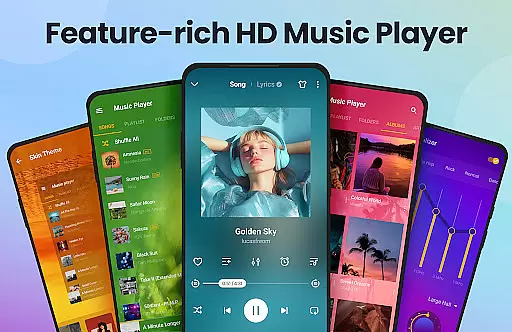
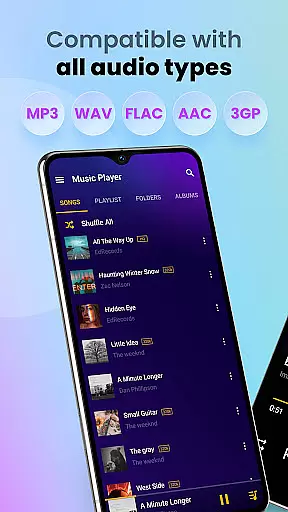
Music Player & MP3 Player is a premier audio playback application for Android devices, offering an exceptional music listening experience. This app supports all major audio formats including MP3, MIDI, WAV, FLAC, AAC, and APE, ensuring that users can enjoy their entire music library without limitations. The built-in equalizer with bass boost and reverb effects enhances sound quality, making every track sound richer and more vibrant.
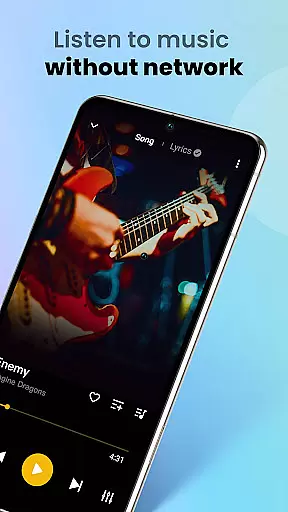
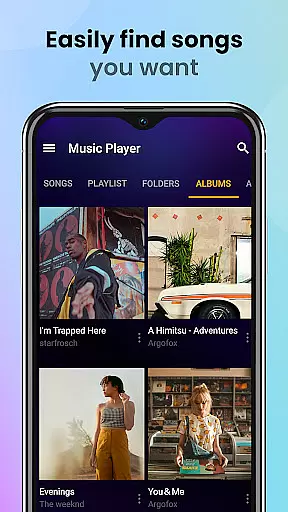
The user interface of Music Player is both stylish and intuitive, allowing users to easily navigate through their music collection. It features multiple viewing options such as by songs, artists, albums, folders, and playlists. Additionally, the app provides powerful functionality like offline playback, customizable themes, lock screen controls, and sleep timer settings. Whether you're at home or on the go, this app ensures uninterrupted access to your favorite tunes.
For those who appreciate high-quality audio and a seamless user experience, Music Player & MP3 Player stands out as an ideal choice. Its comprehensive feature set caters to casual listeners and audiophiles alike, providing a versatile tool for managing and enjoying digital music libraries.
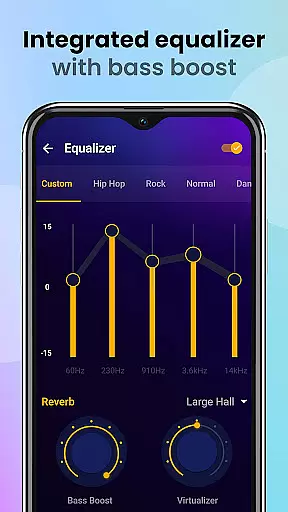
Music Player & MP3 Player boasts a wide array of features designed to enhance the way you interact with your music. One standout feature is the powerful equalizer, which includes bass boost and reverb effects. These tools allow users to fine-tune their audio experience, ensuring optimal sound quality tailored to individual preferences. Furthermore, the app's support for various audio formats guarantees compatibility with virtually any music file you own.
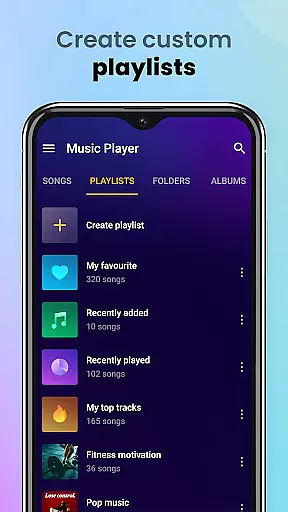
Another key aspect is the app's robust organizational capabilities. Users can browse their music library by songs, artists, albums, folders, and playlists, facilitating easy navigation and management. The ability to create custom playlists and mark favorite tracks adds a personalized touch to music discovery. Moreover, the app offers practical utilities like a sleep timer, lock screen controls, and notification bar playback, enhancing convenience and usability.
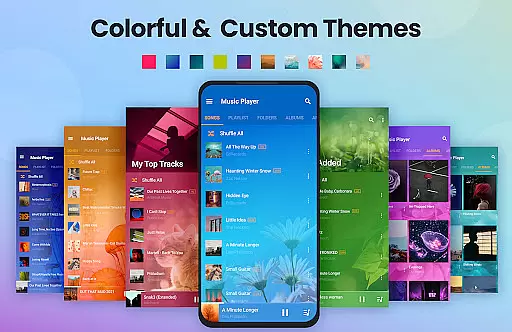
Visually, Music Player impresses with its sleek and modern design. The interface is clean and intuitive, featuring customizable themes and color schemes. This attention to aesthetics ensures that users not only enjoy superior sound but also a visually pleasing experience. With additional functionalities such as widget support and the option to set songs as ringtones, Music Player & MP3 Player delivers a comprehensive package for all your audio needs.
Music Player & MP3 Player offers an extensive music library that supports all major audio formats including MP3, MIDI, WAV, FLAC, AAC, and APE. This ensures that users can enjoy a wide variety of music without worrying about format compatibility.
The application focuses on playing local music files, which means users have full control over their music collection's copyright authenticity. By managing your personal music files, you ensure that all content is legally owned and authentic.
With the ability to automatically scan and organize all audio files on your device, this app makes it easy to maintain a comprehensive and personalized music library. Users can categorize their music by playlists, albums, artists, or folders.
This player not only provides access to a vast array of music but also allows for customization of playlists and favorites, enhancing the overall experience with high-quality audio playback.
Featuring a powerful equalizer with bass boost and reverb effects, Music Player & MP3 Player enhances the listening experience with great sound quality. Users can customize their audio settings to match their preferences and enjoy an immersive musical experience.
The app supports high-quality playback for all supported formats, ensuring that listeners get the best possible sound from their local music files. Whether you're using it for workouts or casual listening, the audio quality remains consistently impressive.
Additional features like lock screen controls and notification bar play contribute to seamless usability, allowing users to manage their music effortlessly while maintaining excellent sound output.
With its stylish layout, customizable themes, and widget support, this music player combines functionality with aesthetics, providing both superior audio quality options and an enjoyable user interface.
User-friendly interface
High-quality audio playback
Extensive format support
Customizable equalizer settings
Offline music access
No built-in music downloader
Limited advanced editing tools
Occasional performance lags
Ads in free version
Basic playlist sharing

Simply convert wav to mp3. Clear. Reliable. Safe.
 4.2
4.2
The Cubase remote control app
3.60
A High-Precision Audio Spectrum Analysis App
4.20
Ultimate Sonos Controller
4.70
Bass Booster Pro takes auto-equalizing to the next level!
4.30
AI Music Maker: Generate And Compose AI Tunes & AI Songs & AI Music & AI Melody!
4.60
The original SP-1200 experience on your iPad
4.20
The iconic iOS metronome app is now on Android.
3.70
One-tap booster for max volume - enjoy powerful sound with this audio booster
4.50
Tune in to the greatest hits on UK Radio | The home of Capital, Smooth & Heart.
4.90
Taal player that lets you sing any Indian & Western song with Tabla & Tanpura
4.60
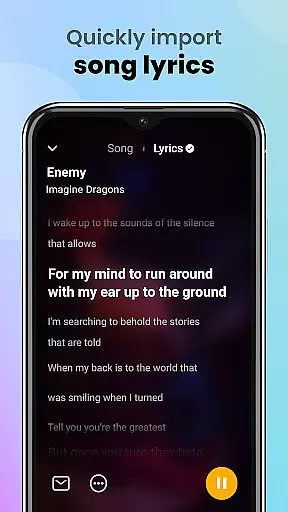
Offline Music Player&MP3 Player with themes, equalizer, lyrics, music play mode
4.60
Visualize the guitar fretboard, master scales & play through changes like a pro!
4.50
The Music Journey in Your Hands
4.30
Powerful 10-Band equalizer pro with sound booster improves Android audio quality
4.30
No wifi music app. Mp3 offline. Tuner radio, young radio music. Music downloader
4.20
Offline and always ad-free - stream in the highest quality available.
4.10
Remove ads permanently from Music Visualizer
4.3
Music Streaming suite for Ampache, Nextcloud Music and compatible backends.
4.0


User Reviews