
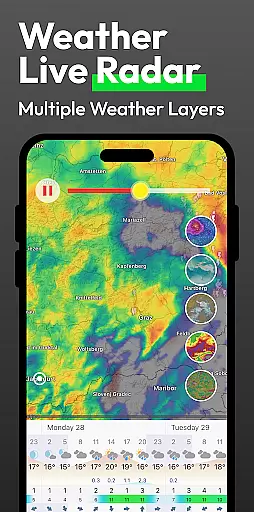
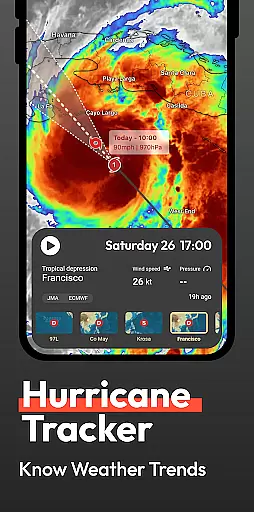
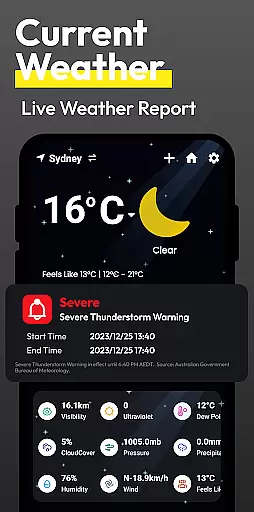
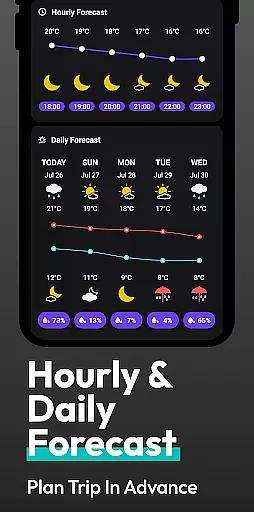
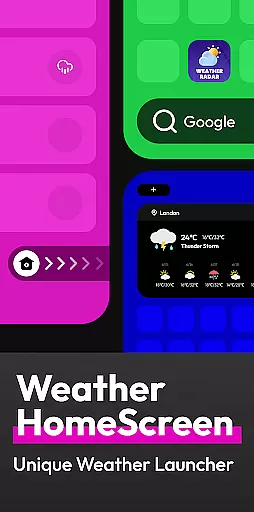
Flow Weather is a comprehensive weather application designed to provide users with accurate and timely meteorological data. The app offers real-time weather reports, including temperature, humidity, wind speed, and air quality, ensuring you stay informed about your local conditions. Its multi-dimensional forecasting feature allows for detailed hourly and long-term weather predictions, helping you plan your day-to-day activities efficiently.
In addition to its forecasting capabilities, Flow Weather provides severe weather alerts, notifying users of sudden weather changes such as heavy rain or snowstorms. For those requiring more in-depth analysis, the app includes interactive weather layers that display various atmospheric conditions like wind patterns, cloud coverage, and UV indexes. With an innovative Android launcher integration, Flow Weather simplifies access to weather updates while enhancing your mobile experience through personalized customization options.
Flow Weather stands out with its advanced features tailored to meet diverse user needs. One of its key functionalities is the reliance on sophisticated meteorological partnerships to deliver precise real-time weather information. Users can easily access detailed metrics such as air pressure and PM2.5 levels, making it an invaluable tool for those who require comprehensive environmental insights.
The app's forecasting system is another highlight, offering both short-term hourly updates and extended outlooks spanning several days. This dual approach ensures users are prepared for immediate weather fluctuations while also planning for future events. Additionally, Flow Weather incorporates a unique weather layer feature, allowing users to explore complex atmospheric phenomena through interactive maps. These layers cover a range of parameters including wind, clouds, and wave movements, providing professionals and enthusiasts alike with deeper analytical tools.
Moreover, the integration with the Android launcher revolutionizes how users interact with their devices by embedding weather functionality directly into the home screen interface. This seamless blend of utility and design not only enhances accessibility but also streamlines device management, creating a more intuitive user experience overall.
When it comes to weather applications, the accuracy of forecasts and the credibility of data sources are paramount. Flow Weather excels in these areas by partnering with advanced meteorological services to deliver precise real-time weather information. This includes detailed metrics such as temperature, humidity, wind speed and direction, air pressure, and air quality for your city.
The app's multi-dimensional forecast function is another highlight that users can rely on. It provides not only hourly weather change predictions but also extends its forecasting capabilities to cover several days ahead. This allows users to plan their schedules and activities based on reliable future weather insights, ensuring they are prepared for whatever conditions lie ahead.
Flow Weather further enhances user experience by offering timely weather warnings. Whether it's heavy rain, blizzards, high temperatures, or cold waves, the application ensures you receive alerts promptly so that you can take necessary precautions against severe weather events. Such features make Flow Weather an indispensable tool for staying informed about environmental changes while maintaining safety and convenience in everyday life.
Flow Weather stands out by providing extensive temporal and spatial forecast ranges, which are crucial for comprehensive weather planning. The app covers a broad spectrum of forecasting needs from immediate hourly updates to long-term outlooks spanning multiple days into the future. This wide-ranging capability empowers users with detailed insights needed for effective time management and activity scheduling.
In addition to standard forecasts, Flow Weather offers specialized interactive weather layers that cater to those requiring professional-level analysis. Users have access to various layers including wind patterns, cloud formations, wave dynamics, UV indexes, PM2.5 levels among others. These tools allow deeper exploration into complex atmospheric systems aiding more nuanced decision-making processes related to travel or work arrangements.
By integrating seamlessly with Android launchers through innovative design elements like personalized home screen widgets, Flow Weather simplifies how we interact with meteorological data daily. With just a swipe, one can effortlessly retrieve current conditions alongside upcoming trends without leaving their deviceu2019s main interfaceu2014a feature enhancing both usability and accessibility significantly over traditional standalone apps.
User-friendly interface
Accurate real-time data
Comprehensive forecast options
Interactive weather layers
Customizable Android launcher
Requires location permissions
Limited offline functionality
Premium features may require subscription
Occasional notification overload
Some features may be too complex for casual users

Ultimate weather forecast + moon phase for Wear OS 5+ (Pixel, Galaxy, et al.)
 4.70
4.70
Live weather forecast for your everyday life
4.60
Track rainfall totals with ease using our rain gauge app. Accurate rain tracker.
4.50
3D Animation Weather Icon
4.00
Aviation weather made simple. Visual decoder for METAR & TAF
4.90
Determine Best Hunting Times for any date, any location.
2.50
My Aurora Forecast Pro is the app for the Northern Lights and Aurora Borealis.
4.70
Magnetic Compass meets smart tech: Get directions and weather alerts seamlessly
3.30
Your ultimate app for real-time weather information!
4.70
Live Weather Forecast app with acu weather radar, weather alert & weather widget
4.80
Road weather, live radar, wind, snow, and conditions along your driving route.
4.70
The weather channel, tiempo weather forecast, weather radar & weather map
4.70
My Aurora Forecast is the app for Northern Lights and Aurora Borealis alerts.
4.60
Accurate Local Weather Forecast, let you easily understand the nearby weather!
4.20
Analog Weather Watch Face for Wear OS 5+
4.10
Weather watch face for Wear OS 5+
4.10
Arrive safely! Travel weather forecasts for your entire trip at time of arrival.
3.60
A powerful tool for ultimate weather awareness
3.50
Digital Weather Watch Face for Wear OS 5+
4.0


User Reviews