
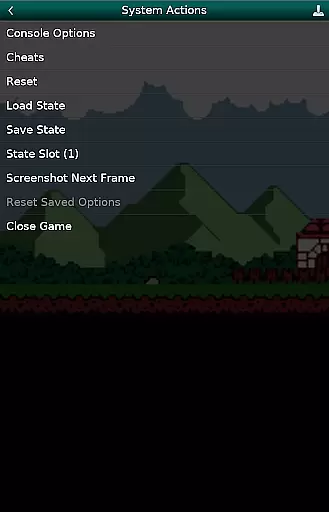
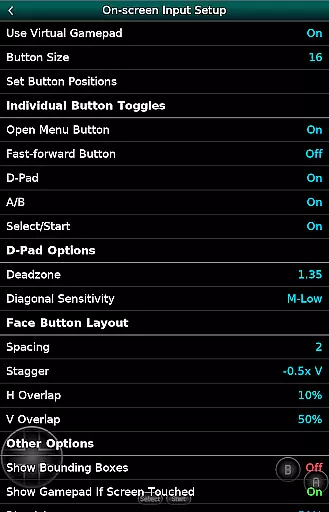
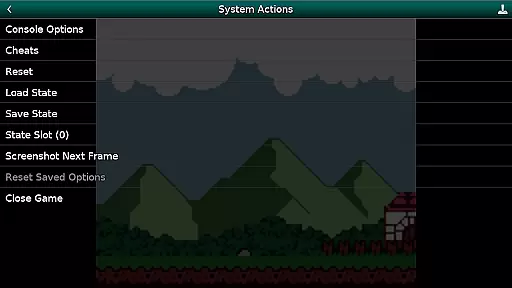
GBC.emu is an advanced open-source Gameboy and Gameboy Color emulator designed for Android devices. Built on the Gambatte emulation core, it delivers exceptional performance with a focus on low audio and video latency. The app supports a wide range of devices, from classic models like the Xperia Play to modern devices such as the Nvidia Shield and Pixel phones.
With its minimalist user interface, GBC.emu provides an intuitive experience while maintaining a robust feature set. Users can enjoy multiple color palettes for original GB games, apply cheat codes in popular formats, and play both .gb and .gbc files. The emulator also offers configurable on-screen controls and extensive gamepad support, making it a versatile choice for retro gaming enthusiasts.
GBC.emu stands out with its comprehensive feature set tailored for retro gaming aficionados. One of its key strengths is the support for multiple color palettes, allowing users to customize the visual experience of original Gameboy games. Additionally, the emulator supports popular cheat code formats like Game Genie and Gameshark, enhancing gameplay flexibility.
The app's compatibility with various file formats (.gb, .gbc) and compression methods (ZIP, RAR, 7Z) ensures users can access their entire game library without limitations. Its configurable on-screen controls provide a personalized interface, while the robust support for Bluetooth and USB gamepads caters to different play styles. These features collectively deliver a seamless and customizable gaming experience across a wide array of Android devices.
Arcade authenticity and nostalgia are crucial elements for any gaming emulator aiming to recreate the classic arcade experience. GBC.emu (Gameboy Emulator) excels in this area by offering an advanced emulation of both GB and GBC games, ensuring that the original feel and excitement of arcade gaming are preserved.
This emulator is based on Gambatte, a highly accurate Game Boy Color emulator core, which ensures that games run just as they did on the original hardware. The minimalist UI further enhances the nostalgic experience by focusing on low audio and video latency, making gameplay smooth and responsive.
Users can enjoy multiple color palettes for original GB games, adding another layer of authenticity. This feature allows players to relive the visual charm of early portable gaming while enjoying the benefits of modern technology. Additionally, support for cheats in Game Genie and Gameshark formats brings back memories of classic gaming tricks and secrets.
Overall, GBC.emu delivers a genuine arcade experience that will satisfy both retro gaming enthusiasts and those new to the world of classic arcade games. Its dedication to preserving the original gaming experience makes it a standout choice for anyone looking to revisit the golden age of arcade gaming.
Control responsiveness is a vital aspect of any gaming experience, especially when it comes to emulators. GBC.emu (Gameboy Emulator) places a strong emphasis on providing users with responsive and intuitive controls, ensuring that every action is accurately reflected in the game.
The emulator supports configurable on-screen controls, allowing users to customize the layout and size of buttons to suit their preferences. This flexibility ensures that players can achieve the most comfortable and effective control setup for their device, enhancing overall responsiveness.
In addition to on-screen controls, GBC.emu offers robust support for Bluetooth and USB gamepads, including compatibility with popular controllers like Xbox and PS controllers. This wide range of supported devices guarantees that users can enjoy a seamless and responsive gaming experience regardless of their preferred input method.
By prioritizing control responsiveness, GBC.emu ensures that players can fully immerse themselves in their favorite games without being hindered by unresponsive or cumbersome controls. This focus on delivering precise and immediate feedback makes GBC.emu a top choice for gamers seeking an authentic and enjoyable arcade experience.
Low audio/video latency
Wide device compatibility
Multiple color palettes
Cheat code support
Configurable controls
No ROMs included
Complex setup required
Limited customer support
Advanced technical knowledge needed
Occasional crashes reported

R-TYPE game
 4.60
4.60
Spaceship racing on a rocky planet — pure action and challenge.
4.4
Catch ghosts, shoot monsters and defeat bosses in this RPG idle shooting game.
4.70
PC Engine/TurboGrafx-16 Emulator
4.50
Cool car builder & racing simulator: make a car to win the obstacle course race!
4.60
Jump and fly your way through danger in this rythm-based action platformer!
4.50
Play all your favorite Playstation games in your android device!!
4.50
Merge bowmasters to win the bow and arrow war! Play the fun archery game!
4.60
Original Space Adventure Experience
4.60
Join the breathtaking chase!
4.80
Punch your way through the Streets of Rage once again!
4.80
Full featured version of Pizza Boy A (GBA emulator)
4.80
Payback 2 includes everything from tank battles to high speed helicopter races!
4.50
Use superpower in your magic hands. Defeat the enemies in a fun elemental game.
4.50
Hit as hard as you can and make the penguin learn to fly! Arcade jumping game
4.50
Running game: dance in a twerk battle and become the twerk hero in our fun race!
4.30
Join the art challenge: Guess the word and draw fast before the timer runs out!
4.20
Snake Legacy, sans pub, repensé pour une expérience fluide et élégante.
4.5
Machine Gun Fire Rumbles in the Jungle
4.2


User Reviews