
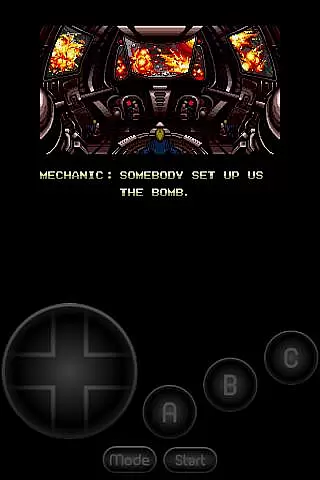
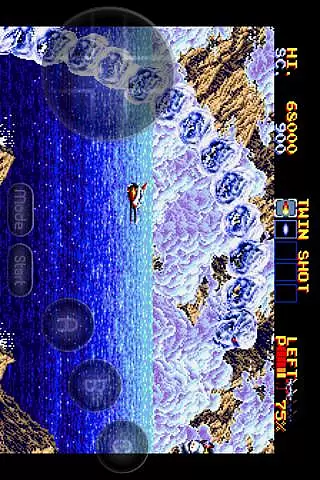
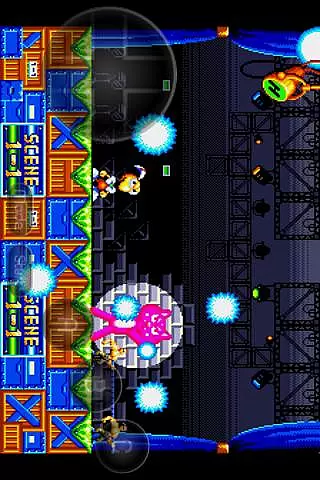
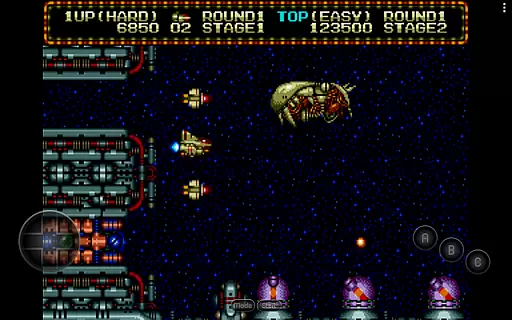
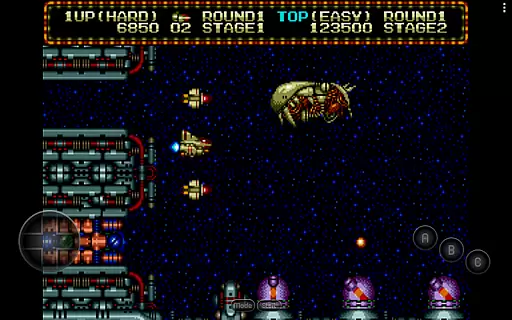
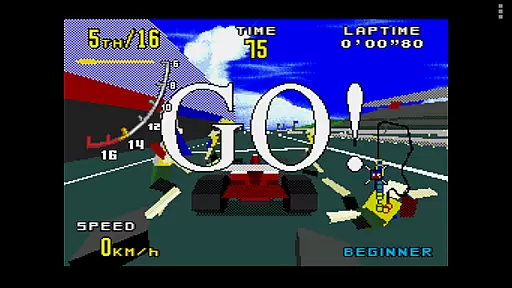
MD.emu is an advanced open-source Sega Genesis/Mega Drive, Sega CD, and Master System/Mark III emulator. It offers a minimalist UI with a focus on low audio/video latency, making it suitable for a wide range of devices from the original Xperia Play to modern devices like the Nvidia Shield and Pixel phones. The app supports various file formats including .bin, .smd, .gen, and .sms, optionally compressed with ZIP, RAR, or 7Z.
One of its standout features is the support for Sega CD emulation via loading .cue or .bin files, although this feature is still in beta. Additionally, MD.emu provides users with configurable on-screen controls and supports Bluetooth/USB gamepads and keyboards, enhancing the gaming experience by allowing the use of physical controllers.
This emulator is particularly valuable for retro gaming enthusiasts who wish to relive classic games on their modern devices without compromising on performance or user experience.
MD.emu boasts a comprehensive set of features that cater to both casual gamers and hardcore retro gaming enthusiasts. The app supports a variety of file formats such as .bin, .smd, .gen, and .sms, which can be optionally compressed with ZIP, RAR, or 7Z, providing flexibility in how games are stored and accessed.
A key highlight is its support for Sega CD emulation through .cue or .bin files, although this feature is currently in beta. The inclusion of SVP chip support for Virtua Racing and compatibility with FLAC, Ogg Vorbis, and Wav audio track formats further enriches the gaming experience. Moreover, the app supports 6-button controllers and 4-player multitap, along with gun support for Menacer and Justifier, offering an authentic gaming experience.
Additional features include cheat code support using the .pat file format, configurable on-screen controls, and Bluetooth/USB gamepad & keyboard support compatible with any HID device recognized by the OS, such as Xbox and PS controllers. These features collectively ensure a versatile and immersive gaming experience.
Arcade authenticity in an emulator is crucial for delivering a genuine retro gaming experience. MD.emu, as an advanced Sega Genesis emulator, excels in this aspect by supporting a wide array of original hardware features.
The app supports multiple file formats including .bin, .smd, .gen, and .sms, optionally compressed with ZIP, RAR, or 7Z. This ensures that users can enjoy games from different regions and eras, preserving the nostalgic value of classic titles.
With specialized support for unique peripherals like the SVP chip in Virtua Racing, and gun controllers such as Menacer and Justifier, MD.emu offers an immersive experience that closely mirrors the original arcade and home console setups.
By maintaining low audio/video latency and offering configurable on-screen controls, the app delivers an authentic arcade feel, making it an ideal choice for enthusiasts seeking to relive the golden age of gaming.
Control responsiveness is a key factor in ensuring an enjoyable and seamless gaming experience. MD.emu addresses this by providing highly reactive and customizable control options.
The emulator supports Bluetooth and USB gamepads, including popular models from Xbox and PlayStation, ensuring that users can play with their preferred controllers. This compatibility enhances the precision and responsiveness of gameplay.
Additionally, MD.emu offers configurable on-screen controls, allowing users to tailor the interface to their liking. This flexibility ensures that touch controls are just as responsive and intuitive as physical buttons.
By focusing on low audio/video latency and supporting HID devices recognized by the OS, MD.emu guarantees that every action is registered instantly, providing a smooth and engaging gaming session.
Wide device compatibility
Low audio/video latency
Supports multiple file formats
Configurable on-screen controls
Active development and support
Sega CD support in beta
No ROMs included
Complex setup for beginners
Limited customer support
Requires technical knowledge

Turn-based pixel game where jumping is the only weapon!
 4.4
4.4
BallStack is a vibrant match-3 game where you stack and match colorful balls!
4.1
Catch ghosts, shoot monsters and defeat bosses in this RPG idle shooting game.
4.70
Sega Saturn Emulator
4.20
M64Pro FZX Classic Emulator for Android
4.2
Suck the other’s blood and be the longest surviving mosquito!
4.40
Save the Galaxy from galaxiga alien - Classic arcade shooter game
4.60
Shoot the web, jump and teleport! Be a stickman hero and destroy your enemies!
4.50
Thoughtful strategy and tactical thinking are required to win each battle!
4.30
Master the skies in this epic airplane shooting game! Join the air force now!
4.80
*Try for free.* Survive alone in a Roguelike Reverse Bullet Hell.
4.80
Try this unique restaurant sim and enjoy the fun of cooking in busy kitchens!
4.70
Ready… Set… DASH! Play now!
4.70
Hit as hard as you can and make the penguin learn to fly! Arcade jumping game
4.50
Fruit is waiting to be sliced, ninja. Play the hit mobile game !
4.50
Mine planets, upgrade your space ship, battle others, and dominate the galaxy!
3.90
A fast, full-featured GB/GBC emulator with link cable emulation.
3.80
Neogeo MVS/AES Emulator
3.30
A retro-flavoured infinite scroller Glyph toy for the Nothing Phone (3)
4.4


User Reviews