
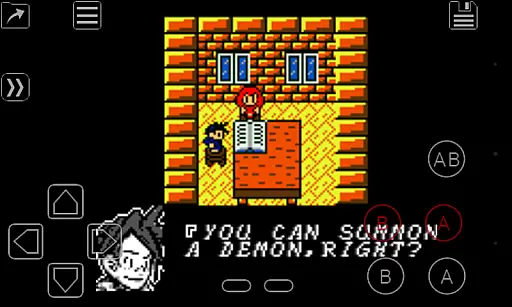
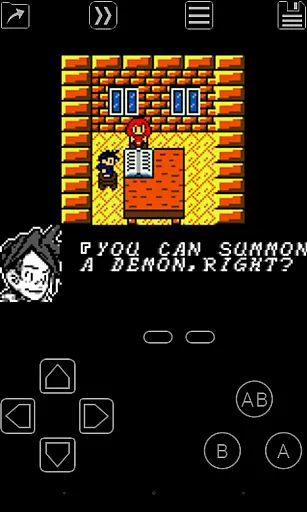
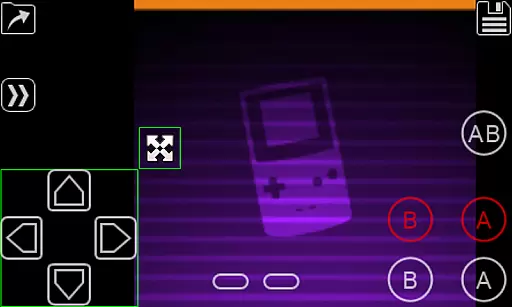
My OldBoy! is a high-performance Game Boy and Game Boy Color emulator designed for Android devices. It offers accurate emulation of nearly all aspects of the original hardware, including support for link cable, rumble, and tilt sensor functionalities. The app allows users to apply custom palettes to enhance their gaming experience by adding color to monochrome games.
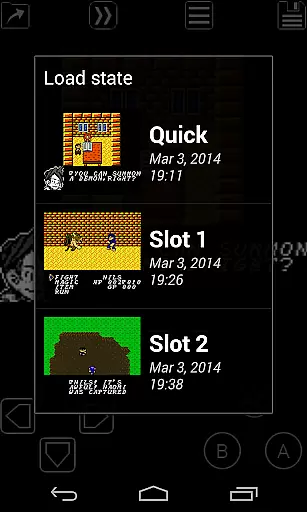
In addition to hardware emulation, My OldBoy! provides advanced features such as save states, fast-forward, and slow-motion modes. These tools enable players to save progress at any point, skip through lengthy storylines, or slow down gameplay to overcome challenging sections. With its robust compatibility, battery-saving optimizations, and support for external controllers, this emulator caters to both casual gamers and retro gaming enthusiasts.
Whether you're revisiting classic titles or exploring new ones, My OldBoy! ensures an immersive and customizable experience across a wide range of Android devices, from older smartphones to modern tablets.
My OldBoy! stands out with its extensive feature set tailored for retro gaming enthusiasts. The emulator leverages ARM assembly code to deliver exceptional performance, achieving smooth 60 FPS gameplay even on low-end devices. Its broad game compatibility ensures that most Game Boy and Game Boy Color titles run accurately, while advanced options like link cable emulation over Bluetooth or Wi-Fi expand multiplayer possibilities.
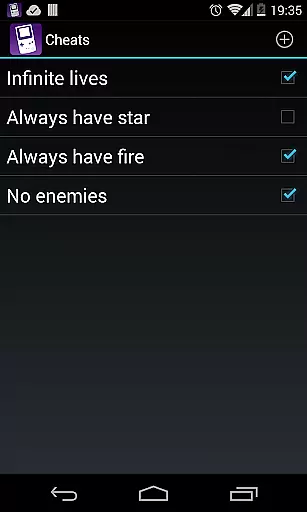
The app also includes innovative enhancements such as tilt sensor and rumble emulation, utilizing Android's hardware capabilities. Players can apply custom Super Game Boy palettes, use cheat codes dynamically, and experiment with video filters via GLSL shaders. Additional conveniences include cloud save synchronization with Google Drive, customizable on-screen controls, and multiple screen-layout profiles for personalized setups.
With OpenGL rendering, ROM patching support, and seamless integration with Android’s latest features, My OldBoy! combines authenticity with modern usability, making it one of the most versatile Game Boy emulators available today.
Arcade authenticity and nostalgia are essential elements for any emulator aiming to recreate the classic gaming experience. My OldBoy! - GBC Emulator excels in this area by accurately emulating almost every aspect of the original Game Boy and Game Boy Color hardware. This includes not only basic game execution but also advanced features such as link cable, rumble, and tilt sensor support.
The emulator goes beyond simple hardware replication. It offers users the ability to apply custom palettes to their monochrome games, effectively bringing them to life with color. Additionally, it supports peripherals like the Game Boy Camera and Game Boy Printer, enhancing the nostalgic experience by mimicking the full range of accessories available at the time.
For users looking to relive the past or experience it for the first time, My OldBoy! provides a seamless blend of authenticity and modern convenience. The inclusion of save states allows gamers to pick up where they left off, while fast-forward functionality lets them bypass lengthy sections. These features combine to create an authentic arcade experience that respects the original gameplay while accommodating contemporary play styles.
Control responsiveness is crucial for an optimal gaming experience, especially when emulating classic arcade games. My OldBoy! - GBC Emulator ensures that user inputs are registered swiftly and accurately, thanks to its optimized ARM assembly code. This results in smooth gameplay that can achieve 60 FPS even on lower-end devices without frame skips.
The emulator's on-screen keypad and shortcut buttons are fully customizable through a powerful screen layout editor. Users can define the position and size of each control element, ensuring that the setup feels intuitive and responsive. This customization extends to external controllers, which are supported either via Androidu2019s native methods or alternative input techniques.
By prioritizing low-latency input processing and offering flexible control schemes, My OldBoy! delivers a responsive and enjoyable gaming experience. Players can navigate games with precision, making their virtual adventures feel as engaging and immediate as playing on original hardware. This attention to detail ensures that both casual players and dedicated enthusiasts will find the controls satisfyingly reactive.
High emulation accuracy
Customizable controls
Broad device support
Save state functionality
Excellent performance
No included games
Complex setup required
Limited touchscreen precision
Paid version only
Requires technical knowledge

Monster Run its a game for relax.
 4.2
4.2
Three awesome new levels for The Impossible Game.
4.30
Snake Legacy, sans pub, repensé pour une expérience fluide et élégante.
4.4
Sharpen your mind and reflexes while playing 4Way Dash
4.3
Hit as hard as you can and make the penguin learn to fly! Arcade jumping game
4.50
Master the skies in this epic airplane shooting game! Join the air force now!
4.80
Play all your favorite Playstation games in your android device!!
4.50
Jump and fly your way through danger in this rythm-based action platformer!
4.70
Merge bowmasters to win the bow and arrow war! Play the fun archery game!
4.60
Play fun multiplayer games with friends on one device! Two, Three, Four players!
4.60
Gameboy Color Emulator
4.60
Jump and fly your way through danger in this rythm-based action platformer!
4.50
Shoot the web, jump and teleport! Be a stickman hero and destroy your enemies!
4.50
GBA Emulator
4.40
A Ball Bouncer With Depth
4.00
John GBC is GB/GBC emulator. This emulator is easy to use.
3.80
Restore peace and order in the city
3.20
Play retro games with ease – NES, SNES, PSX, PSP & more supported
4.2
Infinite Arcade
4.5


User Reviews