
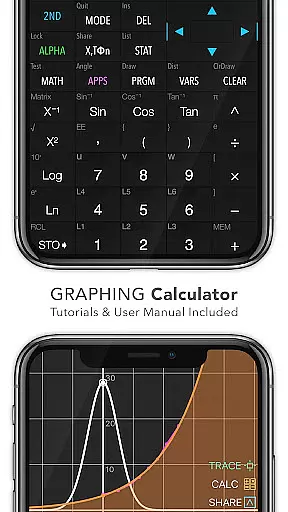
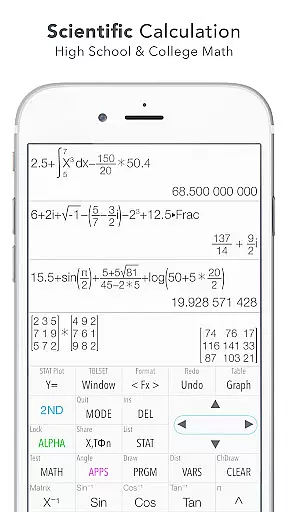
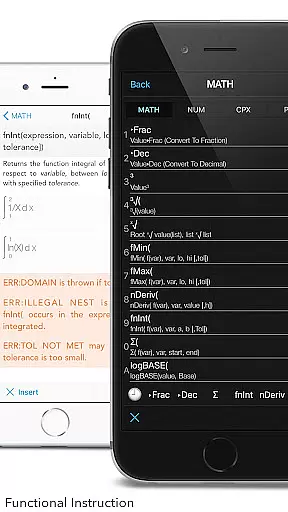
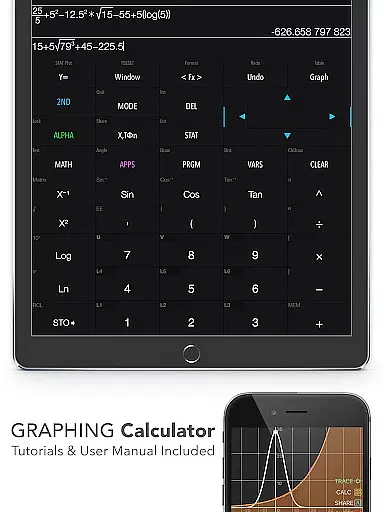
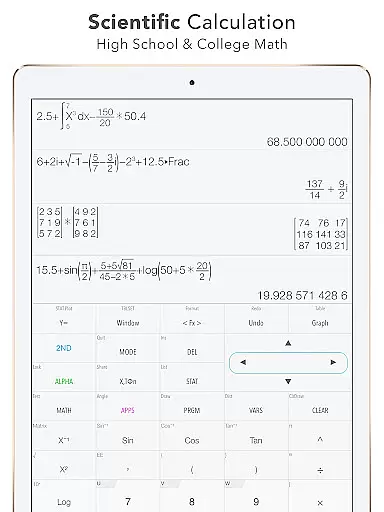
Graphing Calculator Plus represents the pinnacle of advanced calculation tools available on mobile devices, specifically designed for students, educators, and professionals in math-heavy fields. This app mirrors the functionality of traditional TI-84 and TI-83 calculators while offering a more accessible and portable solution. With its robust MATH CORE and intuitive mathematical display support, it caters to both basic calculations and complex mathematics, including statistics, calculus, and matrix operations.
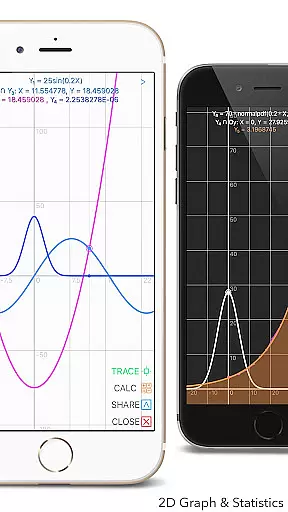
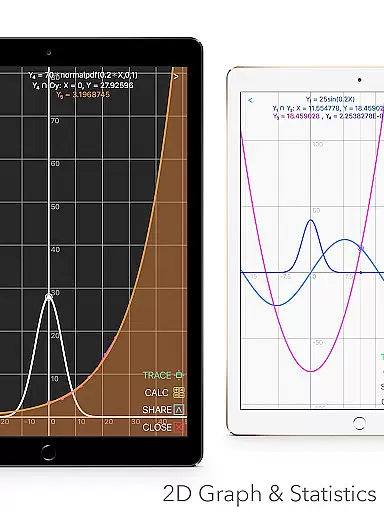
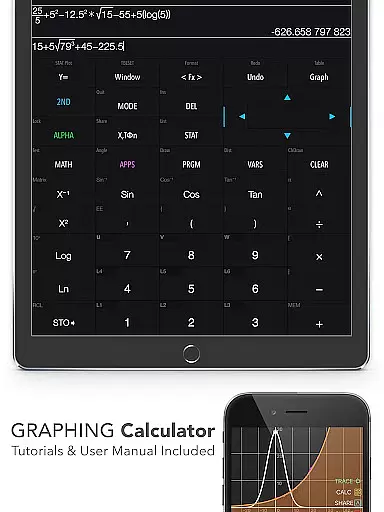
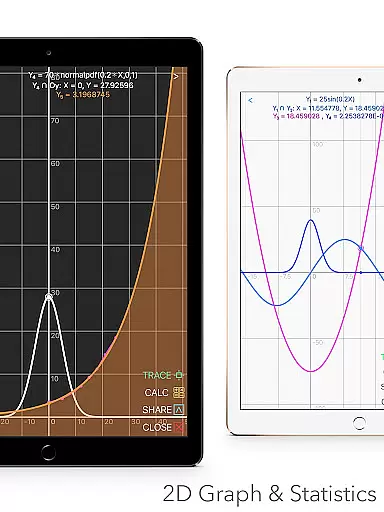
One standout feature is its ability to generate 2D graphs with smooth zoom and trace capabilities, making it ideal for visualizing equations and intersections. The app also includes built-in documents and tutorials, ensuring users can quickly learn how to maximize its potential. Whether you're solving polynomials, performing regressions, or working with number bases, Graphing Calculator Plus provides an all-encompassing tool that eliminates the need for bulky hardware calculators.
This app is particularly valuable for engineering students and math enthusiasts who require precision and versatility in their calculations. Its dual themes, history tape view, and unit converter further enhance user experience, making it adaptable to various preferences and requirements. Available at a 20% discount, this app is a cost-effective alternative to physical graphing calculators.
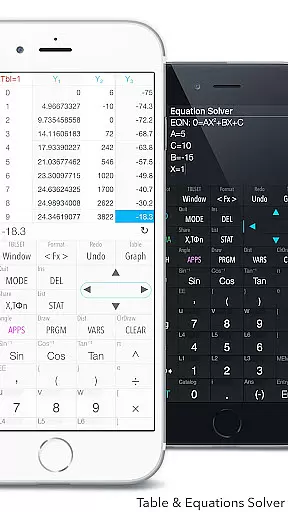
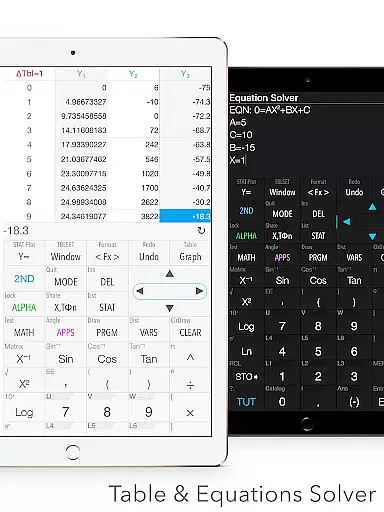
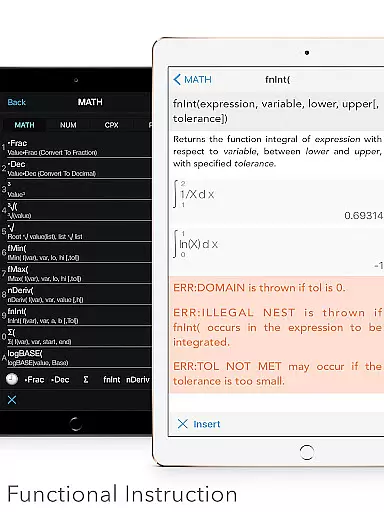
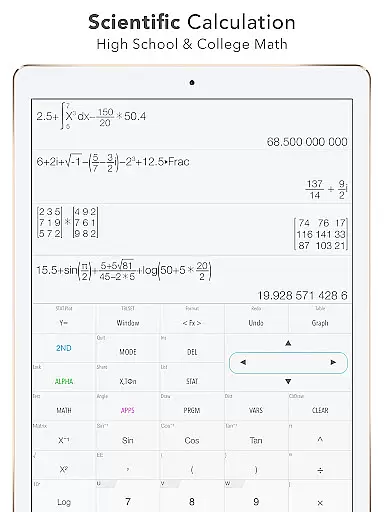
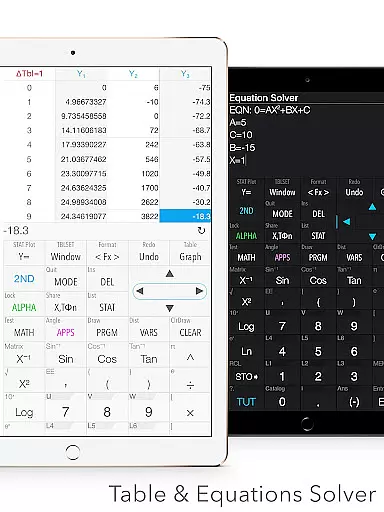
Graphing Calculator Plus boasts a comprehensive suite of features that cater to a wide range of mathematical needs. It includes a universal calculator app with advanced functions such as Sin, Cos, Ln, and E, alongside support for complex numbers, equations solving, and fraction calculations. The app's powerful MATH DISPLAY technology ensures that expressions are presented clearly, mimicking the format of handwritten equations.
In addition to standard calculations, the app offers specialized tools like statistics and regression analysis, matrix operations, and programming capabilities. Users can create and edit lists or matrices, perform linear and cubic regressions, and even execute control commands for customized calculations. The inclusion of a unit converter with over 50 categories and 1000+ units, along with 40+ common constants, makes it indispensable for scientific work.
Another highlight is its 2D graphing functionality, which supports parametric, polar, and sequence graphs. The app allows users to trace intersections, minima, maxima, and other special points with ease. Furthermore, additional modes like Financial Calculation (TVM Solver) and Number Base-N Mode extend its utility beyond traditional mathematics, positioning it as a versatile tool for education and professional use.
When it comes to educational tools like Graphing Calculator Plus, content accuracy is paramount. This app ensures precision by incorporating a powerful MATH CORE and MATH DISPLAY support, which are essential for correct mathematical computations and visual representations. These features are particularly beneficial for students and engineers who require exact outcomes in their work or studies.
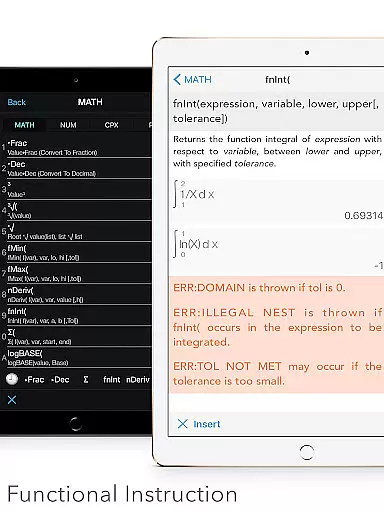
The app includes built-in documents that cover a wide range of calculations and mathematical concepts, from basic general calculations to more complex equations and polynomial solving. Each function has been designed with attention to detail, ensuring that users can rely on the information provided by the app during their learning process or professional projects.
Furthermore, the calculator's advanced functions such as Sin, Cos, Ln, E, and others have been rigorously tested to meet high standards of accuracy. With an in-depth user manual and tutorial at hand, learners can deepen their understanding of mathematics while being assured that they're working with credible and authoritative content.
Graphing Calculator Plus offers personalized learning paths through its diverse functionalities tailored to individual needs. Whether you're dealing with statistics & regression analysis or diving into matrix operations, this app adapts to various mathematical challenges, providing customized experiences that cater to both beginners and advanced users alike.
For those interested in programming within a calculator environment, the app presents control commands and I/O commands alongside example source codes. This allows users to explore coding principles while simultaneously applying them to solve math problemsu2014a unique approach that supports self-paced and interest-driven learning trajectories.
Moreover, additional features such as financial calculation tools (TVM Solver), geometry applications, and chemistry apps further enhance the personalization aspect. Users can pursue specific areas of interest or curriculum requirements, knowing that future updates promise even more options for tailored educational journeys.
Powerful MATH CORE
Intuitive UI design
Comprehensive features
Portable and convenient
Cost-effective solution
Steep learning curve
Occasional bugs
Limited offline help
Premium price tag
Heavy on resources

An animated storybook app to help ease your child through toilet training.
 3.70
3.70
The official CCM Glossary app, including 700+ terms and definitions.
2.90
The Fighter Verses Bible memory system helps you memorize God's Word.
4.50
Hasbro's Classic Board Game - Make Cavity Sam better or get the buzzer!
3.50
Listen, request and record pronunciations in more than 450 languages. Everywhere
3.90
Discover Your Place in the Universe
4.70
Animals pop up and make sounds—learn names and noises in Peekaboo Barn!
4.1
An aviator’s preparation, study and test tool for FAA Knowledge Exams.
4.00
SkyView®, an augmented reality space app, brings stargazing to everyone!
4.40
Explore myths and gods across cultures with in-depth insights and stories.
5.00
Hebrew Vocab
4.90
Stack the States makes learning about the 50 states fun!
4.70
Professional Award-Winning Astronomy Star Map App With Telescope Control
4.40
Pass your FAA written with flying colors - Study Buddy can help.
4.30
School Communication
4.30
Explore numbers the Starfall way!
4.00
Make your own game and world. Draw and animate characters
3.70
scanner body part for fun Prank friends realistic scan effects
3.00
Learn and joke with the Silly Turkey!
4.0


User Reviews