
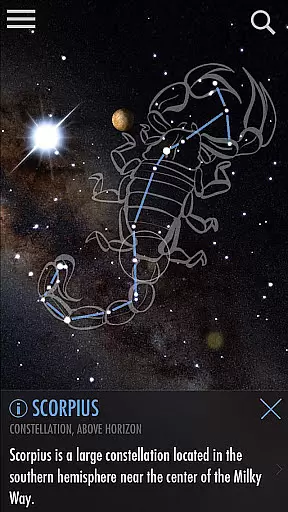
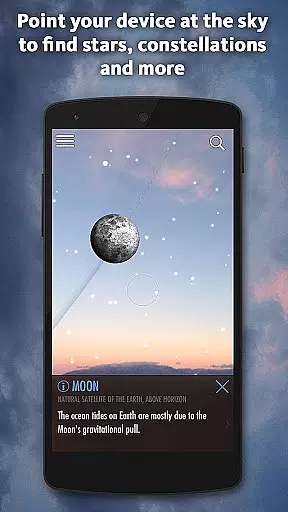
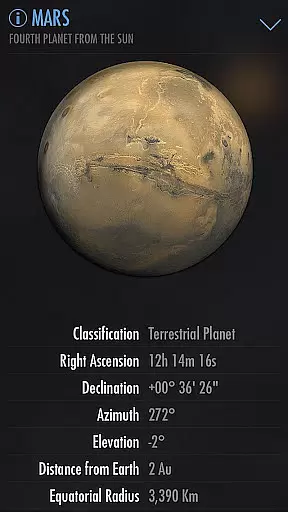
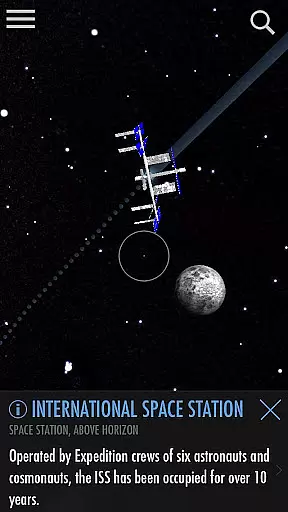
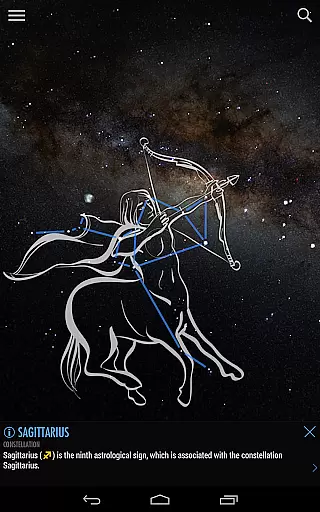
SkyView Explore the Universe is an innovative stargazing app that transforms your device into a powerful tool for exploring celestial objects. By simply pointing your phone or tablet at the sky, users can identify stars, constellations, planets, and even satellites in real-time. The app's augmented reality technology works seamlessly day or night, offering an intuitive way to learn about astronomy without requiring any specialized knowledge.
One of the standout features of SkyView is its ability to guide users through the vast universe with ease. Whether you're identifying constellations as they fade in and out of view, tracking the International Space Station (ISS), or discovering distant galaxies, this app provides an engaging experience for all ages. Its educational value makes it ideal for both casual stargazers and those looking to teach others about astronomy.
The app also includes advanced functionalities such as time travel, which allows users to see how the sky looked on different dates, and sky paths that show the trajectory of celestial objects. With its user-friendly interface and comprehensive database of thousands of stars and interesting facts, SkyView Explore the Universe is perfect for anyone wanting to explore the wonders of the cosmos from their own backyard.
SkyView Explore the Universe offers a rich set of features designed to enhance the stargazing experience. One of its key capabilities is the augmented reality (AR) functionality, which uses your device's camera to overlay information about celestial objects directly onto your screen. This feature works flawlessly whether it's day or night, making it easy to spot planets, stars, and constellations regardless of lighting conditions.
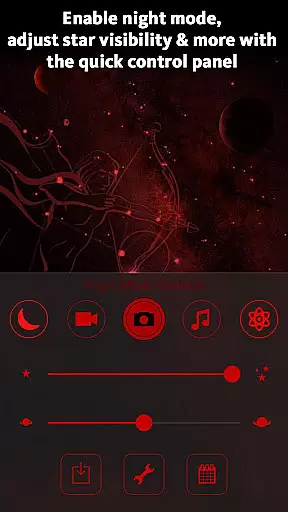
In addition to AR, the app includes a Night Mode that helps preserve your night vision by applying red or green filters. This ensures comfortable viewing during nighttime observations. Another notable feature is the Sky Paths tool, which lets users track the movement of celestial bodies across the sky at any given date and time. This is particularly useful for planning astronomical events or understanding orbital mechanics.
The app also supports social sharing, allowing users to capture stunning images of the night sky and share them with friends and family. With its extensive database of celestial objects and interesting facts, SkyView provides an immersive learning experience that appeals to both beginners and seasoned astronomers alike. The inclusion of time travel functionality further enhances its educational value, enabling users to visualize historical or future astronomical events.
SkyView Explore the Universe provides an authoritative and accurate platform for identifying celestial objects in the sky. The app uses advanced augmented reality technology to ensure precise spotting of stars, constellations, planets, and satellites.
With features like Sky Paths and Time Travel, users can track the exact location of celestial bodies on any date and time, ensuring that the information provided is both accurate and educational. This functionality is crucial for those who wish to learn about astronomy with confidence in the data presented.
The comprehensive database includes thousands of stars, planets, and satellites, each accompanied by interesting facts. This vast repository of information has been meticulously compiled to offer users a reliable source of knowledge, making it ideal for educational purposes.
While SkyView Explore the Universe does not follow a traditional personalized learning path model, it offers unique features that allow users to tailor their learning experiences. Users can explore the universe at their own pace, choosing which celestial objects to identify and learn about.
The app's intuitive interface and augmented reality capabilities enable users to engage with content that interests them most, creating a self-guided educational journey. By pointing their device at the sky, users can discover galaxies, stars, and planets that capture their curiosity.
Additionally, the Time Travel feature allows learners to jump to different dates and times, offering a dynamic way to study the changing positions of celestial bodies. This interactive approach fosters a personalized and engaging learning experience, encouraging exploration and discovery tailored to individual interests.
User-friendly interface
Augmented reality features
Works offline
Educational content
Real-time object tracking
Limited deep-sky details
No telescope integration
Premium version costs
Occasional inaccuracies
Ads in free version

Test prep for Indiana students
 4.4
4.4
A magical world of fun, building, and learning with Mickey Mouse and more!
4.20
An easy to use yet powerful and full-featured flashcard study app.
4.50
Welcome to the Speak Navajo Language Application - Volume 1
4.50
THE ESTABLISHED "GO TO" ARMY BOARD PREPARATION APP!
4.30
Your best partner for learning Japanese words. Based on a best-selling textbook.
2.80
Stack the Countries makes learning world geography fun!
4.50
Learn & Speak New Languages
4.70
Cool math games & learn to read activities- loved by kids, approved by teachers.
4.50
Hebrew Vocab
4.90
Learning the ancient Viking language made simple
4.70
The Only Official DVSA Theory Test Kit App
4.50
One of the most engaging and innovative ABC apps on the market.
4.30
The "Go To" app for Airmen studying for promotion to SSgt and TSgt
4.30
Bebefinn and Baby Shark educational, animated videos & games for kids
3.40
scanner body part for fun Prank friends realistic scan effects
3.00
Master the NRP with 700+ questions, rationales, and updated NREMT scenarios.
3.00
Your best partner for learning Japanese words. Based on a best-selling textbook.
2.90
A collection of favorite stories from Daniel Tiger's Neighborhood
2.00


User Reviews