
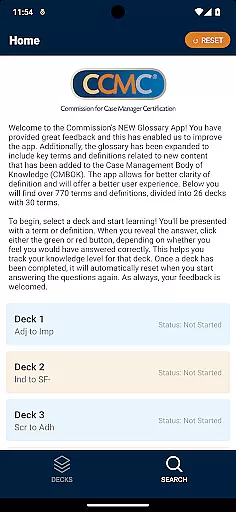
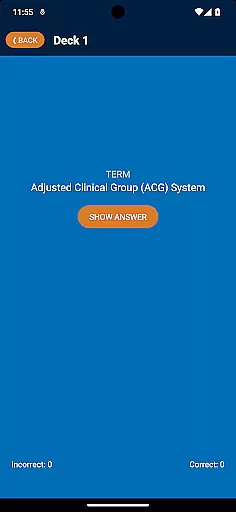

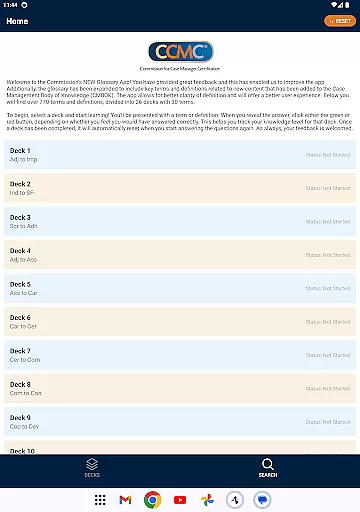

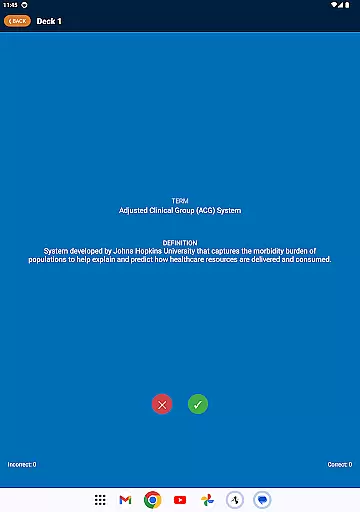

The CCM Glossary App is an educational tool designed to enhance understanding of key terms and definitions within the case management field. With over 770 terms divided into 26 decks, this app provides users with a comprehensive learning experience. Each deck contains 30 terms, allowing for focused study sessions.
Users can track their knowledge level by marking their responses as correct or incorrect, which helps in identifying areas that need improvement. The app's intuitive design offers a seamless user experience, making it easier to grasp complex definitions and concepts.
This app is particularly useful for professionals and students in the healthcare and case management sectors who need to stay updated with industry-specific terminology. By using the CCM Glossary App regularly, users can improve their expertise and confidence in handling case management tasks.
The CCM Glossary App boasts several features that make it a valuable educational resource. Firstly, it includes expanded glossary content aligned with the Case Management Body of Knowledge (CMBOK), ensuring users have access to the latest terminology. This feature enhances clarity and supports better comprehension of definitions.
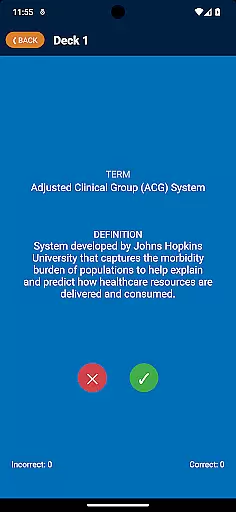
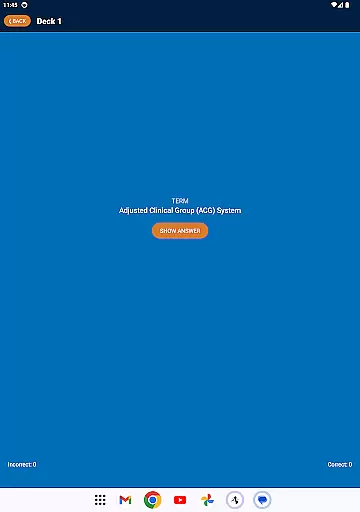
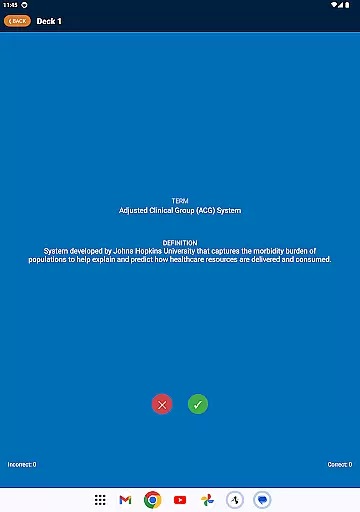
Another notable feature is the interactive learning system. Users can test their knowledge by revealing answers and tracking their progress through color-coded buttons. This gamified approach not only makes learning engaging but also helps users monitor their performance effectively.
Additionally, the app offers a reset function for completed decks, enabling continuous learning and review. This ensures that users can revisit material as needed, reinforcing their understanding of key concepts over time.
In the realm of education applications, content accuracy is paramount. The CCM Glossary App offers over 770 terms and definitions, ensuring that learners have access to a comprehensive and precise knowledge base. Each term has been carefully selected and defined by experts in the field, aligning with the latest updates from the Case Management Body of Knowledge (CMBOK).
The app's dedication to authority is evident through its incorporation of key terms related to new content areas within the CMBOK. This guarantees users are not only learning foundational concepts but are also up-to-date with the evolving landscape of case management. With such meticulous attention to detail, students and professionals can trust they're receiving information that adheres to industry standards.
Moreover, user feedback plays an integral role in maintaining this high level of content integrity. By welcoming input from its users, the app fosters a community-driven approach to continuous improvement and refinement of its educational material. This collaborative process ensures ongoing enhancement of both the scope and precision of the glossary entries provided.
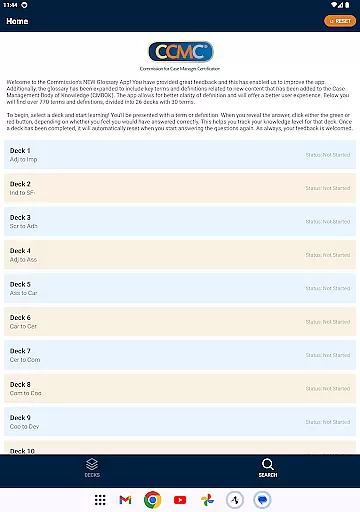
Recognizing that each learner is unique, the CCM Glossary App facilitates personalized learning paths tailored to individual needs. Users can select from 26 decks, each containing 30 terms, allowing them to focus on specific areas of interest or weakness without feeling overwhelmed by irrelevant information. This modular structure supports self-paced study habits which are crucial for effective retention and understanding.
To further enhance personalization, the app incorporates an interactive feature where users indicate their grasp of a term by clicking either green or red buttons after revealing its definition. This mechanism helps track personal progress and identify knowledge gaps efficiently. As users advance through these customized quizzes, they gain insights into their competencies while being motivated to revisit challenging concepts until mastery is achieved.
Additionally, once all questions within any given deck have been answered correctly, it resets automaticallyu2014offering endless opportunities for review and reinforcement at oneu2019s own pace. Such adaptive functionality makes certain every session contributes directly towards achieving one's educational goals effectively.
User-friendly interface
Comprehensive glossary
Interactive learning tools
Progress tracking system
Regular updates
Limited to case management
No offline mode
Requires frequent updates
Some terms may be too technical
Dependent on user feedback

AR planetarium app that brings the solar system to you via XREAL Glasses.
 4.4
4.4
One of the most engaging and innovative ABC apps on the market.
4.30
An aviator’s preparation, study and test tool for FAA Knowledge Exams.
3.90
Learn Words Daily in Just Minutes - Boost Your Language Skills Fast!
4.60
A must-have app for mastering Japanese verb/adjective conjugations.
3.60
Prepare for the BCBA / BCaBA exam. Study ABA with the ABA Wizard app.
4.60
An aviator’s preparation, study and test tool for FAA Knowledge Exams.
4.30
Learn to make peaceful contact with extraterrestrial civilizations
4.10
School Communication
4.30
Discover Your Place in the Universe
4.70
Childcare Management App: Daily sheets, sign in-out, billing and learning tools
4.70
The Fighter Verses Bible memory system helps you memorize God's Word.
4.50
Ignite curiosity, spark learning: All babybus videos &games
4.30
Pass your FAA written with flying colors - Study Buddy can help.
4.30
Designed for Calculator 84 users
4.20
An aviator’s preparation, study and test tool for FAA Knowledge Exams.
4.00
Deal Craps (Practice Craps Payouts)
3.80
Explore the City of the Sun in Augmented Reality
3.70
Grazing Risk Monitoring Service
4.4


User Reviews