
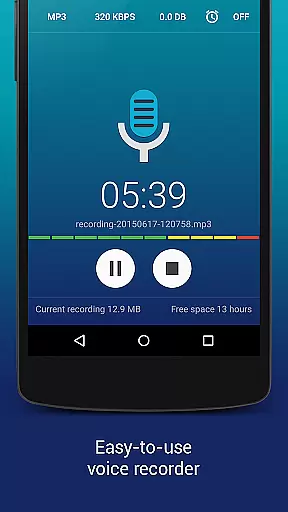
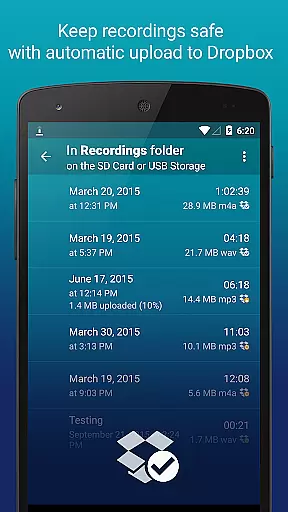
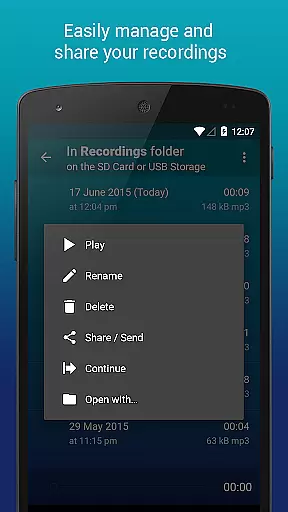
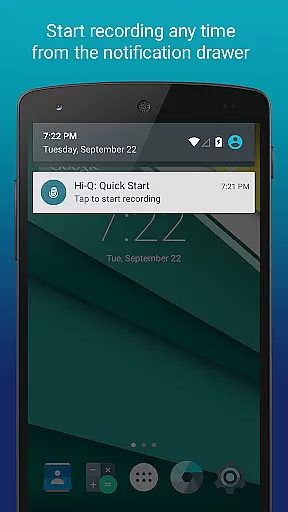
Hi-Q MP3 Voice Recorder (Pro) is a feature-packed audio recording app designed for high-quality sound capture. With support for 44 kHz audio sampling and customizable settings, it delivers exceptional recording quality suitable for both casual users and professionals.
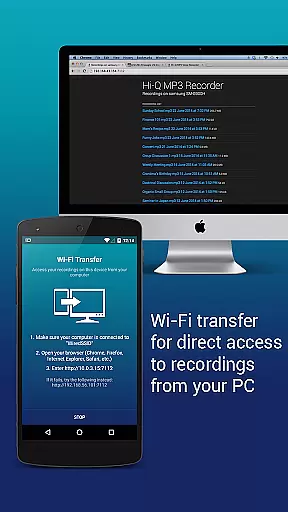
The app offers versatile functionality, allowing users to record anything from personal voice notes to live concerts. Its intuitive interface and advanced features like Discretion Mode, Dropbox/Google Drive integration, and Wi-Fi Transfer make it an ideal tool for managing recordings efficiently.
Whether you're a student recording lectures or a musician capturing song ideas, this app provides the tools needed to ensure your recordings are clear, organized, and easily accessible across devices.
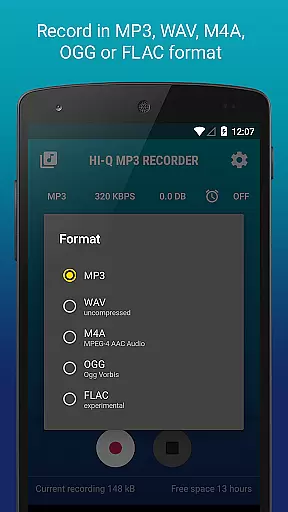
Hi-Q MP3 Voice Recorder (Pro) stands out with its comprehensive set of features tailored for optimal user experience. The app supports multiple formats including MP3, WAV, OGG, M4A, and FLAC, ensuring compatibility with various playback devices while maintaining high-fidelity audio quality.
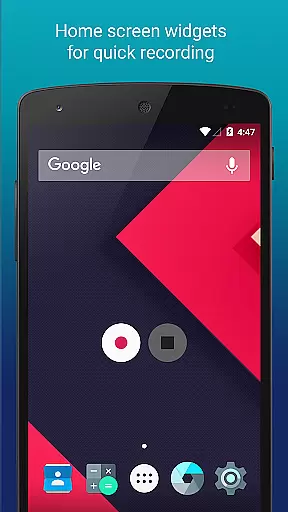
Advanced functionalities such as automatic cloud uploads to Google Drive or Dropbox, home screen widgets for quick access, and real-time gain control allow users to customize their recording process. Additionally, the app's Discretion Mode ensures privacy during sensitive recordings by concealing the recording icon.
With options like playback speed adjustment, clip management, and Wi-Fi file transfer, users can streamline their workflow and focus on capturing important moments without worrying about storage limitations or accessibility issues.
Hi-Q MP3 Voice Recorder (Pro) offers a unique approach to building a personal music and audio library through its high-quality recording capabilities. With support for multiple formats including MP3, WAV, OGG, M4A, and FLAC, users can create an extensive collection of recordings tailored to their preferences.
The app ensures copyright authenticity by allowing users to record original content rather than distributing copyrighted material. This guarantees that all audio files created are original works, making it ideal for musicians, podcasters, and content creators who rely on unique, self-produced material.
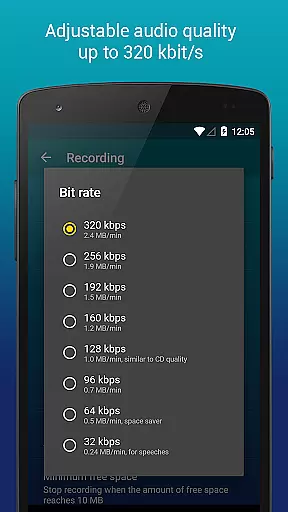
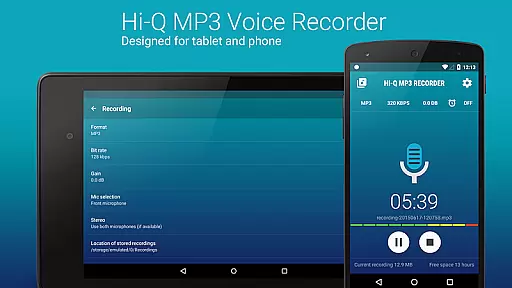
Additionally, the ability to customize audio quality with bit rates up to 320 kbps ensures professional-grade recordings. This feature is crucial for users who require clear and detailed audio, such as recording live concerts or band practices.
By storing recordings in widely compatible formats like MP3, users can easily share and play back their files across various devices and platforms. This flexibility enhances the overall value of the app as a tool for managing a diverse and authentic audio library.
One of the standout features of Hi-Q MP3 Voice Recorder (Pro) is its robust set of audio quality options, which cater to both casual users and audio professionals. The app supports multiple recording formats, including MP3, WAV, OGG, M4A, and FLAC, giving users the freedom to choose based on their specific needs.
For those seeking the highest fidelity, the app allows recording at bit rates up to 320 kbps. This level of detail ensures that even the most subtle sounds are captured accurately, making it perfect for recording high-quality demos or intricate musical performances.
Furthermore, the ability to select between different microphones (front or back) adds another layer of customization. Depending on the device, users can opt for a more sensitive microphone for capturing distant sounds or a clearer one for close-range audio.
These advanced audio settings empower users to optimize their recordings for various environments and purposes, whether it's for personal voice notes, lectures, or professional audio projects. The result is a versatile tool that consistently delivers excellent sound quality.
High-quality audio recording
User-friendly interface
Cloud integration
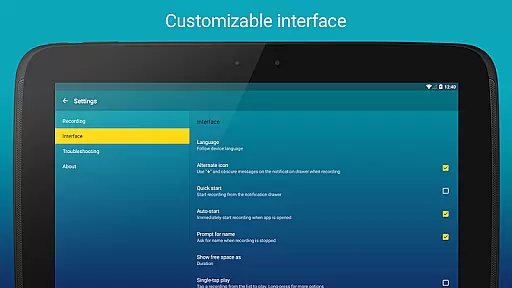
Customizable settings
Discretion mode
No phone call recording
Widgets unavailable on SD card
Premium price
Complex for beginners
Limited free version

Formerly known as Spotistats! View your top tracks, artists, albums and more!
 4.40
4.40
The Music Journey in Your Hands
4.30
Performance-Synthesizer & Multi-Track-Sequencer, polyphonic + multi timbral!
4.70
Remove ads permanently from Music Visualizer
4.2
JBL PartyBox APP works with 110/310/710/120/320/520/Encore/Encore 2/Encore Ess 2
4.80
Listen to live FM radio stations, sports, music and news on global radios online
4.70
Learn to play the piano using falling notes!
3.80
MilkDrop for Android TV
3.00
Be a true music maker: create beats, mix and make music like a real DJ!
4.30
24,000 free audio books and no ads!
4.90
Most Advanced AI Song Generator and Music Creator. Rap, Pop, Rock, Gospel & more
4.70
Over 100 million tracks available for high quality streaming and download
4.60
Fun & Easy Voice Changer – Record, Edit & Add Hilarious Effects!
4.50
Visualize the guitar fretboard, master scales & play through changes like a pro!
4.50
Guzheng Master supports many playing techniques as an acoustic Guzheng
4.50
Help you quickly get started with Shokz headphones
4.40
A High-Precision Audio Spectrum Analysis App
4.20
Offline and always ad-free - stream in the highest quality available.
4.10
The Skullcandy App Experience
3.20


User Reviews