
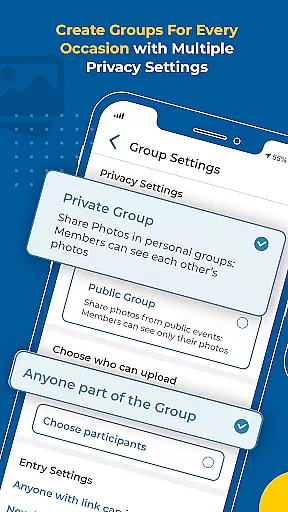

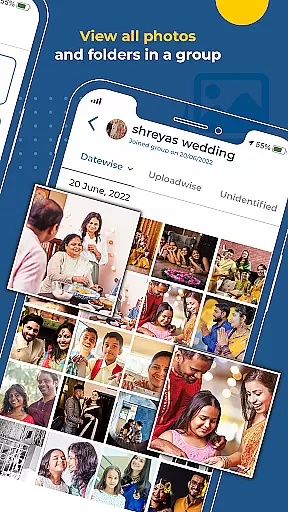
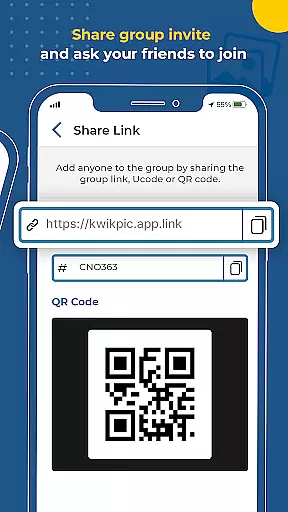
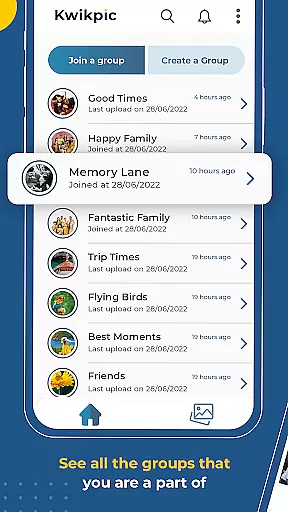
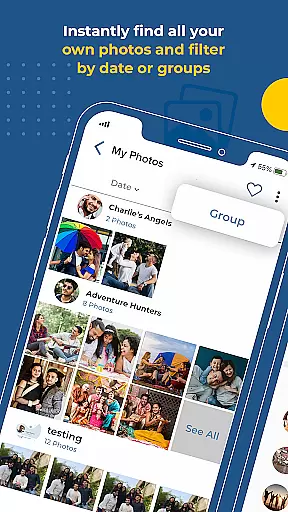
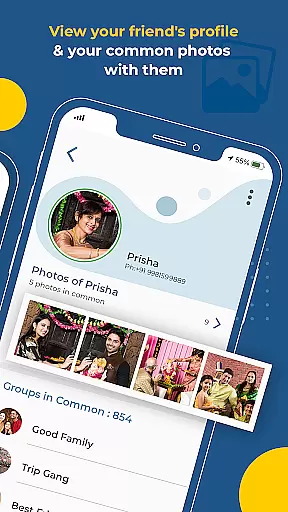
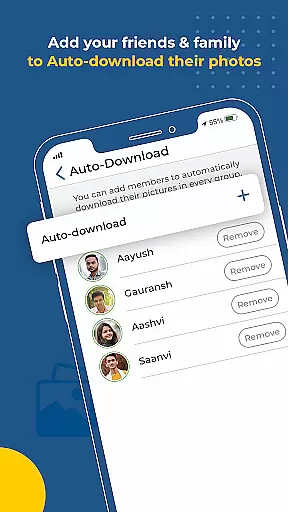
Kwikpic is an innovative photo-sharing app designed to streamline the process of managing and distributing event photos. Using advanced AI technology, it offers instant face matching, automatic tagging, and real-time notifications for effortless photo sharing. The app ensures no quality loss when uploading images, making it ideal for preserving memories from weddings, conferences, birthdays, or vacations.
With Kwikpic, users can easily share high-quality pictures with friends and family, track important analytics like impressions and downloads, and sort through countless photos using facial recognition. This makes it a powerful tool for anyone looking to efficiently organize and distribute photos while maintaining image quality.
Kwikpic stands out with its robust set of features tailored for seamless photo management at events. One key feature is its AI-powered facial recognition system, which automatically sorts and delivers photos by identifying individuals in each image. This eliminates the tedious task of manually sifting through hundreds of photos.
In addition to facial recognition, Kwikpic allows users to upload images directly from their gallery or cloud storage platforms such as Google Drive. Once uploaded, the app instantly matches faces, tags people, and sends notifications to those identified. Users also benefit from detailed analytics that provide insights into metrics like total impressions and downloads, enhancing engagement tracking.
The combination of these features creates a highly efficient workflow for photographers and event organizers who need quick and accurate ways to manage large volumes of images without compromising on quality.
Task creation and detail customization are essential features for any event management app. Kwikpic excels in this area by providing users with the ability to effortlessly organize and share photos from various events such as weddings, conferences, and vacations.
The app uses advanced AI technology to sort and deliver countless photos using face recognition. This means that users can easily find common photos with group members and instantly face match, tag, and notify everyone. Such features significantly enhance the user experience by saving time and effort in managing large volumes of photographs.
Moreover, Kwikpic allows users to track analytics such as total impressions and downloads, adding another layer of detail customization. Users can gain insights into how their shared photos are being interacted with, making it easier to manage and optimize their photo-sharing strategy.
Reminder settings in Kwikpic ensure that users never miss an important moment or forget to share a memorable photo. By leveraging its sophisticated AI-driven face recognition technology, the app can automatically remind users to upload and share pictures with friends, family, and guests.
This feature is particularly useful during large events where hundreds of photos are taken. Instead of manually sifting through images, Kwikpic's reminder settings help streamline the process by notifying users when new photos are available for sharing. This ensures that all event attendees receive their photos promptly.
In addition to reminders for uploading and sharing, Kwikpic also provides notifications about interactions with shared photos, such as downloads and impressions. These reminders keep users engaged and informed, enhancing the overall experience of managing and sharing event memories.
Effortless photo sorting
Instant face matching
High-quality uploads
Real-time notifications
Comprehensive analytics
Limited customization options
Premium features require subscription
Occasional syncing issues
Interface may feel complex
Dependent on internet connection

The Official App
 4.0
4.0
PheedLoop Go! is the mobile event app for events powered by PheedLoop.
4.40
Buy event tickets easily with our user-friendly App. Stay updated on hot events
4.4
Fantasy of Lights Event App
5.00
Purchase line-skip passes, drinks, cover, and more at bars and clubs
3.50
Wedding planner app with wedding venues, wedding checklist, countdown & budget.
4.60
TV Garden - World Live TV : Play & cast your videos seamlessly!
3.20
Thanksgiving Wishes, Thanksgiving Stickers & Animated GIF for Whatsapp Stickers
4.0
Octrober 2025: We've updated the MyGenMobile App with a new look and feel!
4.40
TodayTix is the easiest way to get tickets to the best shows in your city.
4.90
Birthday Greetings provides Birthday Card, Frames, Gifs & Father's day Wishes
4.80
Discover events, experiences, and things to do near you - Anytime, Anywhere!
4.70
Everything you need for the Best Thursday Ever.
4.40
The calendar app in this 2026 year see all dates.
4.20
Buy and sell tickets to sports, concerts, theater, festivals, and comedy events
4.10
The world's largest selection of tickets is now at your fingertips
3.90
ETH Mining provides secure way to mine Ethereum & earn ETH in Cloud mining app
3.50
The official app of the Carmel Christkindlmarkt!
4.1
Soft Proxy for Your Online World
4.1


User Reviews