
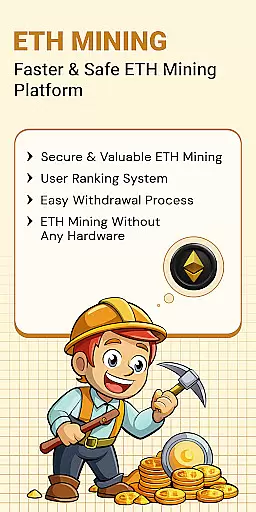
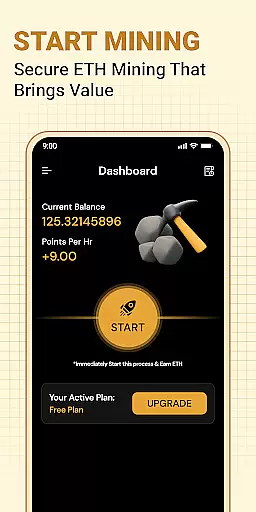
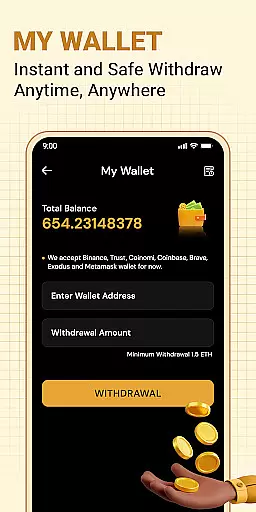


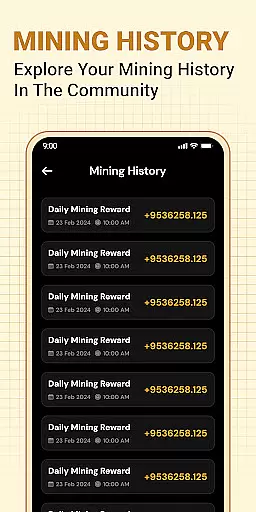
ETH Cloud Miner is an innovative app designed for users who want to monitor their Ethereum cloud mining activities conveniently. The core functionality revolves around providing real-time data on your mining performance, including hashrate, uptime, and estimated rewards, all without using your device's CPU or GPU. This makes it a perfect tool for both beginners and experienced crypto miners who rely on cloud-based solutions.
The app stands out with its user-friendly interface that displays key mining metrics in an easy-to-understand format. Whether you're tracking daily earnings or monitoring the status of your mining sessions, ETH Cloud Miner ensures you stay informed about every aspect of your Ethereum mining operation. All data is pulled from third-party cloud mining providers, giving you accurate insights without requiring any local hardware.
This app is particularly useful for those who are frequently on the go but still want to keep a close eye on their mining investments. By offering live updates and detailed statistics, ETH Cloud Miner empowers users to make informed decisions about their cryptocurrency strategies while saving time and resources.
One of the standout features of ETH Cloud Miner is its ability to connect seamlessly with various cloud mining providers. Once logged in, users can access their mining dashboard to view critical metrics such as hashrate, session duration, and estimated earnings. This feature eliminates the need to log into multiple websites, streamlining the monitoring process significantly.
In addition to its primary monitoring capabilities, the app offers customizable alerts and notifications. Users can set up personalized thresholds for important metrics like hashrate drops or reward changes, ensuring they never miss crucial updates. Another notable feature is the app's lightweight design—it doesn't consume significant battery or processing power, making it ideal for extended use.
Security is also a priority, with robust encryption protocols protecting your account information. The app strictly serves as a monitoring tool, meaning no actual mining takes place on your device. This approach not only enhances security but also extends the lifespan of your mobile device by avoiding unnecessary resource consumption.
Task creation and detail customization are essential features for managing events effectively. In the context of ETH Cloud Miner, this functionality allows users to set up personalized mining tasks that align with their Ethereum cloud mining goals.
The app provides a streamlined interface where users can create tasks by logging into their cloud mining accounts. Each task can be customized with specific details such as hashrate preferences, session durations, and estimated rewards. This level of customization ensures that users have control over how they monitor their mining activities.
By leveraging these features, users benefit from a tailored experience that matches their individual mining strategies. The ability to adjust task parameters means that both novice and experienced miners can optimize their monitoring process according to their unique requirements.
Ultimately, the task creation and customization capabilities of ETH Cloud Miner empower users to manage their Ethereum mining operations more efficiently. This leads to better oversight and potentially higher returns on investment, making it an invaluable tool for anyone involved in cloud-based cryptocurrency mining.
Reminder settings play a crucial role in ensuring that users stay informed about their ongoing mining activities. For ETH Cloud Miner, this feature enables users to configure notifications that keep them updated on important mining metrics and milestones.
Within the app, users can set reminders for various aspects of their mining performance. These include alerts for changes in hashrate, uptime thresholds, or fluctuations in estimated daily rewards. By customizing reminder settings, users can ensure they never miss critical updates related to their Ethereum mining stats.
This functionality not only enhances user engagement but also contributes to more effective mining management. Timely reminders help users make informed decisions, whether it involves adjusting mining parameters or addressing potential issues promptly.
In summary, the reminder settings in ETH Cloud Miner provide a proactive approach to managing cloud-based Ethereum mining operations. By keeping users consistently informed, the app helps maximize mining efficiency and supports better strategic planning.
User-friendly interface
Real-time mining stats
No device resource usage
Customizable alerts
Secure data encryption
Limited to cloud mining
Third-party dependency
No official Ethereum affiliation
Premium features may cost extra
Occasional sync delays

The Official App
 4.0
4.0
Audio guide companion APP for SEE's Michelangelo's Sistine Chapel
3.50
Browse events, find transportation, keep up with the latest news from your team
4.5
Local events, contests, and giveaways for local dads
3.70
Invitation card maker for birthday party & Wedding. Digital greeting card editor
4.90
Wedding planner app with wedding venues, wedding checklist, countdown & budget.
4.60
The world's largest selection of tickets is now at your fingertips
3.90
Beautiful invitation cards + easy RSVP tracking for any event. Design Invites.
4.80
Microsoft Ignite is an event that showcases latest advancements in technology
4.00
Save money on concert, sport, and theater tickets, and discover upcoming events.
4.80
Find tickets to upcoming concerts, sports events, festivals, shows, attractions
4.70
Meet people over dinner
4.40
Buy tickets for any event!
3.90
Purchase line-skip passes, drinks, cover, and more at bars and clubs
3.50
Watch live football matches and streaming events on our Arabic TV app!
3.50
TV Garden - World Live TV : Play & cast your videos seamlessly!
3.20
An App for Bhutanese
4.3
Buy event tickets easily with our user-friendly App. Stay updated on hot events
4.1
The Official Football Ticketing App for Fans in Qatar
4.3


User Reviews