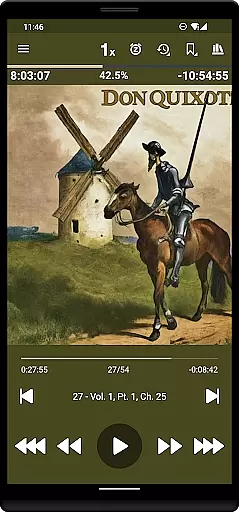
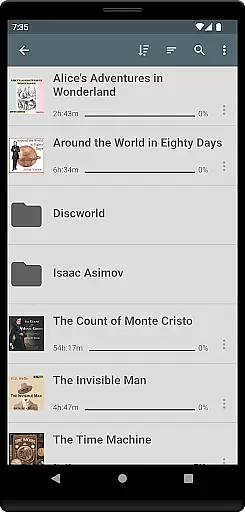
Listen Audiobook Player is a feature-rich audio player designed for audiobook enthusiasts who value flexibility and organization. This app allows users to play DRM-free audiobooks from various sources, including personal libraries or curated selections available directly within the app. With support for multiple audio formats like MP3, M4B, FLAC, and more, it ensures compatibility with most audiobook files.
The app offers advanced playback features such as variable speed control (0.5x to 4x), pitch control, and an equalizer, allowing users to customize their listening experience. Additionally, its folder-based library system automatically syncs with your audiobook folders, making it easy to manage large collections. Whether you're commuting, relaxing at home, or using Android Auto, Listen Audiobook Player provides seamless integration across devices while offering innovative features like bookmarking, sleep timers, and Bluetooth controls.
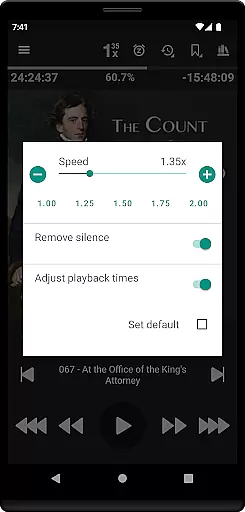
One of the standout aspects of Listen Audiobook Player is its comprehensive feature set tailored specifically for audiobook listeners. The app supports embedded chapters in most audio codecs, enabling smooth navigation through long books. It also includes options for trimming silence, boosting volume, and adjusting playback speed on a global or per-book basis, ensuring optimal listening comfort.
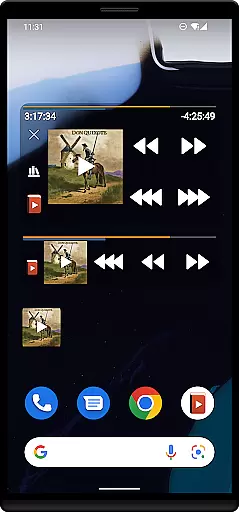
Beyond basic playback, the app excels in usability and convenience. Users can download cover art automatically, convert audiobooks into smaller Opus files without significant loss of quality, and synchronize their progress across multiple devices via built-in sync support. Integration with services like Plex and Audiobookshelf further enhances accessibility by allowing direct downloads from hosted servers. Advanced functionalities such as customizable widgets, Tasker compatibility, and detailed bookmark management make this app a top choice for power users seeking precision and control over their audiobook experience.
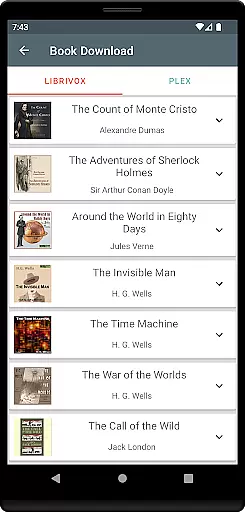
When evaluating an audiobook player, the size and authenticity of its music library are crucial factors. Listen Audiobook Player offers a vast selection of DRM-free books from various sources like Librivox, Downpour, and Loyalbooks. This ensures users have access to a wide range of titles without legal or copyright concerns.
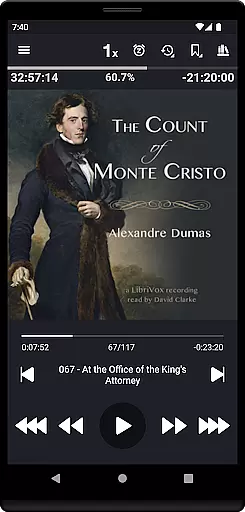
The app allows users to download curated books directly from Librivox, featuring classics such as 'The Count of Monte Cristo' and 'Pride and Prejudice'. By supporting multiple audio formats including mp3, m4b, and flac, the application caters to diverse user preferences while maintaining copyright integrity.
With integrations for Plex and Audiobookshelf, users can expand their libraries by downloading content from personal servers. This feature not only enhances the library size but also guarantees that all materials are legally obtained and free from copyright restrictions.
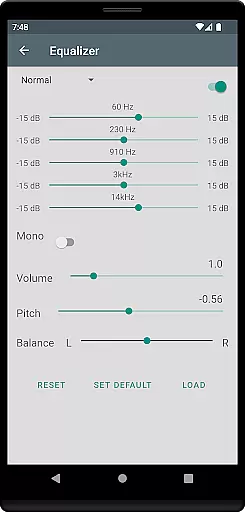
Audio quality is paramount for an immersive listening experience. Listen Audiobook Player excels in this area by offering variable playback speeds ranging from 0.5x to 4x, allowing users to customize their listening pace. The inclusion of pitch control and volume boost features ensures optimal sound quality tailored to individual preferences.
The app supports high-quality audio formats such as FLAC and AAC, preserving the original sound fidelity. Users can also apply an equalizer and balance settings to further enhance their auditory experience. These options ensure that every audiobook is enjoyed with the highest possible audio clarity.
For those seeking convenience without compromising on quality, the option to convert books to Opus format is available. This feature reduces file sizes significantly while maintaining near-original sound quality, making it easier to store and enjoy large audiobook collections.
User-friendly interface
Wide format compatibility
Advanced playback controls
Sync across devices
No ads or in-app purchases
No native cloud storage
Limited free curated books
Complex for beginners
Occasional bugs reported
Requires manual setup

Taal player that lets you sing any Indian & Western song with Tabla & Tanpura
 4.60
4.60
Music Streaming suite for Ampache, Nextcloud Music and compatible backends.
4.3
Play your hearts out on TouchTunes jukeboxes & connect with fellow music lovers.
4.80
Music, News & Sports Radio Tuner App. Tune in Live FM & AM Radio Stations.
4.80
Offline Music Player & MP3 Player.Powerful equalizer, Lyrics, Themes, Tag Editor
4.80
Simple mp3 and mp4 player with advanced features.
3.40
Slow music down without changing pitch.
3.70
One-tap booster for max volume - enjoy powerful sound with this audio booster
4.50
Be a true music maker: create beats, mix and make music like a real DJ!
4.30
Voice recorder - Audio recorder. Best recorder for recording
4.90
24,000 free audio books and no ads!
4.90
Listen to live FM radio stations, sports, music and news on global radios online
4.70
Enhance the sound quality of your devices, listen to what you want
4.50
Enjoy singing any song, no matter how high or low it is
4.30
The original SP-1200 experience on your iPad
4.20
Turn your phone into a musical instrument from the future!
3.90
The only true audiophile music player with Hi-Fi audio rendering and DSP engine
3.90
Control your MIDI USB or Bluetooth devices in app and avoid some trampling
3.30
Make music anywhere. Turn your device into an instrument.
4.3


User Reviews