
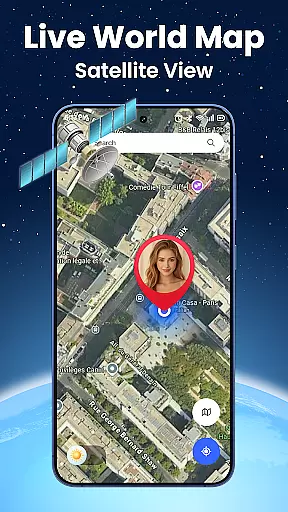

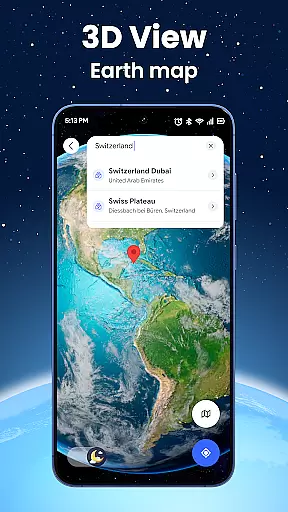
Live World Map: Satellite View is a comprehensive navigation and exploration app that combines real-time 3D Earth navigation with GPS location tracking. The app offers realistic terrain and city maps, allowing users to rotate, zoom, and navigate across interactive maps to explore mountains, rivers, buildings, and streets. With its live satellite map feature, users can access high-resolution imagery of any place on Earth, updated in real-time from global GPS satellite sources.
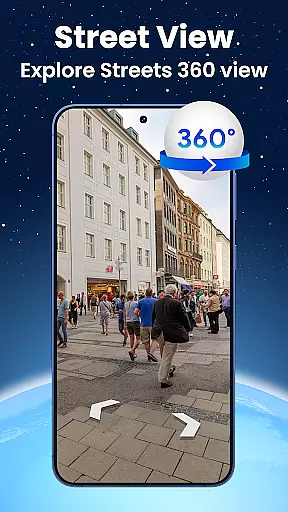
In addition to its mapping capabilities, the app provides a street view function with a 360-degree panorama camera, enabling virtual walk-throughs of neighborhoods and tourist spots. Its built-in GPS navigation system ensures accurate route finding and turn-by-turn directions, making it an essential tool for travelers and explorers. Whether you're planning a trip, conducting virtual tours, or simply exploring new areas, Live World Map: Satellite View delivers a seamless and immersive experience.
Live World Map: Satellite View stands out with its diverse range of features tailored for both casual users and avid explorers. One of its core functionalities is the realistic terrain and city maps, which provide detailed views of Earth's landscapes. Users can interact with these maps by rotating, zooming, and navigating through various terrains, offering a lifelike simulation of different environments. This feature is particularly useful for those who wish to visualize places before traveling or conduct virtual tours from the comfort of their homes.
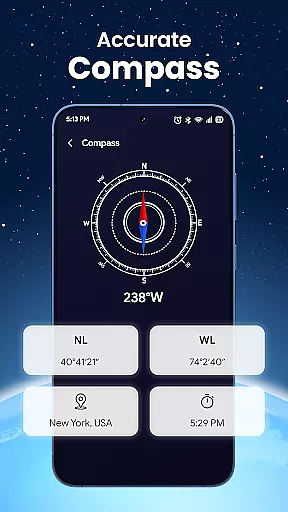
The app also includes a live satellite map with real-time imagery, delivering high-resolution views of any location globally. Coupled with the street view feature, users can immerse themselves in 360-degree panoramas of streets and neighborhoods, enhancing their virtual travel experiences. Additionally, the smart search functionality allows users to quickly locate landmarks, restaurants, hotels, and more, streamlining the process of finding essential places. With its intuitive interface and bonus tools like a compass, speedometer, and altitude display, Live World Map: Satellite View ensures a smooth and efficient user experience.
Map accuracy is a critical feature for any navigation or mapping application, and Live World Map excels in this area. The app provides realistic terrain and city maps that allow users to visualize places with impressive detail. By leveraging high-resolution satellite imagery and real-time GPS data, the app ensures that its maps are not only visually appealing but also geographically precise.
The level of detail extends to mountains, rivers, buildings, and streets, offering an immersive experience for users who wish to explore various locations virtually. This makes it ideal for travelers planning their journeys or individuals conducting virtual tours from the comfort of their homes. With features like street view and 360-degree panorama camera control, users can navigate through neighborhoods and landmarks as if they were physically present.
Live World Map's commitment to accuracy ensures that users receive updated imagery from global GPS satellite sources. This guarantees that the information displayed on the map reflects current real-world conditions, which is particularly beneficial for monitoring remote locations or tracking live movements. Whether you're exploring natural environments or urban landscapes, the precision offered by Live World Map enhances your overall experience.
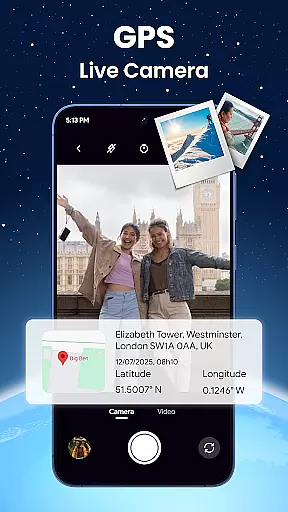
Route planning is an essential aspect of any mapping application, and Live World Map offers robust tools to ensure efficient navigation. With built-in GPS locator and map navigation features, users can easily track their current position and receive turn-by-turn directions to their destination. This functionality helps avoid wrong turns and delays, ensuring a smooth travel experience.
The app goes beyond basic route guidance by incorporating smart search capabilities for places and landmarks. Users can quickly find restaurants, airports, hotels, ATMs, and tourist attractions, making trip planning more convenient. One-touch access to nearby locations streamlines the process of finding essential services or hidden gems in unfamiliar areas.
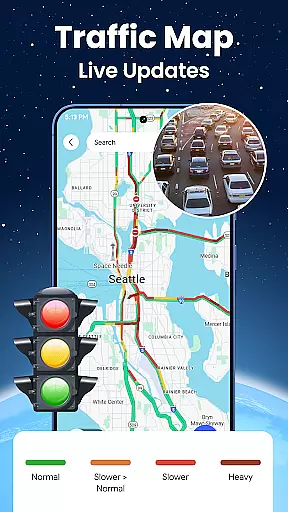
In addition to traditional route planning, Live World Map includes bonus tools such as a compass, speedometer, altitude display, and traffic view. These features enhance the user's ability to plan routes effectively while providing real-time location sharing with accuracy. Whether you're commuting daily or embarking on a long journey, Live World Map equips you with all necessary tools for seamless navigation.
User-friendly interface
High-resolution satellite imagery
Real-time GPS tracking
Comprehensive street view
Global coverage
Requires constant internet
Heavy on battery
Occasional lag
Premium features locked
Complex for beginners

Compass is an accurate compass and a great tool for any outdoor activities
 4.2
4.2
Offline maps for phone and smart watch: topographic maps, satellite images...
3.30
The fastest and most convenient way to pay for parking on our lots.
4.40
Complete offline 1:50k South Island topo map including DOC Hunting Permit Areas
4.60
Your guide to the recreational opportunities of the Bureau of Land Management!
3.40
OpenCPN is a full featured ChartPlotter and Navigator for Android.
3.60
Plan routes, share locations, and set custom alert zones
4.40
Affordable rides and food delivery with incredible discounts in just one app.
4.50
Find routes fast with GPS Maps, GPS Navigation & driving directions.
4.10
Order a cab online. An affordable taxi ride and driver in no time. What a bolt!
4.80
Find EV & Tesla charging stations with PlugShare
4.70
Park in Chicago, NYC, Boston, SF, Houston & more!
4.70
Parcel map, property lines, owner, acres, land use, zoning and more from Regrid.
4.60
Track friends in real-time and explore worldwide live cameras.
4.60
Route tracker, Speedometer, Odometer, Fuel, HUD mode, save route as .GPX
4.40
Get matched with a nearby driver — you’ll be on your way in minutes.
4.30
Route schedules, maps, and real-time tracking of MTA buses in New York City.
4.20
Number locator, real connection map
4.10
Navigate seamlessly with Real-Time Traffic, Offline Maps, and Voice Navigation.
4.10


User Reviews