
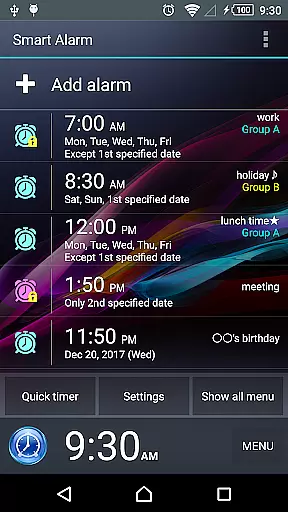
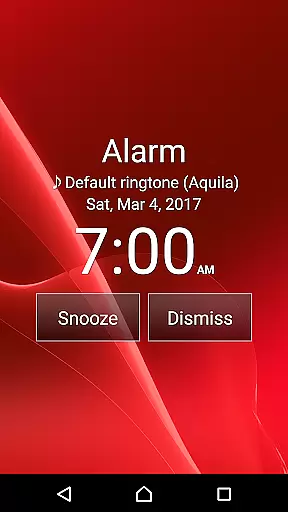
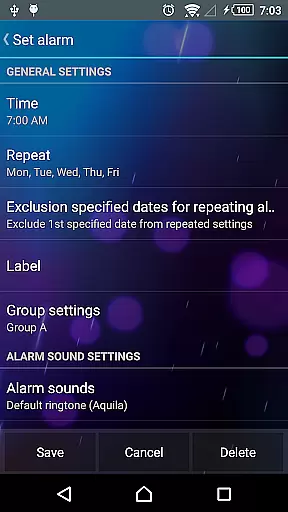
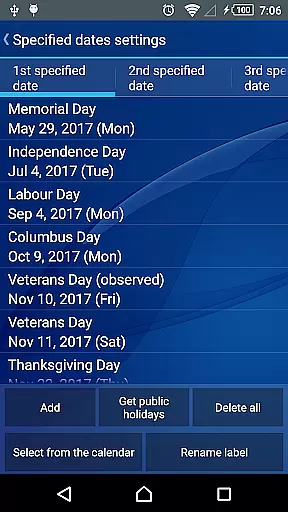
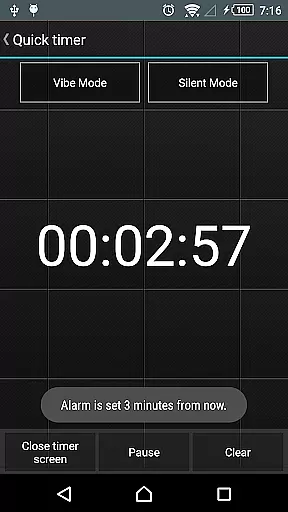
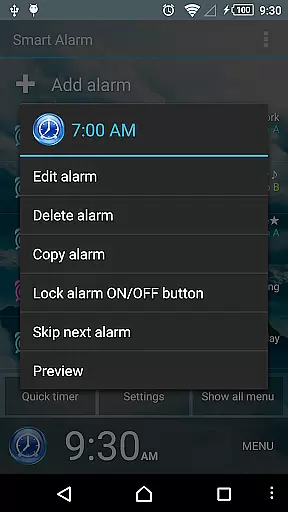
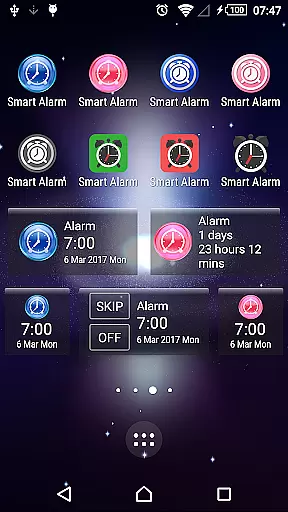
Smart Alarm is a premium alarm clock application designed for users seeking advanced functionality and reliability. This app offers a comprehensive suite of features beyond basic alarm settings, including snooze functionality, weekly repeat options, and holiday exclusions specific to the United States. The transparent background setting allows users to personalize their experience by showcasing their device's wallpaper as the app's backdrop.
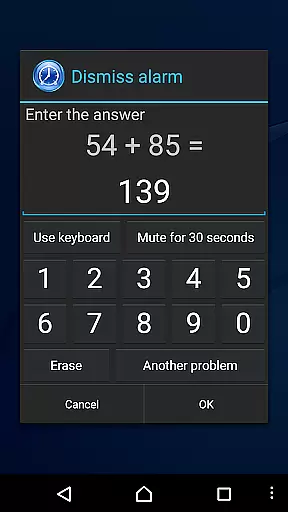
In addition to its core alarm functions, Smart Alarm provides gradual volume increase options, two-stage vibration settings, and customizable stop/snooze buttons to prevent accidental alarms dismissal. Users can also engage in math problem-solving or number entry tasks to deactivate alarms, ensuring they wake up on time. With extensive customization options for side keys, back keys, and menu keys, this app caters to various user preferences and habits.
This app is ideal for individuals who need a reliable alarm system that adapts to their lifestyle and helps them start their day efficiently without unexpected disruptions.
Smart Alarm stands out with its array of sophisticated features tailored to enhance user experience. One notable feature is the ability to set music from an SD card as the alarm sound, providing personalized wake-up calls. The app also includes modes that gradually increase alarm volume and offer adjustable two-stage vibrations, which help users wake up naturally without startling them.
Customization is at the heart of Smart Alarm's design. Users can resize alarm stop and snooze buttons to minimize accidental touches. Additionally, the app allows users to customize hardware keys such as side, back, and menu keys for different functions like stopping alarms, snoozing, or adjusting volumes. These features collectively ensure a seamless and personalized user experience.
Another significant aspect is the app's adaptability to various scenarios. For instance, it can switch between enabling or disabling sounds and vibrations during silent modes and determine whether to output sound through the device's speaker when headphones are plugged in. Such versatility makes Smart Alarm suitable for diverse environments and user needs.
Smart Alarm offers extensive coverage of essential lifestyle features, ensuring it fits seamlessly into daily routines. The app provides a comprehensive alarm system with options for snoozing, repeating on specific days, and even excluding public holidays from the weekly repetition.
One standout feature is its ability to integrate device wallpapers as the app background through transparency settings, offering a personalized touch. Additionally, users can customize various hardware keys to stop alarms, adjust volumes, or activate snooze functions, enhancing usability.
The app also supports setting music from an SD card as the alarm tone and includes modes that gradually increase alarm volume and offer two-stage vibration strength. These features ensure users wake up naturally without sudden loud noises, promoting a healthier start to their day.
Smart Alarm ensures content authenticity by providing reliable and verified features that have been tested for functionality across different devices. While the app does not claim universal compatibility, it delivers accurate and dependable performance based on user feedback and testing.
Expert credibility is reflected in the app's detailed disclaimers and permissions, which outline its operational scope and limitations clearly. Users are informed about potential issues, such as alarms not working if the device is off or improperly configured task killer apps, ensuring transparency.
Furthermore, the app's permissions, like preventing the device from sleeping during alerts and controlling vibrations, are directly tied to core functionalities. This reinforces trust in the app's design integrity and commitment to delivering a credible lifestyle solution.
User-friendly interface
Highly customizable settings
Gradual alarm sound increase
Two-stage vibration settings
Holiday exclusion options
Paid version only
Requires SD card for custom sounds
No guaranteed functionality on all devices
Limited liability for damages
Potential compatibility issues

Duo Watch Face (animated)
 4.1
4.1
Paranormal EVP, Ghost Box, Spirit box, ITC, Haunted, Spirit communication device
3.70
Cute animated Thanksgiving watchface for your WearOS smartwatch
4.1
Discover the "To Be a Christian" App: Your Guide to Deepening Faith!
5.00
Play. Earn. Repeat. Get rewarded for playing mobile games. Welcome to Mobius!
4.80
SmartHQ: Your Connected Home Command Center
4.10
Futuristic watchface inspired by Back to the Future: sleek, retro, timeless
4.4
Share opinions, get paid cash
4.30
DailyGift can help you record your habits and get rewards along the way!
4.60
See wait times and check into a hair salon ahead of time with Online Check-In.
4.80
Tap to the beat with interactive videos — warm up your reflexes & have fun
4.70
Kasa Smart is your portal to your TP-LINK Smart Home.
4.70
Simple, stylish & fresh watch face. Customize colors, gradients & complications.
4.70
Have your Tehillim with you at all times
4.70
Do you want to communicate with spirits?
3.80
Your home in your hand
3.80
Easily manage your child's playtime, spending messaging and more.
3.50
The cutest Autumn watchface featuring the adorable Mr. Squirrel
4.3
Celebrate the holidays with Advent Calendar: daily surprises and festive fun!
4.5


User Reviews