
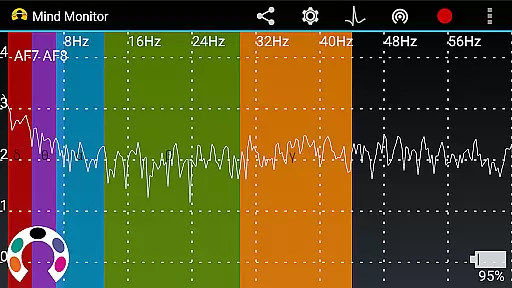
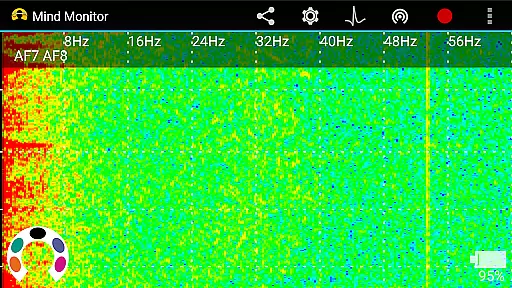
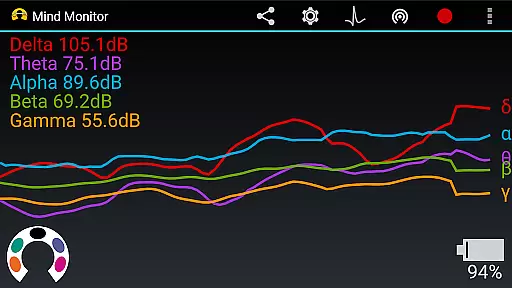
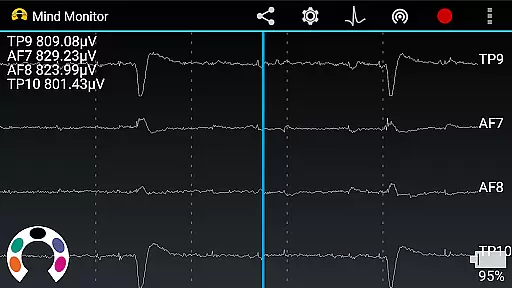
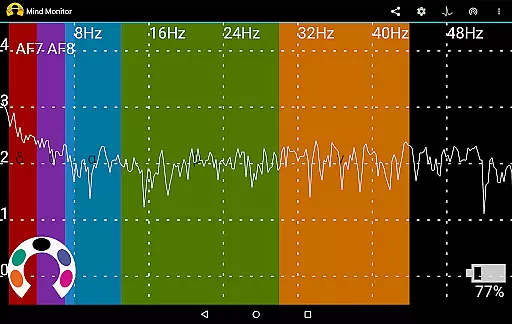
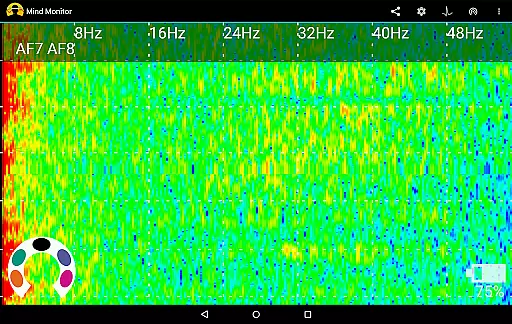
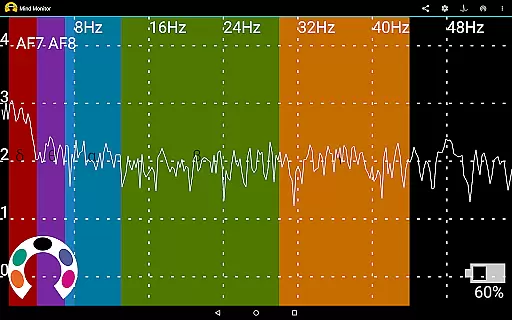
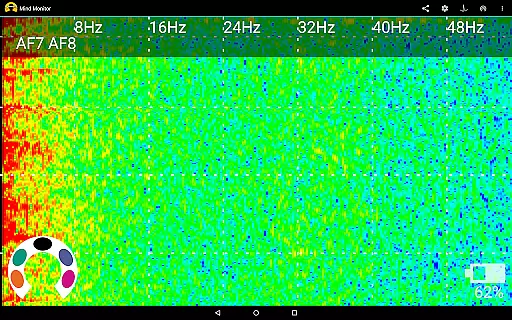
Mind Monitor is a cutting-edge health and fitness application designed exclusively for use with the Muse Brain-Sensing Headband. This powerful tool allows users to visualize real-time EEG brainwave data directly on their mobile devices, providing unprecedented insights into brain activity.
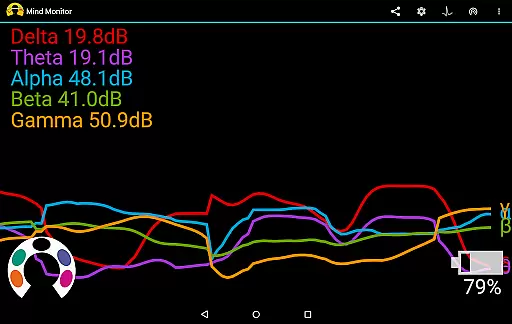
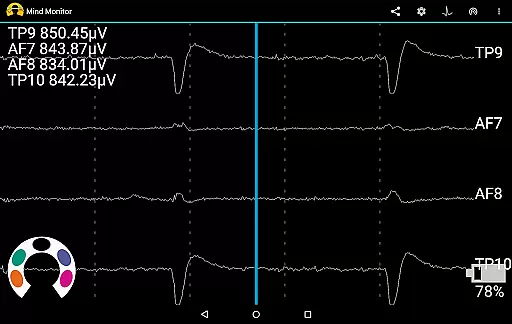
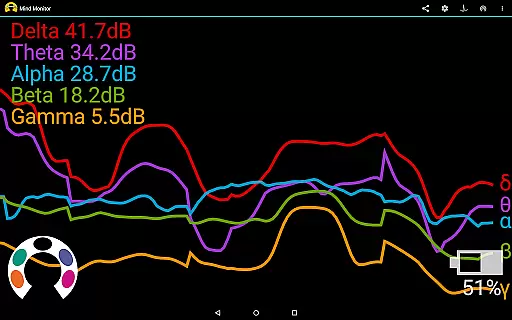
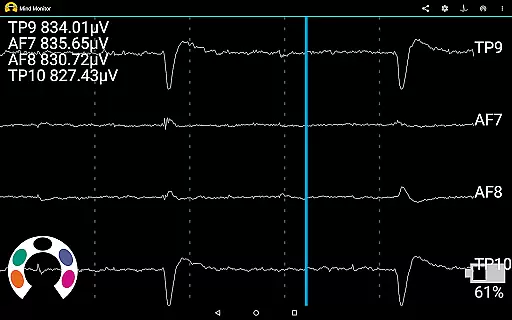
The app features professional-grade data visualization tools including spectrograms, discrete frequency breakdowns, and raw microvolt displays. Whether you're tracking absolute wave values or monitoring gyroscope and accelerometer data, Mind Monitor offers comprehensive metrics for advanced brain analysis.
Ideal for researchers and wellness enthusiasts alike, this application enables detailed examination of brain activity patterns. Users can split data by channels, graph recordings online, and export data in Excel-compatible CSV format, making it an essential tool for anyone interested in neurofeedback and cognitive performance monitoring.
Mind Monitor stands out with its sophisticated feature set tailored for advanced brainwave analysis. The app's professional-grade spectrogram provides detailed visual representations of brain activity, while the discrete frequency breakdown allows users to examine specific frequency bands with precision.
One of the key innovations is the ability to view raw microvolt data alongside absolute wave values, giving users complete control over their EEG analysis. The inclusion of gyroscope and accelerometer data adds another dimension to brain activity monitoring, enabling correlation between physical movements and mental states.
Advanced data export options include Excel-compatible CSV files and Muse Protocol Buffer formats, ensuring compatibility with various analysis tools. Additionally, the OSC Streaming feature allows wireless monitoring through compatible software like Interaxon's Muse Lab, creating a comprehensive ecosystem for brain research and personal development.
Mind Monitor offers personalized planning by allowing users to tailor their brainwave monitoring experience according to their specific needs and preferences. This feature is crucial for individuals seeking to understand their mental activities in a more customized and profound way.
The app provides professional-grade tools such as spectrograms, discrete frequency breakdowns, and absolute wave values, which enable users to dissect and analyze their EEG data with precision. By splitting the data into various channelsu2014left brain/right brain, front/back, or individual sensorsu2014users can focus on particular areas of interest, enhancing the personalization of their monitoring plan.
With the ability to record EEG data into Excel-compatible CSV or Muse Protocol Buffer formats, Mind Monitor facilitates further analysis and review, allowing for an adaptable approach to personal development and cognitive health tracking. This functionality supports users in crafting a tailored strategy that evolves with their understanding of brain health.
Ultimately, the personalized planning offered by Mind Monitor empowers users to take control of their mental wellness journey. By providing detailed insights and flexible monitoring options, the app becomes an invaluable tool for anyone looking to explore and improve their brain's performance in a manner that is both meaningful and actionable.
Progress visualization is a key component of Mind Monitor, transforming complex EEG data into understandable and visually appealing graphs. This feature is essential for users who benefit from seeing their mental activity trends over time, making it easier to track improvements or changes in their cognitive patterns.
By presenting real-time EEG brainwave data through beautiful graphs directly on your phone or tablet, Mind Monitor ensures that users can easily interpret their brain's activity. The inclusion of raw microvolts, gyroscope, and accelerometer data adds layers of depth to the visualizations, offering a comprehensive view of both mental and physical states during monitoring sessions.
Sharing these visual insights with friends or healthcare professionals is made simple with Mind Monitoru2019s image-sharing capabilities. This not only encourages community support but also enables collaborative discussions about progress and strategies for mental well-being based on concrete data.
In summary, Mind Monitoru2019s progress visualization stands out by converting intricate brainwave information into accessible visual formats. This empowers users to monitor their cognitive health effectively, share their achievements, and maintain motivation through clear evidence of their progress over time.
Real-time EEG monitoring
Professional spectrogram
Raw data access
Data export options
User-friendly interface
Muse headband required
Complex for beginners
Advanced features only
Third-party dependency
Limited device support

a fun app full of surprises :)
 4.70
4.70
Beauty Care, Makeup & Skin Care Scanner | Pregnancy App For A Mom | Healthy Baby
5.00
Binaural Beats - Fully Customizable Waves - Pure Sound - No Loops
4.50
Load the bar with this barbell & plate calculator. It's leg day, not brain day!
4.70
The Official Blood Type Diet® App - know your categorized foods anytime.
4.50
Find Paid Clinical Trials In Your Area
3.70
Track heart rate & HRV in 30s! Get live health insights and anomaly alerts
4.40
Your personal BP tracking companion, focus on helping you achieve wellness goal.
4.10
Track sleep cycle, relax with white noise, sleep sounds & smart alarm clock
3.80
App to stop smoking slowly or now with a motivational badges and helpful tips
4.80
A brain game that moves you
4.70
Step Counter, track steps when you walk or run
4.70
The OFFICIAL Couch to 5K® running training app! A 9 week walk-run workout plan.
4.50
Point, scan, and unlock truth in every bite.
4.50
Fast Body building & Weight Loss. Home Workouts with Daily Coach, No Equipment.
4.30
Interval timer for High Intensity Interval Training, Tabata and Circuit Training
4.20
“Overcoming pain based on EMDR” helps you to alleviate chronic pain and stress.
4.10
Dexcom G7 Continuous Glucose Monitoring
3.70
Sync your activities of the most popular sports tracking services
2.70


User Reviews