
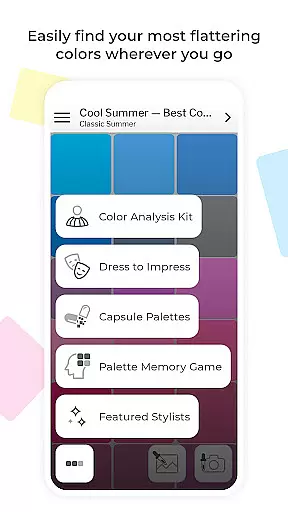
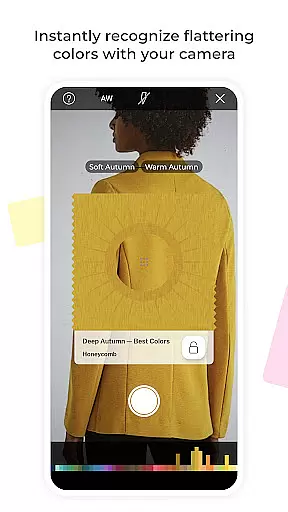
My Best Colors is a revolutionary mobile application that serves as your personal color consultant, helping you shop smarter and dress with confidence. Using advanced color analysis technology, the app identifies the most flattering hues for your unique features through your smartphone's camera. This eliminates wardrobe guesswork by providing tailored color palettes based on the 12 Season Color System.
The app goes beyond basic color matching by offering curated premium palettes for clothing, accessories, cosmetics, and jewelry. These include Complementary, Neutral, Accent, Jewelry, Eyeshadow, and Lipstick Colors. Additionally, users can explore fashion-forward Trending Palettes inspired by runway shows and emotionally curated Impression Palettes rooted in color psychology.
With its Color Analysis Camera© feature, My Best Colors enables virtual color try-ons and personalized season detection. The app also includes smart wardrobe tools like Capsule Palettes for harmonious outfit combinations and Dress to Impress functionality for situation-specific color choices. Since 2017, this ad-supported app has helped millions discover their best colors and build confident wardrobes.
My Best Colors stands out with its comprehensive suite of interactive features designed to enhance personal color discovery. The Color Analysis Camera© uses sophisticated algorithms to virtually drape colors against your features, helping determine your seasonal color type. The app's Color Picker tool allows users to identify their best shades from real-life objects or images, while the Color Type Detection feature instantly recognizes the most suitable color type for any clothing item or accessory.
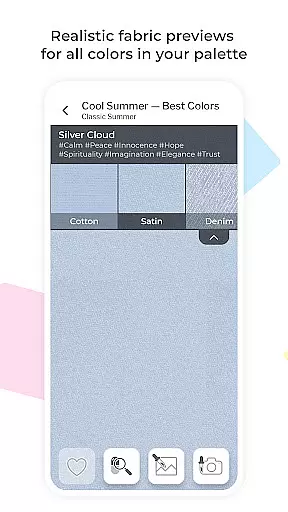
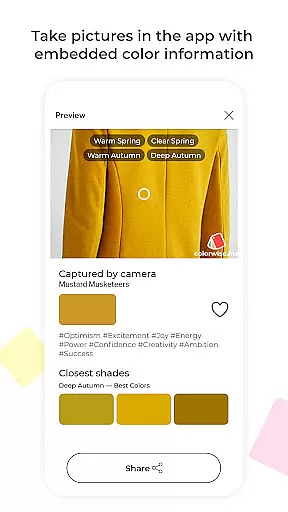
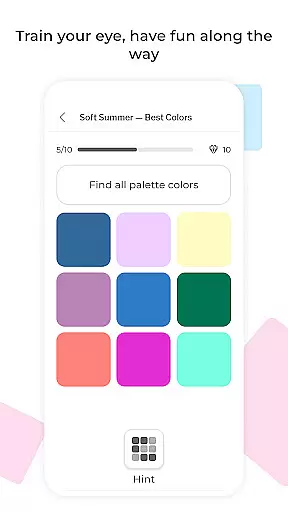
The application offers several innovative tools including Fabric Previews that display colors in realistic textures, and a Memory Game to improve color recognition skills. Users can create and save custom palettes, import collections from Colorwise.me, and capture color-rich photos with embedded shade names and emotion tags. The app's Smart Wardrobe Tools enable mixing and matching harmonious color combinations through thousands of community-curated capsule wardrobe schemes.
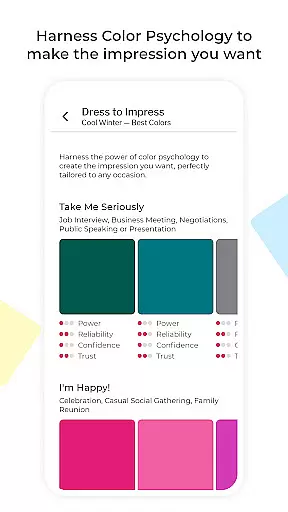
Unique to My Best Colors are its psychologically-informed features. The app provides color psychology insights through emotional impact tags like Joy, Trust, and Elegance. Its Dress to Impress functionality helps users communicate specific moods and goals through strategic color choices. The recently added Trending Palettes and Impression Palettes offer fashion-forward options and emotionally curated shades respectively, making it an indispensable tool for modern, purposeful shopping.
My Best Colors offers an extensive product database that goes beyond simple color suggestions. The app provides tailored color palettes based on the 12 Season Color System, ensuring users can find shades that genuinely suit their complexion and style. With curated premium palettes such as Complementary, Neutral, Accent, Jewelry, Eyeshadow, and Lipstick Colors, users have access to a comprehensive range of options.
The app also includes Trending Palettes inspired by runway shows and designer collections, which are adapted to fit individual color types. Additionally, Impression Palettes rooted in color psychology help users make the right impression by selecting shades that evoke specific emotions like Joy, Trust, or Elegance.
Users benefit from interactive features such as the Color Picker, which identifies the best shades from real-life objects or images, and Fabric Previews that show how colors appear in different textures. These tools ensure that every user can explore and utilize a vast array of color choices effectively.
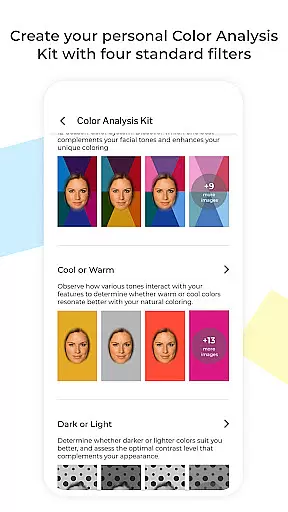
Personalization is at the heart of My Best Colors, offering precise recommendations through its advanced features. The Personalized Color Analysis Kit allows users to virtually try on colors using filters that mimic in-person draping, helping them discover their season and best shades with the Color Analysis Camerau00a9.
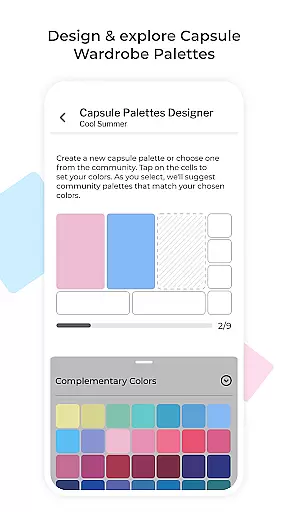
Smart Wardrobe Tools further enhance personalization by enabling users to mix and match colors harmoniously. Capsule Palettes provide thousands of community-curated color schemes, while Dress to Impress helps users select colors that align with their mood and goals for various situations. Custom Palettes let users import their collections from Colorwise.me, adding another layer of customization.
Interactive elements like the Color Type Detection feature instantly identify the most likely color type for any clothing item or accessory, simply by pointing the camera. This level of personalization ensures that users receive accurate and meaningful suggestions, empowering them to build confident wardrobes and shop with purpose.
User-friendly interface
Comprehensive color analysis
Versatile wardrobe tools
Emotional color tagging
Virtual color try-on
Premium features locked
Occasional ads
Camera dependency
Limited free palettes
Learning curve

A tool that brings skin care and technology together at your fingertips.
 4.50
4.50
True mirror app with zoom, LED light, for makeup & shaving anywhere!
4.20
Wacky mirror filter, waves effect & wavy effect to make your own funny videos.
4.60
Edit Your Photos and Videos with Beauty Filters & Get Makeup Artist Tutorials
3.60
Beauty Camera AI Photo Editor with effect, filter, makeup tools for photo editor
4.30
Salon appointment booking and scheduling software for beauty pros and barbers.
4.80
Hair style app, Face shape finder, Face shape, Hair style, Face shape detector
4.30
Try On Style with AI: Virtual Dressing Room & Personal Fashion Stylist App
4.00
Book your appointments
4.90
Get Smart About Your Skin with Fully Personalized Beauty Tech!
4.80
Use your phone as a makeup mirror, shaving mirror. Magnifying mirror with light!
4.80
Beauty camera & Selfie camera for perfect selfie with filter, sticker, makeup
4.70
Monthly Perfume Subscription
4.70
Beauty Camera - Selfie Camera with beauty editing tool, makeup, filter, sticker
4.60
Top brand haircare & fragrance
4.60
Beauty Mirror - True mirror app with light, shaving mirror, makeup mirror app
4.50
Seasonal color palettes for shopping clothes and makeup products with confidence
4.20
Design unique tattoos and preview them on your body image using Tattoo Maker App
3.30
Enjoy convenience wherever you are with the Tune Up, The Manly Salon app.
3.20


User Reviews