
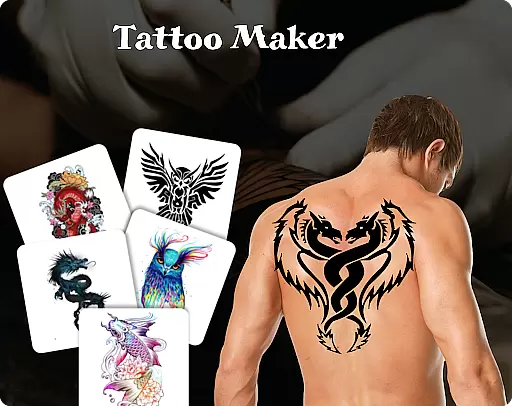
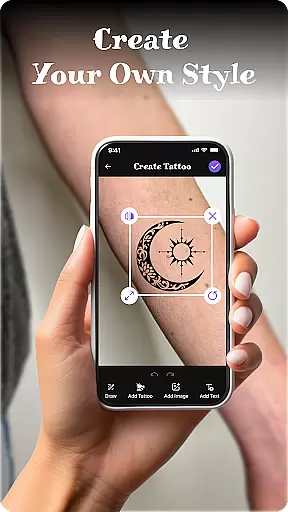
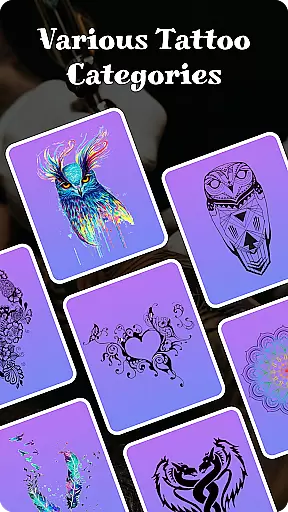
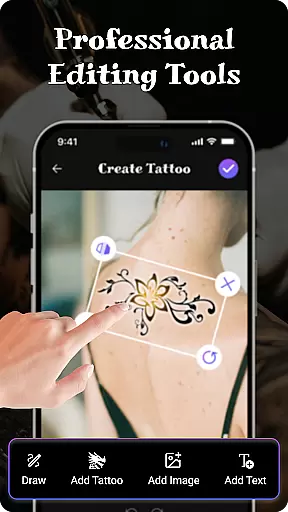
Tattoo Maker: Design & Art is a creative app designed for tattoo enthusiasts and artists alike. This app allows users to design custom tattoos, preview them on their body through photo uploads, and explore an extensive library of tattoo art. With professional-grade tools, users can draw with various brushes, sizes, and colors, while also adding text with customizable fonts. The app provides a realistic AR preview feature, letting users see how their designs would look in real life.
Perfect for both beginners and experienced tattoo artists, Tattoo Maker offers a fun and accessible way to experiment with tattoo designs. Whether you're looking to create small intricate patterns or larger detailed pieces, this app caters to all skill levels. Its intuitive interface and powerful features make it easy to bring your creative ideas to life, offering inspiration and practical tools for designing unique tattoos.
The true value of Tattoo Maker lies in its ability to let users visualize their designs before committing to permanent ink. By providing a safe space to experiment and refine ideas, the app helps reduce risks associated with tattooing. Additionally, the easy sharing feature allows users to get feedback from friends or showcase their work on social media, making it a versatile tool for creativity and collaboration.
Tattoo Maker: Design & Art stands out with its robust set of features tailored specifically for tattoo creation. One of the key highlights is the custom tattoo design tool, which lets users craft unique designs by flipping, rotating, and resizing elements to achieve the perfect fit. This flexibility ensures that even complex designs can be adjusted easily to match the user's vision.
In addition to design capabilities, the app includes professional-grade art tools such as brushes, adjustable sizes, and vibrant color palettes. These tools allow users to add intricate details and textures to their tattoos, mimicking the precision of real-world tattooing. The app also supports text insertion, enabling users to incorporate words or phrases with cool fonts and colors that complement their artwork seamlessly.
Another standout feature is the AR-based tattoo preview functionality. Users can upload photos of their body and apply their designs to see how they would look in reality. This innovative approach helps users make informed decisions about size, placement, and overall aesthetics. Combined with the app's vast tattoo art library and easy sharing options, these features create a comprehensive platform for both casual experimentation and professional use.
When it comes to creating realistic and personalized tattoos, having access to a comprehensive product database is crucial. Tattoo Maker: Design & Art offers an extensive collection of tattoo designs ranging from small minimalist patterns to intricate masterpieces. This vast art library serves as a valuable resource for both amateur enthusiasts and professional artists.
The app's design tools allow users to manipulate their creations with precision. You can flip, rotate, and scale your designs to achieve the perfect fit. Additionally, the inclusion of various brushes, sizes, and vibrant colors ensures that every detail of your tattoo can be customized to match your vision.
For those looking to add a personal touch, the app provides options to insert text with cool fonts and colors. This feature allows users to integrate meaningful words or phrases seamlessly into their designs. The ability to adjust text ensures that it complements the overall aesthetic of the tattoo.
Ultimately, this depth in the product database empowers users to explore endless creative possibilities. Whether you're seeking inspiration or aiming to bring a specific idea to life, Tattoo Maker: Design & Art equips you with the necessary tools to craft unique and stunning tattoos.
One of the standout features of Tattoo Maker: Design & Art is its emphasis on personalization precision. The app leverages advanced algorithms to ensure that each tattoo design can be tailored specifically to user preferences. This level of customization extends beyond basic adjustments; it encompasses detailed modifications that enhance the authenticity of the final artwork.
Users have the option to preview their custom tattoos on their own body through augmented reality (AR). By uploading a photo, you can see how the design would look in real life. This realistic AR view helps in making informed decisions about size, placement, and overall appearance before committing to an actual tattoo.
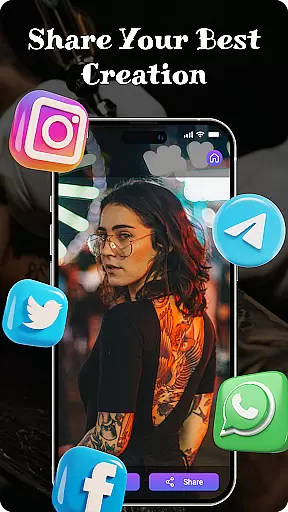
In addition to visual customization, the app supports easy sharing capabilities. Once satisfied with your creation, you can quickly share your tattoo art with friends or on social media platforms. This feature not only facilitates feedback but also allows for collaborative brainstorming sessions among peers.
By focusing on such precise personalization options, Tattoo Maker: Design & Art stands out as a versatile tool for anyone interested in tattoo design. It bridges the gap between imagination and reality, providing users with the confidence to pursue their artistic endeavors.
User-friendly interface
Vibrant color options
Realistic AR previews
Extensive art library
Easy sharing tools
Limited free features
Occasional ads
Premium subscription cost
Learning curve for new users
Device compatibility issues

Glow up with science: cosmetics, ingredients scanner, tracking & face analysis
 4.10
4.10
Beauty Camera - Selfie Camera with beauty editing tool, makeup, filter, sticker
4.60
Healthier, more beautiful with Medicube Digital Clinic AGE-R!
4.10
Beauty camera to take nature selfie with photo filter. Photo makeup face editor.
4.50
Unique selfie filter camera! Upload live sticker & face filter every week!
4.70
Beauty Camera AI Photo Editor with effect, filter, makeup tools for photo editor
4.30
Beauty Camera & Selfie Camera snap Beauty selfie with filter, makeup, stickers
4.80
Unleash your (Pro)tential with the hottest hair, nails and beauty brands!
4.60
Snap stunning selfies with AI from the Sweet Beauty Camera editor
4.10
Get Smart About Your Skin with Fully Personalized Beauty Tech!
4.80
Enhance your selfies with face beauty makeup tool and an easy background remover
4.70
Beauty camera for perfect selfie with makeup, sticker and filter
4.50
Beauty Camera - Selfie Camera with sweet selfie, makeup, filter, sticker, editor
4.50
DSLR Hd camera capture high quality 4k hd picture with filters and blur editor
4.50
Professional HD Camera App: Capture Bright HD Selfie & Record Stunning Moments
4.40
Download Today
4.40
Seasonal color palettes for shopping clothes and makeup products with confidence
4.20
Shop Smarter, Dress Better, and Shine Brighter!
4.10
The all new Cosmo Prof app offers exclusive pro products, deals, and training.
4.00


User Reviews