
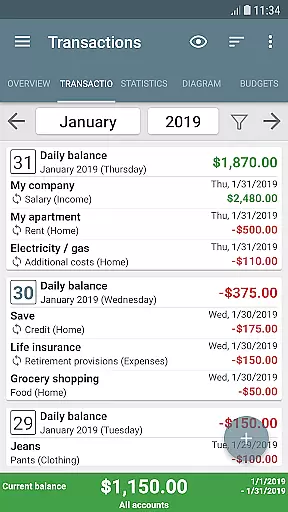
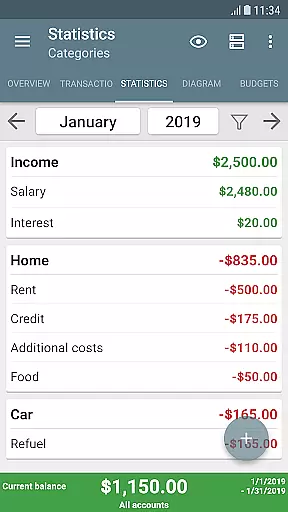
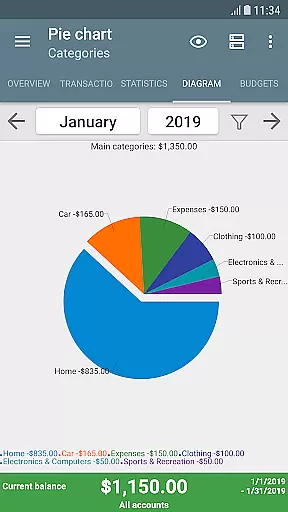
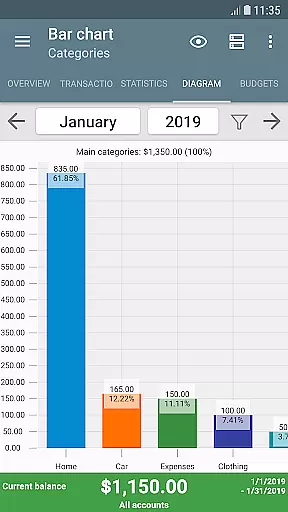
My Budget Book is a comprehensive financial management application designed to help users effectively track and manage their income and expenses. The app offers features for recording both individual and recurring transactions, enabling users to forecast balances with precision. With budgeting tools that allow setting limits or goals over custom periods, users can control spending habits like setting monthly caps on clothing purchases or weekly limits on coffee-to-go.
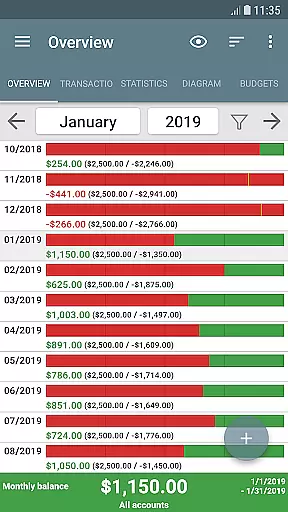
The app stands out with its offline functionality, ensuring user privacy by not requiring Internet permission. It provides dynamic visualization of financial data through charts and graphs, making it easier to understand one's financial health. Additionally, the app supports multiple account management, category customization, transaction attachments, and reminders for pending payments. Users can also reconcile expenses with bank statements and create templates for easy transaction entry.
Designed for convenience and security, My Budget Book includes Material Design personalization options, optional password or fingerprint protection, and automatic local backups. It also allows importing and exporting data in various formats such as CSV, HTML, and Excel. The app is actively developed and supported, offering users a month-long trial period and a money-back guarantee if unsatisfied.
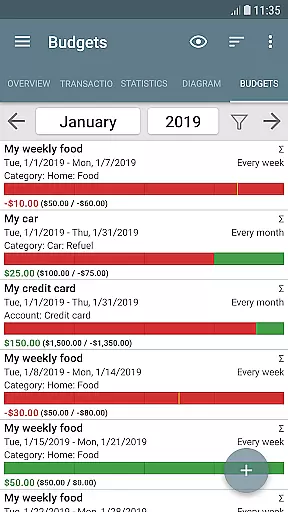
My Budget Book boasts an array of features tailored to enhance personal finance management. One of its key functionalities is the ability to track and forecast balances using individual or recurring transaction records. This feature helps users maintain a clear view of their financial status and plan accordingly. The budget mode is another highlight, allowing users to set specific spending caps or savings targets over custom timeframes, which aids in controlling expenditures and achieving financial goals.
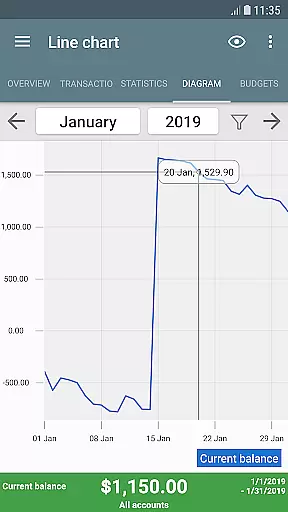
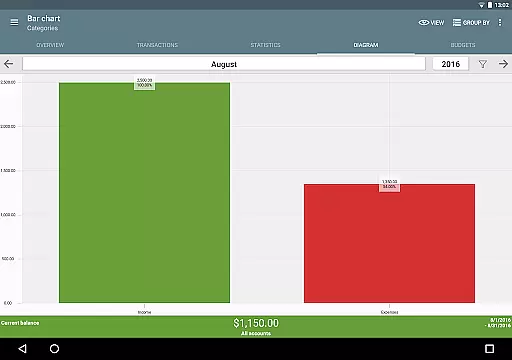
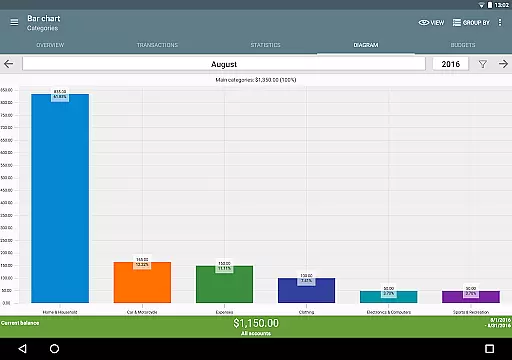
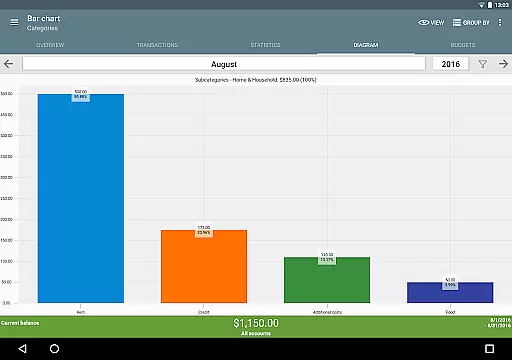
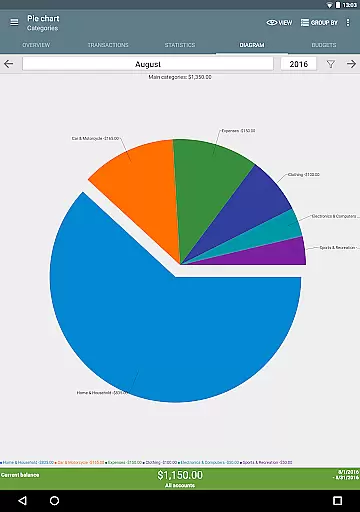
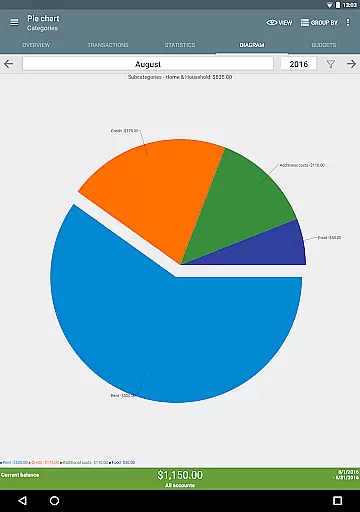
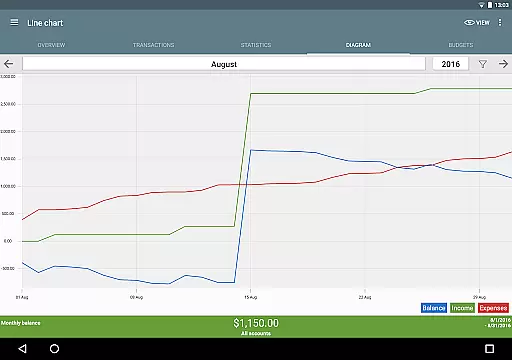
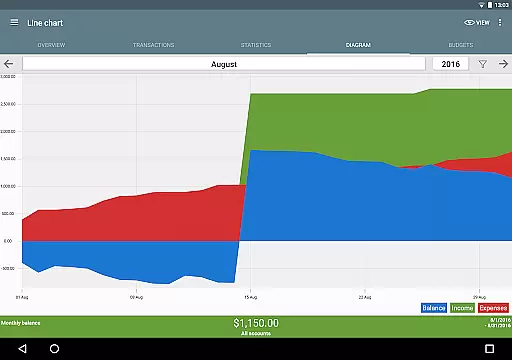
Visualization tools within the app provide dynamic charts and graphs, offering users a graphical representation of their income and expenses. This makes it simpler to grasp complex financial data at a glance. The app also excels in customization, letting users personalize categories, subcategories, and payment types to reflect their unique financial situations accurately. Furthermore, the inclusion of widgets on the home screen adds to the overall convenience by providing quick access to essential features.
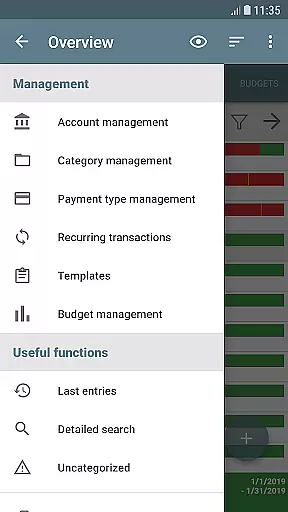
Security and ease of use are prioritized with options like password or fingerprint protection, configurable dark mode, and comprehensive views with sorting capabilities. The app supports managing multiple accounts, making transfers, adding photos or receipts to transactions, and setting reminders for timely payments. Importantly, the absence of advertising or hidden costs, coupled with active development and responsive support, ensures a seamless and trustworthy user experience.
Account and fund security is a critical aspect of any financial management application. My Budget Book ensures your sensitive data remains protected through multiple layers of security.
The app offers optional password or fingerprint protection, allowing users to safeguard their financial information with biometric authentication or a secure passcode. This ensures that only authorized individuals can access your budgeting data.
All transactions and backups are handled locally without requiring internet permissions, significantly reducing the risk of data breaches. Users can also export their data in secure formats like CSV, Excel, or HTML for additional peace of mind.
This focus on security enables users to manage their finances confidently, knowing their personal and financial details are kept private and protected from unauthorized access.
A smooth and intuitive transaction experience is essential for effective financial management. My Budget Book excels in providing users with comprehensive tools to easily record and track their income and expenses.
The app supports both individual and recurring transactions, allowing users to forecast balances accurately. Its dynamic charts and graphs provide visual representations of financial data, making it easier to understand spending patterns.
Users can customize categories and subcategories to reflect their unique financial situations. The ability to add photos or receipts to transactions helps reduce paper clutter and provides quick reference points for future review.
With features like reminders for pending payments and customizable sorting options, My Budget Book streamlines the entire transaction process, empowering users to take control of their financial health efficiently.
User-friendly interface
Comprehensive budgeting tools
Offline functionality
Dynamic data visualization
Active development and support
Limited cloud integration
No automatic categorization
Manual transaction entry
Basic free version
Fewer advanced investment tools

Manage your account, make a payment, and redeem your rewards on the go.
 4.50
4.50
Play for fun, earn for real. Collect rent by owning virtual land & get cashback
4.60
BTC, Crypto, Stocks & Options.
4.20
No credit check, no interest, no worries.
4.70
Check EBT, SNAP, WIC balances, manage food stamps, and save money with benefits
4.80
Mine Bitcoin in the cloud! Earn BTC daily with high-speed mining power.
4.30
View BSC Transactions for multiple accounts
3.90
Registration of your debts and Mdionatk and assembled, as well as a significant reports
4.30
The US Debt Clock .org App gives you a Real-Time glimpse of US Financial Stats
4.60
Currency Converter supports all currencies of the world.
5.00
Currency Converter, Exchange Rates, Widgets
4.90
Manage your credit card account with the Credit One Bank mobile app.
4.70
Pay, bank & build credit.
4.70
Need help before payday? Get cash advances with no interest or credit checks.
4.60
Our Chase Mobile App makes it easy for you to bank on the go 24/7.
4.60
Car Insurance Made For You.
4.50
Trade NFL, NBA, Crypto, Tech
4.50
All your crypto & stocks in one secure and trusted app.
4.40
SuperQi, Your all-in-one Super App.
1.30


User Reviews