
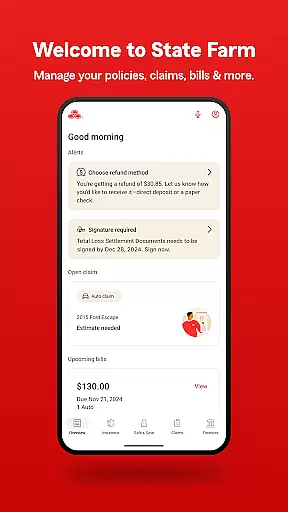
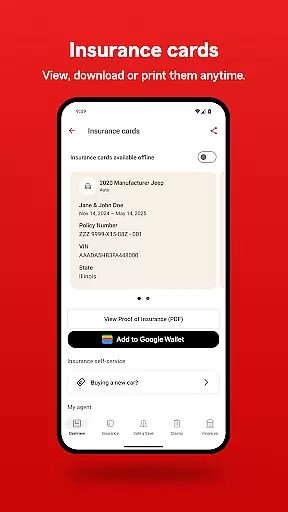
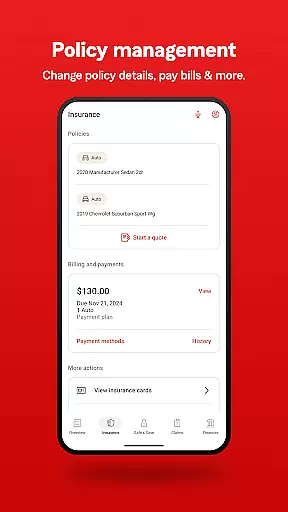
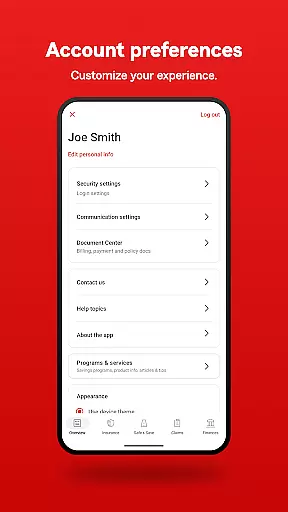
State Farm® offers a comprehensive financial management app that allows users to manage insurance policies and other financial products with ease. The app provides features such as bill payments through Google Pay, digital insurance card storage, and detailed policy views.
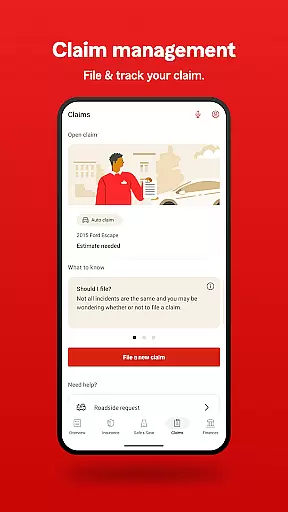
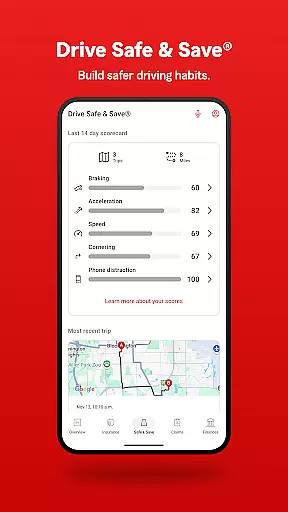
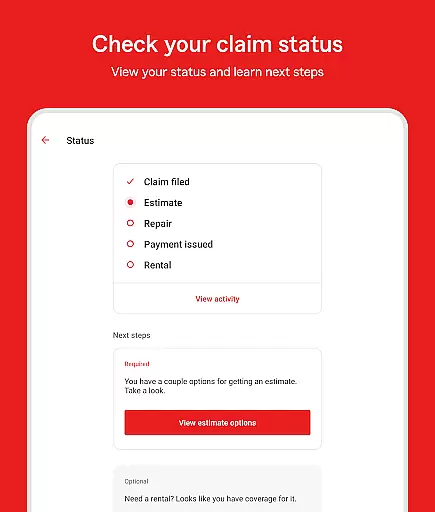
One of the standout features is the Drive Safe & Save™ program, which incentivizes safe driving by offering potential discounts based on driving behavior. Additionally, users can file and track claims directly within the app, ensuring a streamlined claims process.
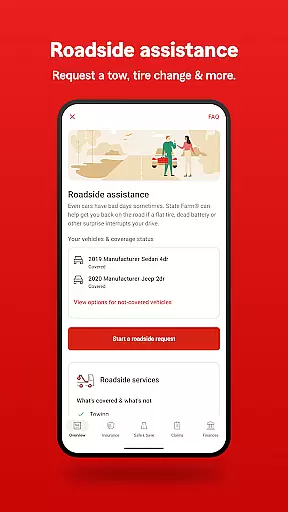
This app is particularly useful for State Farm customers who want to have all their insurance and financial information at their fingertips. With functionalities like roadside assistance and repair facility searches, it adds significant value by providing both preventive and post-incident support.
The State Farm® app boasts an array of features designed to enhance user experience in managing financial and insurance products. Users can pay bills quickly using Google Pay, view digital insurance cards, and access detailed policy information seamlessly.
For those enrolled in the Drive Safe & Save™ program, the app consolidates all necessary features, ensuring a smooth transition from the standalone Drive Safe & Save app. This includes precise location data tracking for accurate driving behavior analysis, subject to user permissions.
Additional features include personalized reminders, biometric login options, and in-app messaging for technical support. These elements collectively ensure that users have a secure, convenient, and efficient way to manage their financial products and receive timely assistance when needed.
In the realm of finance applications, security is paramount. The State Farm app ensures account and fund security through advanced encryption protocols and multi-factor authentication. This means that every transaction and personal data exchange within the app is protected against unauthorized access.
Users can manage their insurance policies and financial products with peace of mind, knowing that their sensitive information is safeguarded. The app allows secure bill payments, even supporting options like Google Pay, which adhere to industry-standard security measures.
Furthermore, the integration of biometric login adds an extra layer of security, ensuring that only authorized users can access the account. This comprehensive approach to security helps prevent fraud and identity theft, providing users with a safe environment to handle their financial affairs.
A seamless transaction experience is crucial for any finance app, and State Farm excels in this area. The app offers intuitive navigation and quick access to essential features such as bill payment and claims filing. Users can easily track their transactions and receive real-time notifications about their account activities.
With functionalities like viewing insurance cards and adding them to digital wallets, the app simplifies everyday tasks. Policyholders can file various types of claims directly from their mobile devices and monitor the progress at each step, enhancing transparency and convenience.
Additionally, personalized reminders and notifications keep users informed about important deadlines and updates. This user-centric design not only streamlines processes but also empowers customers by giving them control over their financial interactions within a secure and efficient platform.
User-friendly interface
Comprehensive policy management
Quick claim filing
Secure payment options
24/7 roadside assistance
Limited to State Farm customers
Location tracking required
Occasional bugs reported
Enrollment needed for full features
Some features are region-specific

Manage your prepaid cards and add to Google or Samsung Wallet.
 4.60
4.60
Your insurance, anytime, anywhere
4.00
Early payday & cash advances with no-fee mobile banking!
4.60
Get, Earn, and Save Money
4.30
Simple & secure international money transfers - for personal & business needs.
4.80
Manage your credit card account with the Credit One Bank mobile app.
4.70
Manage budget, save money, or file tax. Build, track & improve your credit score
4.40
Earn money as a tester with Testerup, get cash testing apps and games
4.20
Trade NFL, NBA, Crypto, Tech
4.50
BA Financial Calculator PRO – Perfect for CFA/FRM/CPA and finance professionals
4.90
No credit checked needed.
4.80
Check EBT, SNAP, WIC balances, manage food stamps, and save money with benefits
4.80
All expenses at a glance.
4.80
Debt pay off. Build credit history. AI budget tool. Loan offers.
4.60
Earn cash back. Build credit.
4.60
Real-time tracking: Stocks, Indices, Futures, Commodities, ETF, & Funds prices.
4.60
Manage your account, make a payment, and redeem your rewards on the go.
4.50
Put crypto to work & earn rewards. Stake crypto like Ethereum, Solana & Cardano
4.40
The PayPal app is the secure way to send and receive money, shop and pay in 4.
4.20


User Reviews