
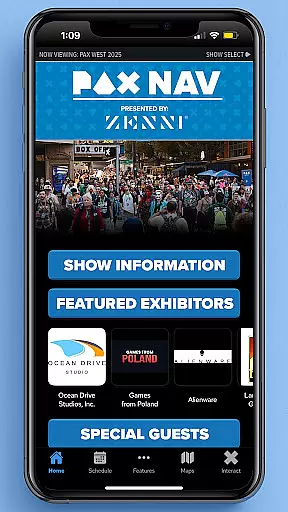
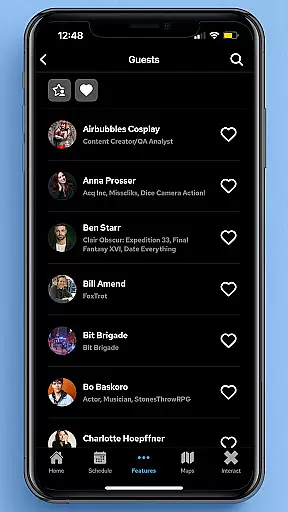
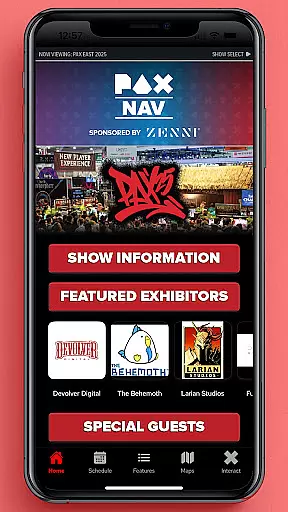
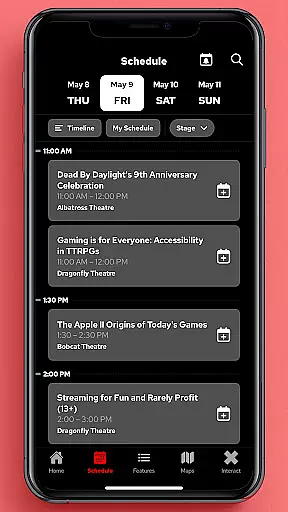
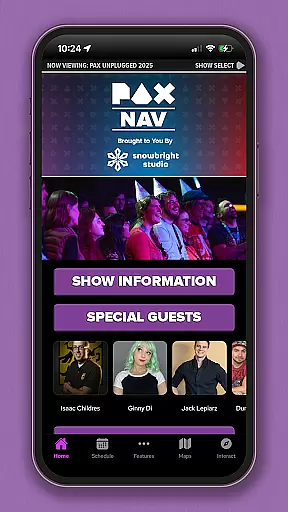
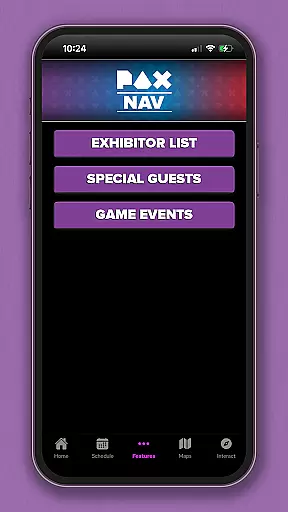
PAX Nav is the official app for PAX West, PAX East, and PAX Unplugged events. It provides users with comprehensive access to event schedules, exhibitor lists, interactive maps, exclusive show specials, and entry into the PAX XP experience. Designed specifically for gaming enthusiasts and event attendees, this app serves as your ultimate companion during these major gaming conventions.
The app's intuitive interface allows for seamless navigation through various event details. Whether you're planning your day or exploring on-site, PAX Nav ensures you never miss out on your favorite panels, booths, or activities. The real-time updates keep you informed about any changes in schedule or special announcements, making your event experience more organized and enjoyable.
PAX Nav offers a robust set of features tailored for event attendees. One standout feature is its interactive map functionality, which helps users easily navigate large convention spaces. The app also includes a detailed schedule planner, allowing users to create personalized itineraries based on their interests.
Another key feature is the exhibitor list with search capabilities, enabling users to quickly find specific vendors or explore new ones. Additionally, the app provides exclusive access to show specials and promotions, enhancing the overall event experience. With integrated PAX XP entry, users can engage in unique gaming experiences directly through the app, adding an extra layer of interactivity to their visit.
Task creation and detail customization are essential features for event management apps like PAX Nav. These functionalities allow users to create personalized schedules by selecting specific panels, workshops, or exhibitors they want to see.
PAX Nav provides an intuitive interface where attendees can browse through the full schedule of PAX events and customize their itineraries. Users can add sessions to their personal agenda with a simple tap, ensuring they never miss out on what matters most to them.
The benefit of this feature is that it enhances the attendee's experience by giving them control over their time at the event. With detailed information about each session, including time, location, and description, users can make informed decisions about how to spend their day.
This level of customization not only improves user engagement but also helps in planning a more productive and enjoyable visit to any PAX event, making sure every moment counts.
Reminder settings in event apps such as PAX Nav play a crucial role in keeping attendees on track with their planned activities. This feature allows users to set up timely reminders for upcoming sessions or important announcements.
In PAX Nav, you can configure reminder notifications for your selected events, ensuring you're always aware of when and where your next panel or workshop is taking place. The app sends push notifications to alert you before the start time so you can navigate to the correct location without stress.
By utilizing these reminder settings, attendees benefit from increased punctuality and reduced chances of missing key events. It's especially useful in large conventions where multiple interesting sessions might occur simultaneously.
Ultimately, having reliable reminder settings contributes significantly to a seamless experience at busy events like PAX, allowing participants to fully immerse themselves in the offerings without worrying about losing track of time.
User-friendly interface
Comprehensive event information
Interactive maps
Real-time updates
Exclusive show specials
Limited to PAX events
Requires internet connection
Occasional update delays
Some features event-specific
Heavy on battery usage

CUE Live utilizes ultrasonic sound waves to sync devices at CUE enabled events
 4.80
4.80
Purchase line-skip passes, drinks, cover, and more at bars and clubs
3.50
Wedding planner app with wedding venues, wedding checklist, countdown & budget.
4.60
The KRUU app - plan, celebrate, remember
4.80
The official app for Sched events! View your event schedule here.
4.20
Birthday Greetings provides Birthday Card, Frames, Gifs & Father's day Wishes
4.80
Thanksgiving Wishes, Thanksgiving Stickers & Animated GIF for Whatsapp Stickers
4.4
Plan your wedding for free on the go: vendors, budget, website and checklists!
4.80
Buy and Sell Tickets for Concerts, Sports, and Theater.
4.70
Fantasy of Lights Event App
5.00
Clubs, Festivals, Discounted Tickets, Guest Lists & VIP Tables
4.90
The Ultimate Tournament Hub
4.70
Fast Scans. Happy Fans. For Every Hometown!
4.60
Octrober 2025: We've updated the MyGenMobile App with a new look and feel!
4.40
Rocket Monkey - Space rocket launch schedule for launch sites around the world
4.20
Manages display and transfer of tickets from the Mundo Tickets platform
3.80
TV Garden - World Live TV : Play & cast your videos seamlessly!
3.20
Some connections are better kept private
4.0
Browse events, find transportation, keep up with the latest news from your team
4.1


User Reviews