


The Knot Wedding Planner is the ultimate app for couples planning their dream wedding. This comprehensive tool offers a personalized wedding checklist, vendor marketplace, and free wedding website creation. Trusted by millions, it ensures you stay organized while enjoying the process.
With features like budget tracking, guest list management, and inspiration boards, The Knot provides everything needed from engagement to the big day. Its intuitive design helps couples manage every detail with confidence, making wedding planning simpler and more enjoyable.
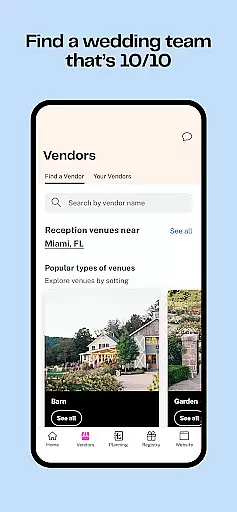
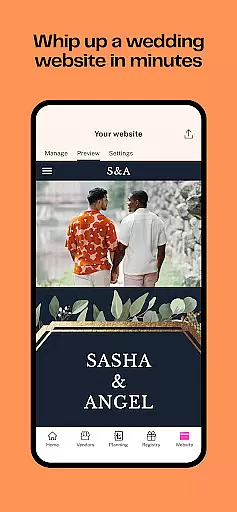
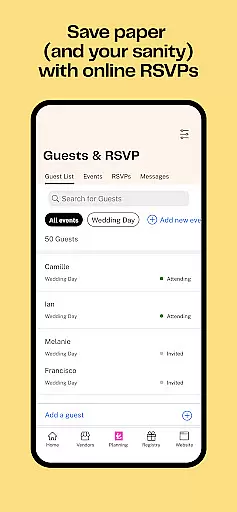
The Knot app stands out with its robust set of features tailored for modern couples. It includes a customizable wedding checklist and a vendor marketplace where users can find and communicate with local vendors. The app also offers tools for creating a wedding website and managing guest lists efficiently.
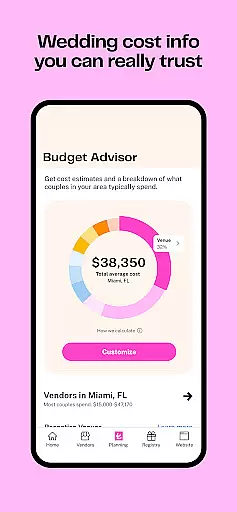
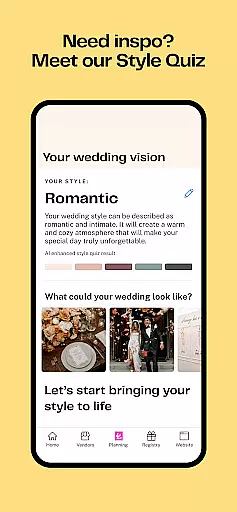
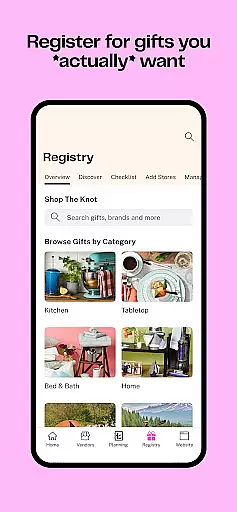
Additional highlights are the budget tracker, which helps monitor expenses, and the style quiz that assists in discovering your unique wedding vibe. With integrated registry tools and beautiful invitations, The Knot ensures a seamless planning experience that aligns with each couple's vision and needs.
Task creation and detail customization are essential features for any event planning application, especially when it comes to organizing a significant occasion like a wedding. The Knot Wedding Planner app excels in this area by providing users with a personalized and comprehensive wedding checklist. This feature intelligently maps out each step of the planning process, ensuring that couples know exactly what needs to be done and when.
The app's ability to offer customizable checklists means that every couple can tailor their planning tasks according to their unique needs and timeline. Whether it's booking a venue, selecting a caterer, or finalizing the guest list, users can modify their tasks based on priority and deadlines. This flexibility ensures that no detail is overlooked, making the planning process as seamless as possible.
Moreover, The Knot app allows users to add specific details to each task, such as vendor contacts, budget allocations, and personal notes. This level of detail customization empowers couples to keep all their planning information in one place, easily accessible and organized. As a result, users can enjoy peace of mind knowing that they have full control over their wedding plans.
By integrating task creation with detailed customization options, The Knot Wedding Planner not only simplifies the planning process but also enhances the overall user experience. Couples can focus on enjoying their engagement period while confidently preparing for their special day, assured that their meticulously planned tasks will lead to a memorable and flawlessly executed wedding.
Reminder settings play a crucial role in keeping users on track with their event timelines, particularly when orchestrating complex events such as weddings. The Knot Wedding Planner app offers robust reminder functionalities that ensure couples never miss an important deadline or appointment. By setting up timely alerts, users can manage their schedules effectively and reduce the stress associated with wedding planning.
The app provides diverse reminder options, allowing users to choose between different types of notifications based on their preferences. Whether it's a push notification for an upcoming vendor meeting or an email alert for submitting an RSVP, the reminder settings are designed to fit seamlessly into the user's daily routine. This adaptability ensures that all critical tasks receive the attention they require, without overwhelming the user.
In addition to standard reminders, The Knot app enables users to set personalized alerts tailored to their specific needs. For instance, couples can schedule reminders for periodic budget reviews or updates to their guest list. These customized notifications help maintain financial discipline and ensure that all logistical aspects are continually refined leading up to the big day.
Ultimately, the reminder settings within The Knot Wedding Planner contribute significantly to a coupleu2019s ability to stay organized and focused throughout their wedding journey. With reliable and flexible alerts at their disposal, users can navigate the intricacies of wedding planning with confidence, knowing they have a dependable tool to keep them on course every step of the way.
User-friendly interface
Comprehensive planning tools
Extensive vendor network
Free wedding website
Personalized inspiration
Some features require premium
Limited international vendors
Occasional bugs reported
Ads within the platform
Registry options vary

It is an Event Planning Application.
 4.3
4.3
Local events, contests, and giveaways for local dads
3.70
Listen Full Quran MP3 Offline - Qibla Compass, Salah Timing & 99 Names of Allah
4.60
ETH Mining provides secure way to mine Ethereum & earn ETH in Cloud mining app
3.50
Design Invitations & Cards for Any Occasion
4.80
TV Garden - World Live TV : Play & cast your videos seamlessly!
3.20
Buy and Sell Tickets for Concerts, Sports, and Theater.
4.70
Save money on concert, sport, and theater tickets, and discover upcoming events.
4.80
Buy and sell tickets to sports, concerts, theater, festivals, and comedy events
4.10
Invitation card maker for birthday party & Wedding. Digital greeting card editor
4.90
Clubs, Festivals, Discounted Tickets, Guest Lists & VIP Tables
4.90
TodayTix is the easiest way to get tickets to the best shows in your city.
4.90
CUE Live utilizes ultrasonic sound waves to sync devices at CUE enabled events
4.80
Meet people over dinner
4.40
Introducing the official Magic: The Gathering app for mobile.
4.20
Buy tickets for any event!
3.90
The Official App
4.1
Buy event tickets easily with our user-friendly App. Stay updated on hot events
4.1
Digital Income Wallet of the Final Libertadores 2025
4.4


User Reviews