
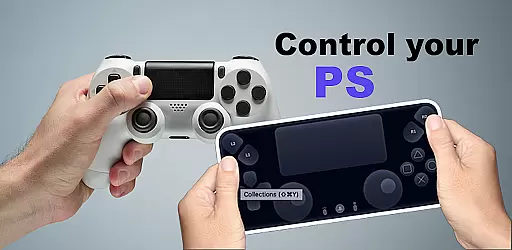
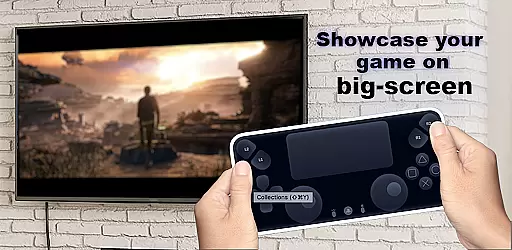
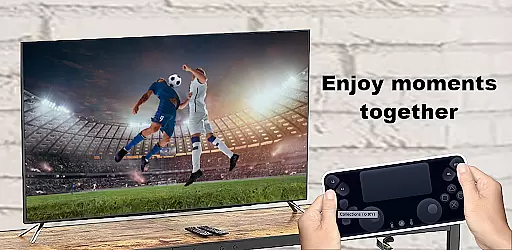
The Ps Controller for PS4 PS5 is an innovative application that allows users to remotely control their PlayStation 5 or PlayStation 4 console from a separate device. This app transforms your smartphone into a virtual Dualshock controller, providing full access to gaming functionalities even when you're not physically near your console. It supports both multiplayer gaming and single-player experiences, making it versatile for various gaming needs.
One of the standout features of this app is its ability to stream gameplay from your PlayStation directly to your mobile device with minimal latency. This ensures a smooth and responsive gaming experience. Additionally, the app supports third-party controllers, enhancing its compatibility across different devices. Whether you need a second controller for multiplayer games or simply want to enjoy gaming on the go, the Ps Controller for PS4 PS5 offers a practical solution.
The Ps Controller for PS4 PS5 boasts several key features that enhance the remote gaming experience. Firstly, it enables users to utilize their smartphones as virtual Dualshock controllers, replicating the physical controller's functionality through an intuitive on-screen interface. This feature is particularly beneficial for those who require an additional controller for multiplayer sessions.
Another significant feature is the low-latency streaming capability, which allows gamers to view their PlayStation gameplay on their mobile devices without noticeable delays. The app also supports third-party and physical controllers, catering to a wide range of preferences and setups. Furthermore, the app facilitates using your mobile device as a second screen for PS gaming, offering greater flexibility and convenience in how and where you choose to play.
Functionality completeness in an application refers to the extent to which it performs its intended purpose with all expected features and capabilities. For Ps Controller for PS4 PS5, this means providing users with a seamless experience of controlling their PlayStation consoles remotely from their mobile devices.
The app achieves this by offering a virtual Dualshock controller that supports both PS4 and PS5 consoles. It includes essential functionalities such as streaming gameplay with low latency directly to the user's device, ensuring that players can enjoy their gaming sessions without significant delays or interruptions.
Additionally, the app extends its functionality by supporting third-party controllers, making it versatile for different types of gamers who may prefer physical controllers over touch-based ones. This comprehensive feature set ensures that users have multiple options to interact with their gaming console effectively.
By covering these critical aspects, Ps Controller for PS4 PS5 delivers a robust solution for remote gaming needs, enhancing accessibility and convenience for users who wish to engage with their PlayStation consoles from afar.
Usability is a crucial factor in determining how easily users can interact with an application. For Ps Controller for PS4 PS5, usability translates into how intuitively and efficiently gamers can use their mobile devices as controllers for their PlayStation consoles.
The app excels in operational smoothness by integrating on-screen controls that mimic the layout and functionality of actual Dualshock controllers. This design choice helps users transition smoothly from physical to virtual controllers without a steep learning curve, maintaining the integrity of the gaming experience.
Moreover, the app addresses potential connectivity issues by warning users about data usage when on mobile networks. By setting clear expectations regarding network conditions and possible limitations, Ps Controller promotes transparency and aids users in making informed decisions about when and where to use the app.
Overall, Ps Controller for PS4 PS5 combines intuitive design with practical considerations, resulting in an application that not only meets technical requirements but also enhances user satisfaction through thoughtful usability enhancements.
User-friendly interface
Low-latency streaming
Supports third-party controllers
Transforms smartphone into Dualshock
Multiplayer support
Requires stable internet connection
May incur data charges
Limited to compatible devices
Occasional connectivity issues
Dependent on network conditions

Read Holy Quran Feel Like Real Quran & Listen Al Quran Mp3 Audio Online Offline.
 4.70
4.70
Tune your game graphics with our GFX optimizer for optimal gaming experience
4.50
Wireless reverse charging using phone now is possible
4.30
use your smartphone as Remote control drones .
4.20
Connect and Find your smart tag via our app.our app is compatible with smarttag.
3.30
Mirror link car connector to share your screen with car dashboard
3.80
Turn your phone into a wireless Xbox controller – play, stream & control anytime
4.5
The best PS2 games from your childhood come to life in their mobile version!
4.00
Expo is a free & open source platform to build apps using JavaScript and React.
4.70
Study Bible King James Version: the correct way to learn the Bible with audio
4.80
Popular mods fnaf mods for melon playground
4.50
An essential GFX utility developed for specific FPS mobile games
4.50
An impressive collection of tools, characters, weapons, skins and more!
4.30
charging your phone by other phone easly
4.00
Sad ringtones full of feeling, sad music ringtones
3.90
Connect your phone to any endoscope camera, USB camera, or borescope with ease.
3.70
Connect and find your Smart Tag 2 devices through our app.
3.60
CloudEye 365 is a easy-handling APP
3.60
Identify securely online
3.10


User Reviews