
Drone Remote Control is an innovative application that transforms your Android smartphone into a powerful remote control for drones. Designed for drone enthusiasts, this app allows users to easily configure and operate various drone models with the same functionality as traditional RC controllers. The app supports key features such as live First Person View (FPV) streaming, automated flight planning, and camera controls.
One of the standout capabilities of Drone Remote Control is its ability to integrate seamlessly with modern drones, providing users with intuitive controls for takeoff, landing, image capture, and video recording. Whether you're looking to fool friends with realistic drone simulations or seeking a reliable replacement for physical remotes, this app delivers both fun and practicality in one package.
The app's compatibility with the latest drone models and its user-friendly interface make it ideal for both recreational and semi-professional use. By turning your smartphone into a universal drone remote, Drone Remote Control offers a cost-effective solution for managing drones while delivering an engaging experience for hobbyists.
Drone Remote Control stands out with its comprehensive feature set tailored for modern drone pilots. One of its core functionalities is the ability to create detailed flight plans directly from your smartphone, allowing users to automate complex tasks like takeoff, landing, and image capture with precision. This feature is particularly useful for mapping large areas without interruptions.
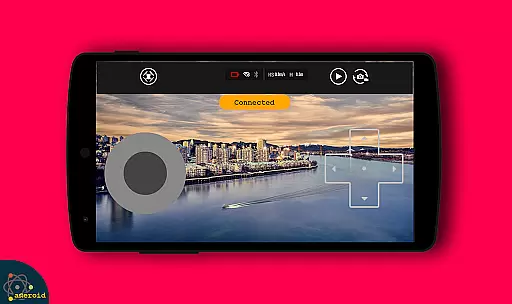
In addition to flight automation, the app provides real-time FPV streaming, giving users an immersive piloting experience. With just a single tap, operators can disable auto-flight mode and regain manual control, ensuring safety and flexibility during operation. The app also supports advanced camera controls, enabling users to capture photos, record videos, and adjust settings remotely.
Another notable aspect is its compatibility with WiFi-enabled cameras, which enhances the overall utility of the app by letting users view live feeds and manage media files effortlessly. These features collectively position Drone Remote Control as a versatile tool for both beginners and experienced drone operators.
Functionality completeness is a crucial aspect of any application, especially for a drone remote control app. Drone Remote Control offers a comprehensive set of features that cover all essential aspects of drone operation.
The app allows users to easily create flight plans on any device, automate takeoff, flight, image capture, and landing. This complete functionality ensures that users have full control over their drones without needing additional hardware.
With live stream First Person View (FPV) and the ability to disable auto-flight and resume control with a single tap, the app provides a seamless and responsive user experience. These features demonstrate the app's commitment to covering all necessary functionalities for an optimal drone control experience.
Users benefit from this complete feature set by being able to map large areas with non-interrupted flights, control drones with cameras, and capture FPS. The app's comprehensive functionality makes it a valuable tool for both recreational and professional drone operators.
Usability and operational smoothness are vital for applications that require precise control, such as drone remote controls. Drone Remote Control excels in providing an intuitive and smooth user experience.
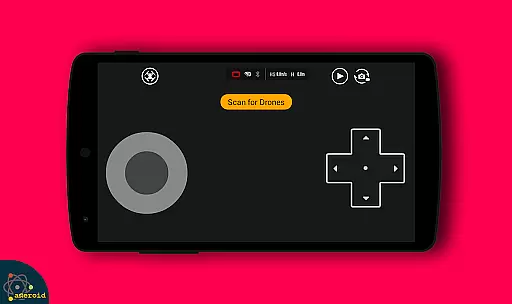
The app is simple and easy to configure and use, with a mode of use that mirrors traditional RC Drone controls. This familiar interface reduces the learning curve and makes the app accessible to users of all experience levels.
Drone Remote Control also enables users to connect to WiFi camera devices, receive camera views, take pictures, record videos, and control drones directly from their smartphones. This integration enhances the overall usability by consolidating all necessary controls into one platform.
By offering compatibility with the latest drones and ensuring smooth operation through well-designed features, the app delivers a reliable and efficient solution for drone enthusiasts who demand high performance and ease of use.
User-friendly interface
Live FPV streaming
Automated flight modes
Camera integration
Free to download
Not compatible with older drones
Limited hardware support
Requires stable WiFi
No offline functionality
Ads may appear

Connect your phone to any endoscope camera, USB camera, or borescope with ease.
 3.70
3.70
Popular mods fnaf mods for melon playground
4.50
Connect and Find your smart tag via our app.our app is compatible with smarttag.
3.30
Mirror Link Car Display to share your screen with car dashboard wirelessly
4.3
Mirror link car connector to share your screen with car dashboard
3.80
Turn your phone into a wireless Xbox controller – play, stream & control anytime
4.3
An impressive collection of tools, characters, weapons, skins and more!
4.30
Game booster GFX may reduce interruptions and improve gaming experience.
4.50
Now Available on Android ™
3.40
Read Holy Quran Feel Like Real Quran & Listen Al Quran Mp3 Audio Online Offline.
4.70
The Free Catholic Latin American Bible in complete Spanish
4.60
Game Booster GFX for smoother gaming experience. Enjoy 120 FPS and 4x Game Space
4.20
View your cameras anywhere and anytime
4.20
charging your phone by other phone easly
4.00
Experience virtual reality on your smartphone with Cardboard.
3.50
Endoscope camera an app to connect with endoscope cam or any device
3.30
Looking to connect your phone to your car screen? Mirror Link is the solution.
3.20
DamonSx2 is the open Source LGPL Emulator
3.20
Collection of high-quality, trendy skins and outfits!
4.1


User Reviews