
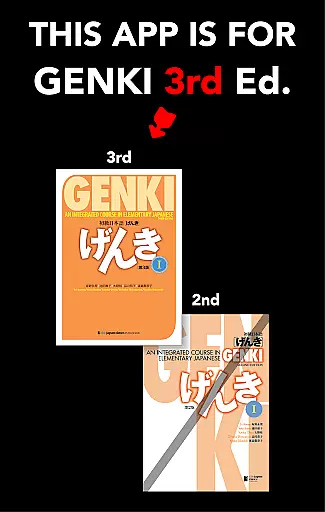
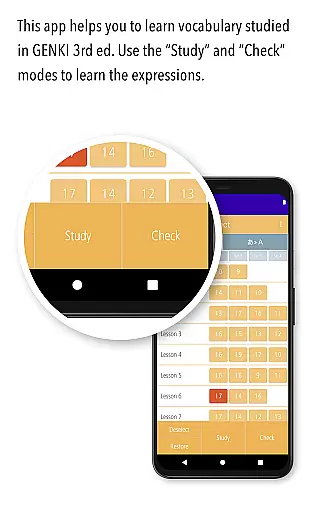
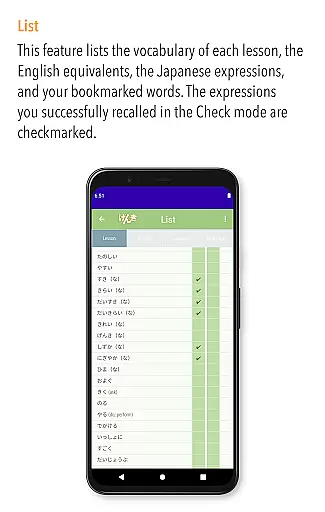
GENKI Vocab for 3rd Ed. is an educational app designed to help users learn over 1,200 essential Japanese words at their own pace. This app complements the third edition of GENKI: An Integrated Course in Elementary Japanese, a globally recognized series with more than 2.5 million copies sold. It offers three main modes of learning: Study, Check, and List, each crafted to enhance vocabulary acquisition through repetition, self-assessment, and review.
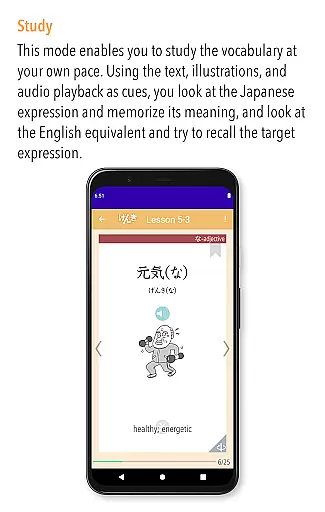
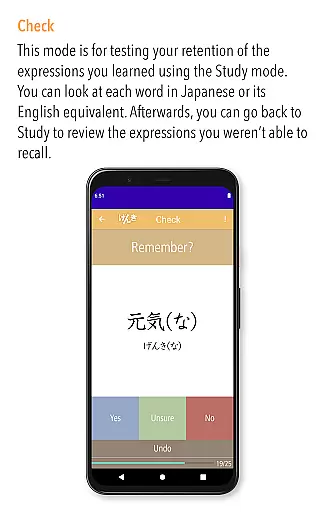
The Study mode allows learners to view words, meanings, and example sentences while listening to natural pronunciations by native speakers. The Check mode helps track mastery by sorting words into mastered and unlearned categories. The List mode provides a visual progress tracker and supports multiple ordering options. With features like bookmarking and automatic tracking of mastered words, this app ensures an efficient and engaging learning experience.
GENKI Vocab for 3rd Ed. stands out with its comprehensive study tools tailored for Japanese language beginners. The app includes audio recordings of all words and example sentences, spoken by native Japanese speakers, ensuring accurate pronunciation practice. Fun illustrations accompany the words, aiding retention and making the learning process enjoyable.
One innovative feature is the adaptive learning system that progressively removes mastered words from the study set, allowing users to focus on challenging vocabulary. Additionally, the Bookmark function compiles favorite or difficult words for easy access. The app also offers flexible list views, including lesson order, a-i-u-e-o order, and alphabetical order, along with automatic checkmarks for mastered words, providing a personalized and efficient study experience.
When it comes to language learning, content accuracy is paramount. GENKI Vocab for 3rd Ed. provides meticulously curated vocabulary lists that align with the third edition of the GENKI Japanese learning materials. This ensures learners are exposed to correct spellings, meanings, and contextual usage of words.
The app's authoritative content stems from its basis on a globally recognized textbook series, which has sold over 2.5 million copies. The vocabulary presented includes more than 1,200 essential beginner-level words, each accompanied by example sentences crafted to reflect authentic language use.
Audio recordings for all words and example sentences are voiced by native Japanese speakers, guaranteeing learners receive accurate pronunciation guidance. This auditory component reinforces the written content, providing a multi-sensory learning experience that enhances retention and understanding.
GENKI Vocab for 3rd Ed. recognizes that every learner's journey is unique. It offers personalized learning paths through its three main modes: Study, Check, and List. These modes allow users to tailor their study sessions according to their individual needs and preferences.
In the Study mode, learners can progress at their own pace, bookmarking challenging words for later review. This customization enables students to focus on areas where they need the most improvement, ensuring efficient use of study time.
The Check mode further personalizes the experience by helping learners track mastery of vocabulary. As users confirm their understanding of certain words, those words are removed from the active study set, streamlining the learning process and allowing learners to concentrate on unfamiliar terms.
User-friendly interface
Native speaker audio
Adaptive learning
Bookmark functionality
Flexible list views
OS9.0 required
No offline mode
Limited to 3rd edition
Device compatibility
Premium price

Ignite curiosity, spark learning: All babybus videos &games
 4.30
4.30
Latest TLC Practice Questions! Multiple languages available!
4.50
Intuitive Transformer Lab - By a Lineman, For Linemen & Apprentices
4.50
An interactive enhancement of the Sesame Street classic.
4.50
Stack the Countries makes learning world geography fun!
4.50
A realistic sky map to observe stars, planets, satellites and constellations!
4.80
Learn Japanese in an immersive educational game set in Japan!
4.90
Train, track, and reward potty training using Potty with Pull-Ups® ft. Disney®
4.70
Fun, personalized math learning games that adapt to your child’s needs.
4.40
AI Language tutor: Speak fluently with Lucy’s personalized coaching
4.70
2026 DVSA Driving Theory Test revision with Hazard Perception + Highway Code
4.60
Stargazing Guide App. Stars and constellations map. Solar system planets finder.
4.60
A fast and fun way to learn guitar - works with any guitar.
4.60
Turn scrolling hours into improving your knowledge, communication, intelligence
4.50
School Communication
4.30
Astronomy app ? Discover the universe scope, explore solar system model in 3D.
4.20
Watch and Play Elmo's World!
4.00
Listen, request and record pronunciations in more than 450 languages. Everywhere
3.90
Pickleball guide complete with illustrated Pickleball drills and helpful info
4.3


User Reviews