
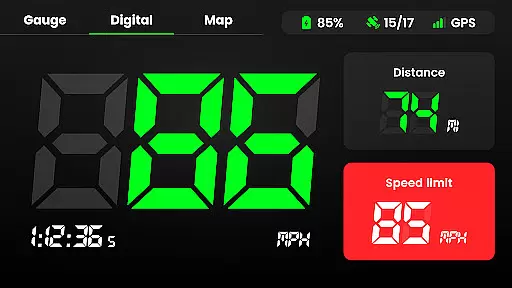
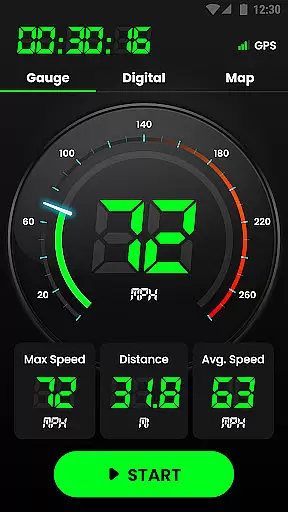
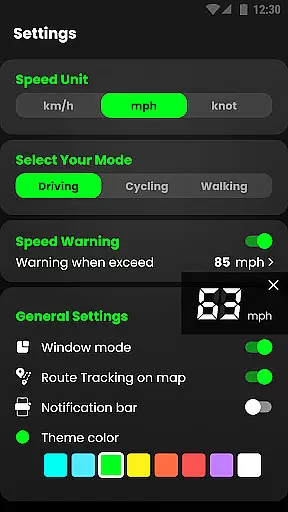
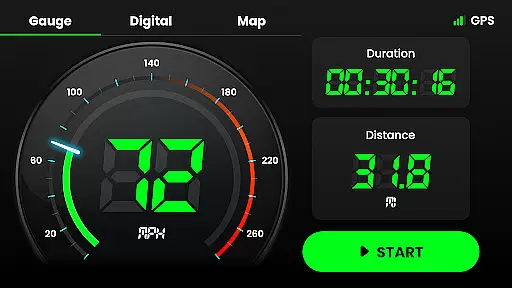
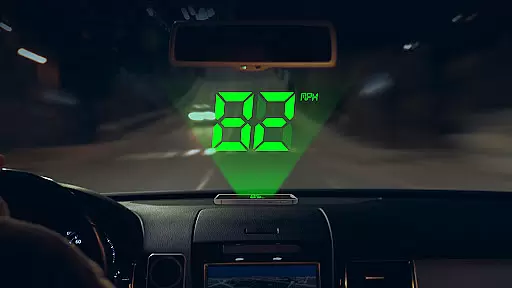
Speedometer is a highly accurate GPS-based speed tracking application designed for various modes of transportation, including cars, bicycles, and motorcycles. The app provides real-time speed monitoring with both digital and analog display options, ensuring users can track their velocity in multiple units such as km/h, mph, and knots. Its offline functionality allows users to measure speed and distance even without an internet connection, while the intuitive HUD mode displays speed data directly on the windshield for easy viewing.
Beyond basic speed tracking, Speedometer offers advanced features like speed limit alerts, which notify users via vibration or voice alerts when they exceed set thresholds. The app also includes a detailed trip history function, recording metrics such as average speed, maximum speed, and total mileage. Whether you're driving, cycling, or jogging, this app ensures precise measurements and reliable performance, making it an essential tool for anyone who needs consistent speed and location tracking.
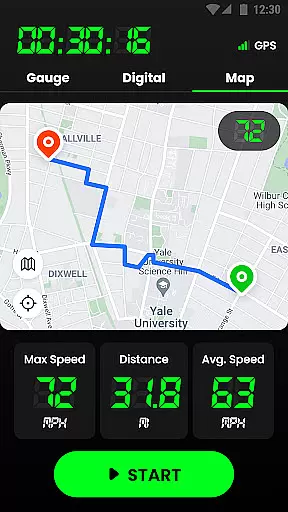
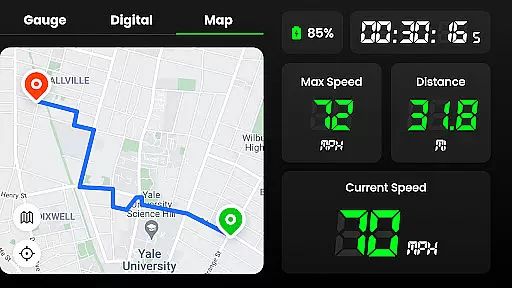
Speedometer stands out with its comprehensive feature set tailored for accuracy and convenience. One of its core functionalities is the GPS navigation system, which provides real-time location tracking and records journey routes on an interactive map. Users can enable or disable map tracking based on their preferences, offering flexibility during use. Additionally, the app supports multiple display modes, including portrait and landscape orientations, allowing users to customize their viewing experience according to their device's positioning.
The app also includes practical tools like speed limit alerts, which enhance safety by notifying users when they exceed predefined thresholds through vibrations or audio warnings. Another notable feature is the Head-Up Display (HUD) mode, which mirrors the speedometer readings onto the car's windshield, providing a seamless and distraction-free driving experience. Furthermore, the app offers customizable widgets and notification bar integration, enabling quick access to critical stats like current speed, distance traveled, and time elapsed. These thoughtful design elements make Speedometer not only versatile but also user-friendly for everyday use.
Map accuracy is crucial for any navigation or tracking application, and Speedometer excels in this area. The app uses advanced GPS technology to provide real-time location data with impressive precision. This ensures that users can rely on the app to track their journeys accurately, whether they are driving, cycling, or walking.
The GPS Speedometer & Odometer app provides detailed mapping features that include trail recording. Users have the option to enable or disable tracking on the map according to their preferences, allowing for a personalized experience. This feature not only enhances the visual appeal but also improves the usability of the app by giving users control over their data visualization.
For those who require consistent updates of their whereabouts, even in areas with poor internet connectivity, this app works efficiently offline. By utilizing GPS signals directly, it ensures continuous and accurate location tracking without the need for an active internet connection. This makes it an indispensable tool for travelers and adventurers alike.
Overall, the map accuracy provided by Speedometer is designed to give users peace of mind, knowing that their location data is reliable. With its ability to work seamlessly both online and offline, it stands out as a top choice for anyone in need of precise and dependable navigation assistance.
Route planning is an essential feature for anyone looking to optimize their travel, and Speedometer offers intuitive tools to assist with this task. The app allows users to pause or reset their routes at any time, providing flexibility and control over their journey planning. This functionality is particularly useful for those who need to make adjustments on the fly or want to explore different paths without losing track of their progress.
In addition to basic route tracking, Speedometer provides comprehensive details about each trip. Users can access information such as real-time speed, average speed, maximum speed, mileage, and starting and ending points. These metrics help in making informed decisions about the best routes to take, ensuring efficient and safe travels.
The app's support for both portrait and landscape modes further enhances the route planning experience. Depending on the user's preference or device orientation, they can switch between these modes to suit their needs. This adaptability ensures that all necessary information is easily accessible and readable, regardless of how the device is held.
By combining robust route tracking with user-friendly features, Speedometer empowers users to plan their journeys effectively. Whether commuting daily or embarking on long trips, the app's route planning capabilities ensure that users have all the tools they need for a smooth and well-organized travel experience.
User-friendly interface
Accurate GPS tracking
Offline functionality
Customizable speed units
Detailed trip history
Battery consumption may be high
Limited offline map detail
No advanced analytics
Occasional GPS lag
Basic widget design

Explore the world with Live Satellite View, 3D Maps, GPS Navigation & Earth Map.
 2.90
2.90
Find shortest way and save energy . Distance and area calculator.
4.70
Your guide to the recreational opportunities of the Bureau of Land Management!
3.40
Airport parking, with airport shuttle (TPS shuttle), reservations, and Spot Club
4.80
America’s largest public fast charging network, with over 500 charging stations.
4.50
Number locator, real connection map
4.10
Plan routes, share locations, and set custom alert zones
4.40
Your real-time window to the world. Explore anywhere, anytime.
3.30
Drive safe with real-time speed camera radar, police, and traffic alerts
3.80
This app is military GPS coordinate systems helper. (MGRS, UTM & DMS Maps)
4.80
Offline maps & GPS for hiking, travel, fieldwork & outdoor adventures
4.70
Complete offline 1:50k South Island topo map including DOC Hunting Permit Areas
4.60
Voice GPS with driving directions, offline maps navigation GPS for safe travel
4.50
Affordable rides and food delivery with incredible discounts in just one app.
4.50
Get matched with a nearby driver — you’ll be on your way in minutes.
4.30
TACNAV-X: Precision MGRS navigation, built specifically for the military.
4.00
MapQuest is your go-to app for maps, GPS, voice navigation & live traffic.
3.80
OpenCPN is a full featured ChartPlotter and Navigator for Android.
3.60
Ride CTA, Metra & Pace: Manage your fares, buy Metra tickets, get arrivals.
3.00


User Reviews