
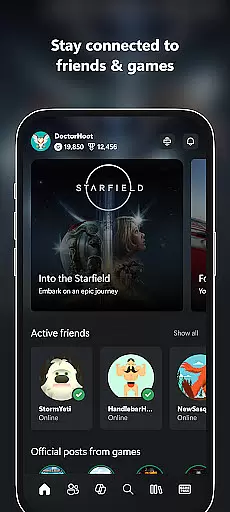
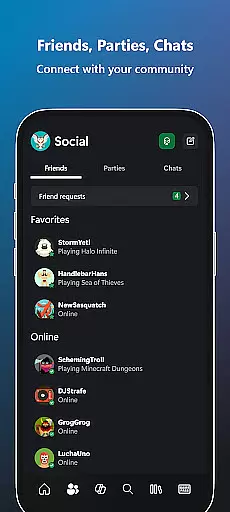
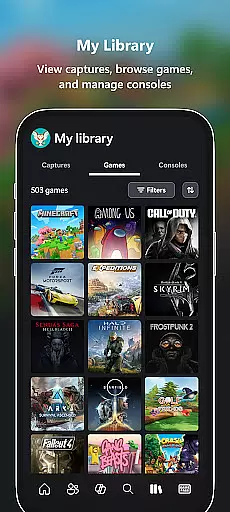
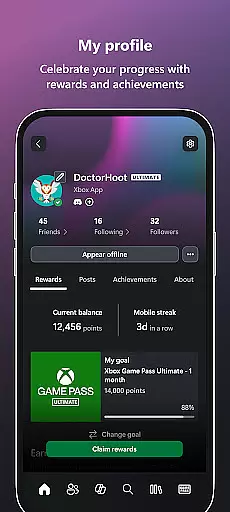
The Xbox app is your ultimate entertainment companion, bringing the power of Xbox gaming to your mobile device. With seamless integration across console, PC, and mobile platforms, this application allows you to stay connected with friends through voice and text chat, regardless of where they're gaming. You can receive real-time notifications for achievements, messages, and game invites, ensuring you never miss a moment in your gaming community.
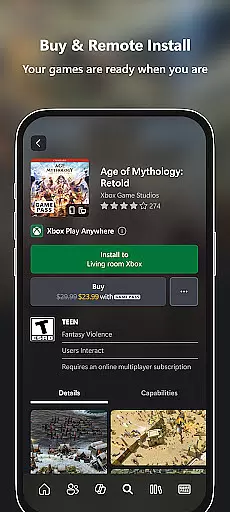
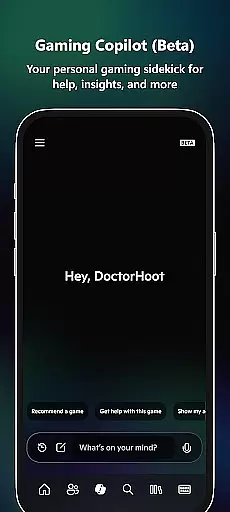
One of the standout features is the ability to purchase games and downloadable content directly from your phone, eliminating the need to interrupt your gaming session. The app also lets you remotely manage your Xbox console by queuing up downloads so your games are ready when you are. Additionally, the Gaming Copilot (Beta) provides personalized recommendations and in-game assistance, helping you overcome challenges and enhance your gameplay experience.
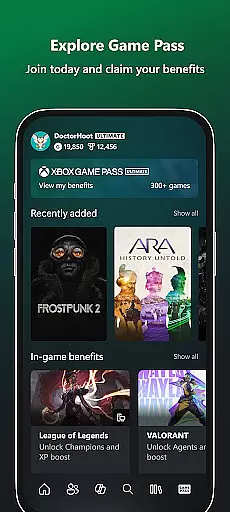
Whether you're exploring the Game Pass catalog, redeeming exclusive Perks, or sharing your favorite gaming moments on social media, the Xbox app keeps you immersed in the gaming ecosystem. It's the perfect tool for gamers who want to stay engaged with their favorite titles and communities, no matter where they are.
The Xbox app offers an impressive array of features designed to elevate your gaming experience. A key highlight is its cross-platform functionality, which ensures that you can seamlessly interact with friends on both console and PC through integrated voice and text chat. This feature allows for uninterrupted communication, whether you're strategizing during a multiplayer match or simply catching up with friends.
Another notable capability is the in-app store, where you can browse and purchase games as well as add-on content without needing to switch devices. This convenience extends to managing your Xbox console remotely; you can initiate game downloads from your phone, ensuring your console is always ready for action. Furthermore, the Gaming Copilot (Beta) serves as a personal assistant, offering tailored recommendations, insights, and help to improve your skills and keep you engaged.
The app also supports easy sharing of game clips and screenshots directly to your preferred social networks, making it simple to showcase your best gaming moments. Notifications for new game launches, party invites, and messages ensure you're always in the loop. With these robust features, the Xbox app delivers a comprehensive and user-friendly experience for gamers on the go.
In the realm of digital entertainment, content variety and freshness are crucial for maintaining user engagement. The Xbox app excels in this area by offering a dynamic range of features that cater to gamers' multifaceted interests.
From integrated voice and text chat that keeps you connected with friends across different platforms, to real-time notifications about game launches and messages, the app ensures you're always in the loop. This constant stream of updates guarantees that users have access to the latest gaming content without delay.
Moreover, the app's ability to explore the Game Pass catalog, view and redeem Perks, and share game clips and screenshots to social networks adds another layer of diversity to its offerings. These features not only enrich the user experience but also encourage regular interaction with the app.
By providing seamless access to new games and add-on content directly within the app, Xbox ensures that its content remains fresh and engaging. This strategic approach to content delivery helps maintain high levels of user interest and satisfaction.
User engagement duration and retention are key metrics for evaluating the success of any entertainment platform. The Xbox app addresses these aspects through a combination of interactive features and convenience that keep users coming back.
The app's integrated voice and text chat capabilities allow for continuous communication with friends, regardless of whether they're on console or PC. This persistent connectivity fosters a sense of community and encourages prolonged app usage as users stay engaged with their gaming networks.
Additionally, the app's notification system for new game launches, party invites, and messages serves as a powerful retention tool. By keeping users informed and up-to-date, the app creates multiple touchpoints that draw users back into the ecosystem regularly.
Features like Gaming Copilot (Beta) further enhance user engagement by providing personalized assistance and recommendations. This level of customization not only improves the overall user experience but also increases the likelihood of users remaining active within the app over time.
User-friendly interface
Seamless cross-platform integration
Convenient in-app purchases
Remote console management
Personalized gaming assistance
Limited offline functionality
Beta features may be unstable
Requires Xbox Game Pass subscription
Occasional connectivity issues
Some features locked behind paywall

Heroclix search units with multi filter , team builder, collection manager.
 4.40
4.40
Open-source, fast, simple and powerful IPTV app
4.90
Browser for Chromecast to stream webvideos, online movies, IPTV & HD livestreams
4.40
Collaboration with popular VTubers
4.2
Stream Live TV, News & Documentaries. Watch Full Seasons with PBS Passport.
4.80
Chat with AI characters! Anime, games, roleplay & more.
4.50
Binaural Brainwave Doses for Every Imaginable Mood
3.60
Earn Real Rewards Playing Fun Mobile Games & Easy Cash Out - PayPal & Gift Cards
4.40
Watch TV shows, movies, and stream Live TV channels without a subscription!
3.80
Hand-drawn, cartoon OC creator - original character creator
4.70
Stream Movies & TV Series: Original Shows, Family Movies & New Releases Weekly
4.60
Just play games to earn gift cards. Keep playing, keep earning.
4.50
Rain and lightning effects for your Philips Hue lights
4.30
Binge-worthy short dramas on DramaRush—engaging stories that fit your day.
3.90
Fool your friends & Family with Fake ultrasound test report
3.60
Ultimate VR movie player for android mobile videos
4.1
Simulation of Dashboard / Touch Screen for Tesla. (Works without actual Tesla).
4.3
Christmas Globe: Transform your Wear OS device into a festive timekeeper!
4.5
Raise Christmas Magic with daily missions, magical scanners, and kindness.
4.2


User Reviews