
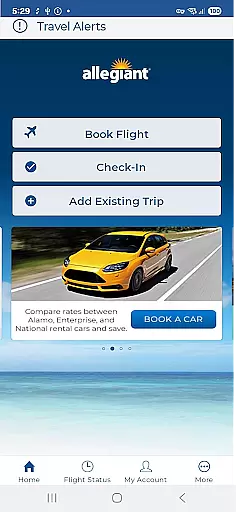
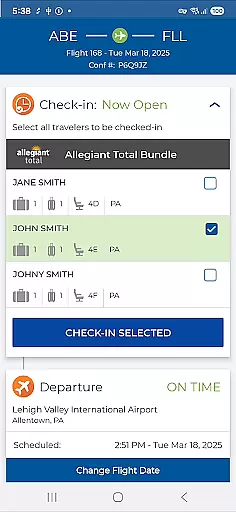
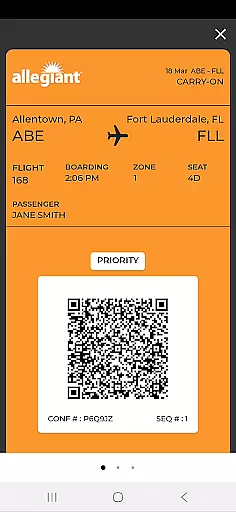

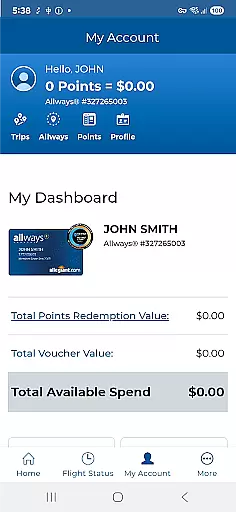
Allegiant is the official mobile application for Allegiant Travel and Allegiant Airlines, designed to enhance your travel experience. The app allows users to book flights and manage their trips efficiently through an intuitive card-based timeline interface. Each trip phase is displayed as a card, providing seamless access to check-in, boarding passes, and flight details. This comprehensive tool ensures travelers can navigate their journey effortlessly while offering additional features such as seat selection, baggage purchase, and priority boarding options.
The app's integration with My Allegiant accounts enables automatic trip downloads and real-time flight notifications, ensuring passengers stay informed. With its self-service capabilities, Allegiant empowers users to handle various aspects of their travel independently, saving both time and money. Whether you're planning your next vacation or managing an upcoming trip, this app provides essential tools to streamline the entire travel process.
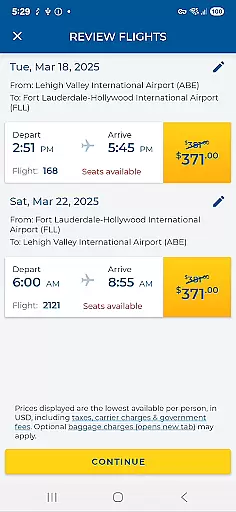
Allegiant stands out with its innovative card-based timeline system, which simplifies trip management by breaking down each journey phase into easily accessible segments. Users can effortlessly check in for flights, view boarding passes, and receive departure and arrival information directly from these cards. Additionally, the app offers robust booking capabilities, allowing passengers to reserve flights conveniently from their mobile devices.
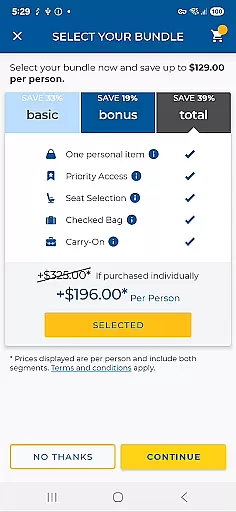
Beyond basic functionalities, Allegiant provides advanced features such as seat selection, baggage purchases, and priority boarding upgrades. Passengers can also take advantage of automated trip downloads when logged into their My Allegiant accounts, ensuring all travel details are readily available. Real-time flight status notifications and diverse self-service options further enhance the user experience, making travel management more efficient and stress-free.
Booking authenticity is a crucial aspect of any travel application, ensuring that all reservations and transactions are legitimate and verifiable. The Allegiant app excels in this area by providing users with a seamless booking experience directly through the app.
When passengers book their flights via the Allegiant app, they can be confident that their reservations are authentic and confirmed. The app connects directly to Allegiant Air's booking system, ensuring real-time availability and pricing accuracy.
Moreover, the app allows users to access and review their upcoming trips, making it easy to manage bookings. This feature not only enhances transparency but also provides peace of mind, knowing that all travel details are accurate and up-to-date.
By offering a reliable booking process, the Allegiant app ensures that passengers can focus on enjoying their trip without worrying about the legitimacy of their reservations.
Price transparency is essential for travelers who want to understand the full cost of their bookings without hidden fees or surprises. The Allegiant app addresses this need by providing clear and comprehensive pricing information throughout the booking process.
Users can view detailed breakdowns of flight costs, including base fares, taxes, and additional fees for services such as baggage and seat selection. This level of detail empowers passengers to make informed decisions about their travel expenses.
In addition to displaying prices clearly, the app offers various self-service functions that allow passengers to customize their bookings according to their budget. Options like adding seats, purchasing bags, and upgrading to Priority Boarding are presented with transparent pricing.
Overall, the Allegiant app's commitment to price transparency helps build trust with its users, ensuring they feel confident and in control of their travel spending.
User-friendly interface
Comprehensive trip management
Real-time notifications
Self-service functions
Cost-saving benefits
Limited offline functionality
Occasional bugs reported
Account login required
Additional fees for upgrades
Dependent on network connectivity

Explore our parks like never before with the completely reimagined Six Flags app
 4.30
4.30
Navigation on hikes is no longer a problem. Download the map, put notes and go!
4.60
Tickets, hotels, wait times, maps, mobile ordering, Disney PhotoPass & more
4.50
Streamline your U.S. entry
4.90
Download now and start earning rewards on hotels, tours, and everything travel.
4.50
Travel light with our easy-to-use mobile app, the perfect flying companion.
4.40
Book now to save with exclusive travel deals on hotels, flights, cars & packages
4.70
Offline WiFi Hotspot Finder, eSIM, Caller ID, Dialer, Home Screen Launcher & VPN
4.20
Flight booking, hotel booking & more - all in one place with the Southwest App!
4.50
Manage your travel on Delta with access to boarding passes, flight info & more.
4.80
Find the perfect vacation rental. Search from over 2 million properties.
4.80
Save on gas and convenience with the earnify™ App
4.70
Bus tickets at unbeatable prices with routes across the US. All aboard FlixBus!
4.70
Vacationing on CARNIVAL? Maximize your fun on board with the ultimate cruise app
4.60
Stack Upside with your current credit & debit rewards for even more cash back!
4.50
Navigate your world faster and easier with voice navigation & street view map
4.20
INDOT Trafficwise is a traffic and traveler information mobile app.
4.00
Find the best prices, pay for the cheapest gas, and save on every fill up
3.30
Amplify Your Experience
3.00


User Reviews