
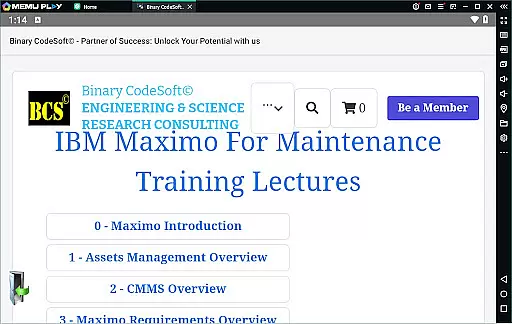
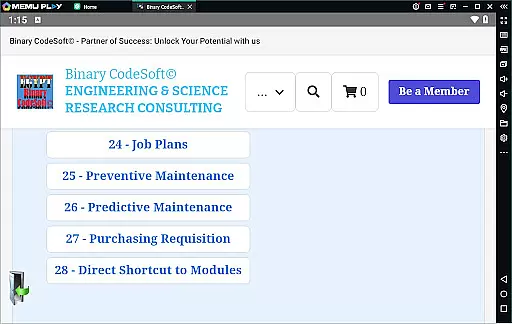
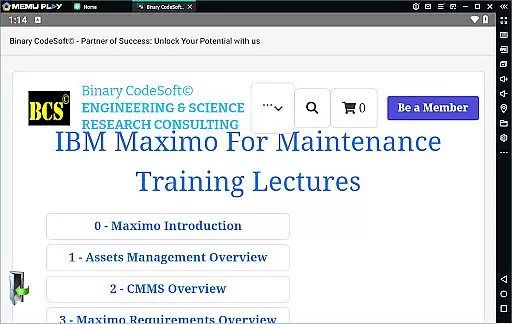

BCS©-Maximo Maintenance course is a comprehensive business application designed to educate users on maintenance operations and IBM Maximo. The app covers various aspects of maintenance strategies, planning, scheduling, and associated costs. It provides detailed insights into IBM Maximo's features, including asset management, CMMS overview, and new functionalities. Users can learn about work orders, job plans, preventive and predictive maintenance, and dynamic job planning.
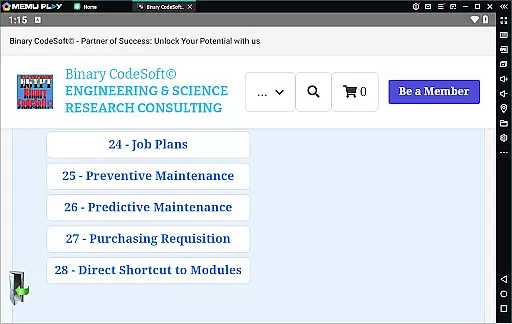
The app also includes practical implementation guidance such as shutdown planning, 7-day and monthly plans, child work orders, and exporting data to MS Excel or MS Project files. Additional features include purchasing, direct shortcuts to modules, executing tasks on multiple records, and advanced planning techniques. This makes it an essential tool for businesses aiming to enhance their maintenance operations using IBM Maximo.
BCS©-Maximo Maintenance course offers a rich set of features tailored for business users focused on maintenance and asset management. One of the standout features is the detailed introduction to maintenance operations, covering types of maintenance strategies, planning, scheduling, and cost analysis. The app delves into why IBM Maximo is a preferred solution, providing an in-depth overview of its capabilities.
Users can explore assets management, CMMS functionalities, and the latest features on IBM Maximo. The app guides users through practical implementations like creating work orders, developing job plans, and setting up preventive and predictive maintenance schedules. Advanced features include shutdown planning, generating 7-day and monthly plans, managing child work orders, and exporting data to MS Excel or MS Project files. These features collectively empower businesses to optimize their maintenance processes effectively.
In the realm of business applications, collaborative work features are essential for streamlining operations and enhancing team productivity. The BCSu00a9-Maximo Maintenance course offers comprehensive insights into how IBM Maximo facilitates collaboration among maintenance teams. Through its robust platform, users can manage assets, plan maintenance schedules, and track work orders efficiently.
The application provides tools that support real-time communication and data sharing across different departments. This ensures that all team members have access to the most current information regarding maintenance tasks, asset statuses, and scheduling updates. By integrating these collaborative features, the app significantly reduces downtime and improves overall operational efficiency.
Moreover, the course highlights specific functionalities such as dynamic job plans and shutdown planning using Maximo, which allow teams to adapt quickly to changing maintenance needs. These features not only foster better teamwork but also empower organizations to maintain a proactive approach to facility management. As a result, businesses can achieve higher levels of service quality and cost-effectiveness.
Effective task management is crucial for any business looking to optimize its maintenance operations. The BCSu00a9-Maximo Maintenance course excels in this area by providing detailed training on managing work orders, preventive maintenance, and predictive maintenance strategies. Users learn how to leverage IBM Maximo's powerful task management capabilities to ensure timely execution of maintenance activities.
This includes creating and modifying job plans, setting up time-based or meter-based preventive maintenance schedules, and utilizing predictive maintenance techniques to anticipate potential issues before they arise. Such comprehensive task management tools enable maintenance teams to prioritize their workload effectively and allocate resources more efficiently.
Additionally, the course covers advanced topics like generating monthly plans, handling child work orders, and exporting data to external platforms such as MS Excel and MS Project files. These features enhance transparency and accountability within the organization, allowing managers to monitor progress closely and make informed decisions. Ultimately, mastering these task management skills through the BCSu00a9-Maximo Maintenance course leads to improved maintenance outcomes and increased business resilience.
User-friendly interface
Comprehensive content
Practical implementation tips
Advanced planning tools
Integration with MS Excel
Limited interactive features
Requires prior knowledge
No offline access
Highly specialized content
Occasional updates needed

Create curriculum vitae, a professional cover letter creator and resume designer
 4.80
4.80
Get instant construction estimates: accurate home repair & material calculator.
4.70
A secure, all-in-one team collaboration app
4.30
Grow your business and connect with more people with Meta Business Suite.
4.60
USPS Mobile®Access USPS.com’s most popular tools on-the-go.
4.70
Job search app that finds jobs for you! Takes the work out of looking for a job!
4.90
Permission Guard is a security app that helps you manage app permissions.
4.80
No more passwords, easier sign-in, and greater protection for your accounts.
4.60
We help people get jobs
4.70
Recover what matters — quickly and easily.
4.70
Ship, Track, Find a Location or Get a Quote with UPS. Anytime. Anywhere.
4.60
Earn money with the driver & delivery partner app for Uber, UberEats & Postmates
4.60
Drive and earn extra money
4.50
Collaborate seamlessly with Google Chat, part of Google Workspace
4.50
Measure distances, surfaces and draw plans in seconds with CamToPlan!
4.40
All-in-one Mobile solutions for employees & managers to succeed at work
4.30
Smarter career moves start here. AI job alerts, insights & the right tools.
4.20
Take the stress out of storage with the all-in-one app to manage your space.
3.70
Roadie connects people with stuff to send with drivers already going that way.
3.50


User Reviews