
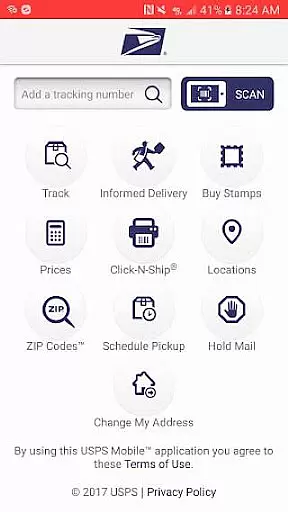
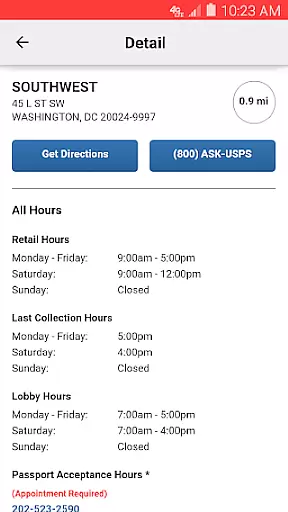
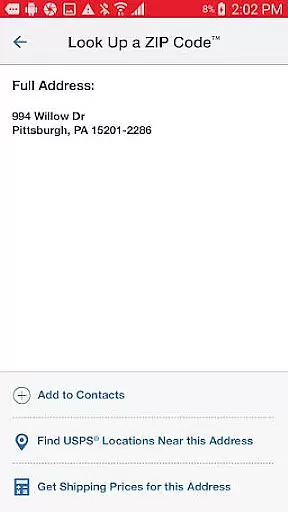
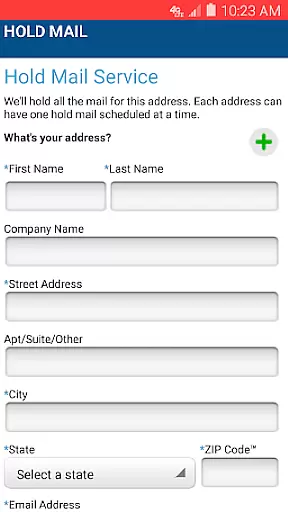
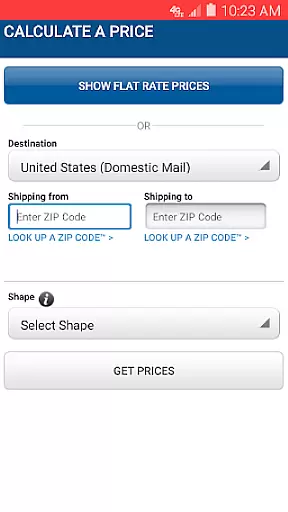
USPS Mobile® is a comprehensive business tool designed to streamline postal services for users on the go. This app provides access to essential USPS.com® features, enabling users to calculate shipping prices, locate Post Offices™, and look up ZIP Codes™. It also allows scheduling of next-day pickups, requesting mail holds, and accessing Informed Delivery® for package tracking and mail previews.
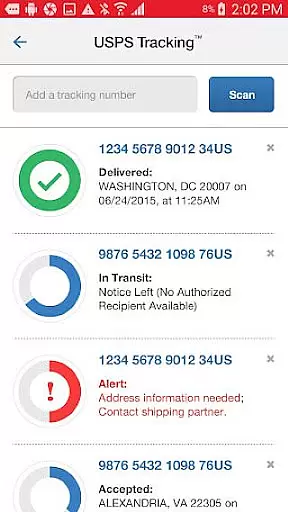
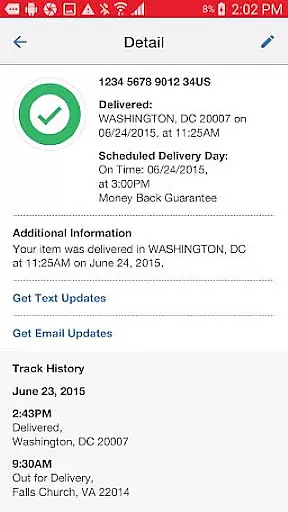
The app supports shipment tracking for services like Priority Mail®, Priority Mail Express®, and Certified Mail®, with options to nickname shipments and receive delivery status alerts via text or email. With integrated GPS functionality, it helps users find nearby USPS® locations, offering directions and operational hours. These features collectively enhance productivity and convenience for businesses and individuals alike.
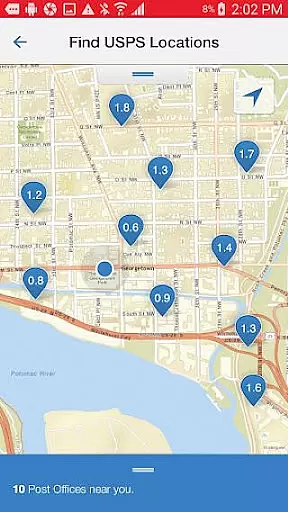
USPS Mobile® stands out with its robust feature set tailored for business efficiency. Users can calculate domestic and international shipping prices, choosing between retail or online pricing while adding extra services as needed. The app's locator tool uses GPS to display nearby Post Office™ locations on a map, complete with directions and hours.
Additional functionalities include ZIP Code™ lookup for U.S. and Canadian addresses, free next-day pickup scheduling, and Hold Mail Service requests. Barcode scanning allows easy shipment tracking by simply using the device’s camera. Integration with Informed Delivery® offers digital previews of incoming mail, making USPS Mobile® an innovative solution that combines multiple postal tools into one accessible platform.
In today's fast-paced business environment, the ability to collaborate effectively is crucial. The USPS Mobileu00ae app embraces this by integrating collaborative work features that streamline communication and task management among team members. This ensures everyone stays on the same page, whether they're in the office or out in the field.
One of the standout collaborative features of the USPS Mobileu00ae app is its seamless integration with essential USPS services. Users can nickname their shipments, making it easier for teams to identify and track packages within their workflow. Additionally, the app provides options to sign up for text and email alerts, ensuring all team members are promptly informed about the delivery status of important shipments.
Furthermore, the app facilitates better planning and coordination through its scheduling capabilities. Teams can schedule free next-day pickups directly from their mobile devices, ensuring timely dispatch of Priority Mailu00ae, Priority Mail Expressu00ae, and other services. This feature not only saves time but also enhances productivity by allowing team members to focus on more critical tasks rather than logistics.
The USPS Mobileu00ae app also supports remote collaboration by providing access to Informed Deliveryu00ae. This service allows users to track packages and preview incoming mail digitally, which is particularly beneficial for teams working in different locations. By having a clear overview of incoming and outgoing mail, businesses can improve their operational efficiency and ensure no critical correspondence is overlooked.
Effective task management is at the heart of any successful business operation, and the USPS Mobileu00ae app excels in this area by offering a suite of tools designed to keep tasks organized and manageable. These features ensure that users can handle their postal-related responsibilities efficiently, without missing a beat.
One of the core task management features is the ability to calculate shipping prices directly from the app. Whether you're dealing with domestic or international shipments, the USPS Mobileu00ae app provides accurate pricing information, taking into account various extra services you might need. This helps businesses manage their shipping budgets effectively and avoid unexpected costs.
In addition to cost management, the app offers robust tracking capabilities. Users can scan barcodes on shipping labels using their deviceu2019s camera, and the app will automatically recognize and store the shipment details. This feature simplifies the task of keeping track of multiple shipments, allowing users to monitor delivery statuses effortlessly and maintain an organized workflow.
Another significant aspect of task management in the USPS Mobileu00ae app is the ability to locate nearby USPS facilities easily. Using GPS technology, the app displays the closest Post Officeu2122 locations, Self-Service Kiosks, and collection boxes on a map. It even provides driving, walking, or transit directions, ensuring that users can complete their postal tasks quickly and efficiently, regardless of their location.
User-friendly interface
Comprehensive service options
Integrated GPS functionality
Free next-day pickup service
Digital mail preview capability
Limited to USPS services
Occasional bugs reported
Requires internet connection
Location services must be enabled
Pricing limitations may apply

viewing and sharing of PDFs
 3.60
3.60
Convert Your Lovable.dev Website into a Mobile App Instantly!
4.0
enjoy effortless PDF reading anytime, anywhere
3.90
A secure, all-in-one team collaboration app
4.30
Build a store in minutes with our full suite of AI tools. Start for free!
4.20
Access to Paylocity, empowering employees with information they need 24/7.
4.70
Job search app that finds jobs for you! Takes the work out of looking for a job!
4.90
Say hello to the mobile work experience built to help you thrive at work.
4.30
ADP Mobile Solutions is an employee self service app
4.50
Your employer must have UKG Ready software configured for Mobile.
4.60
Ship, Track, Find a Location or Get a Quote with UPS. Anytime. Anywhere.
4.60
Amazon A to Z is the place to manage your work-life at Amazon.
4.50
Measure distances, surfaces and draw plans in seconds with CamToPlan!
4.40
All Your Gig Work. One App.
4.30
Make money as a delivery driver with DoorDash and work when you want as a Dasher
4.30
Scan Business Cards & Conference Badges - Capture Leads at Events & Tradeshows
4.20
On the go? Take FedEx with you.
4.00
view, manage, and share every PDF file you have
3.60
Access All PDF Files
3.40


User Reviews