
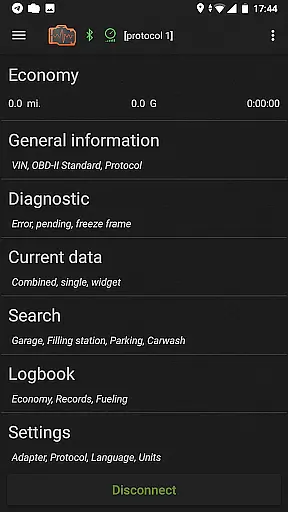
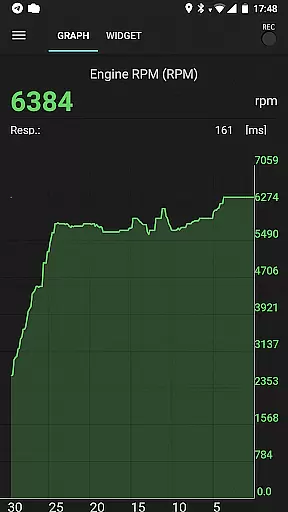
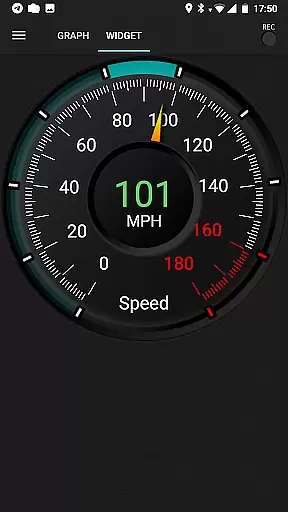
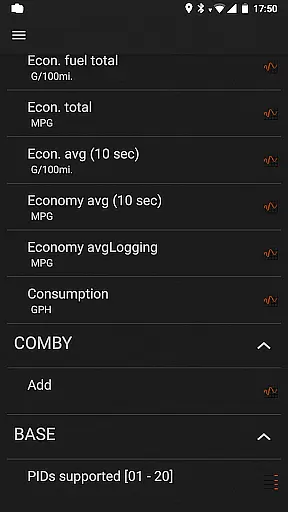
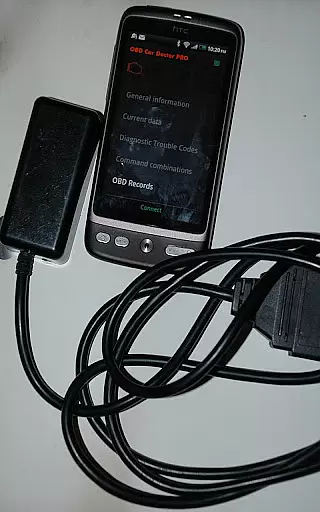
inCarDoc Pro is a comprehensive vehicle diagnostics tool designed for car owners and automotive professionals. This application serves as an OBD-II scanner, reading real-time parameters from your car's Engine Control Unit (ECU) and providing detailed diagnostic information. It supports multiple connection methods including Bluetooth, WiFi, and BLE through compatible scanners like ELM327.
The app offers advanced features such as recording real-time parameters, displaying multiple data points simultaneously, and background mode operation. Users can view recorded parameter traces, access GPS tracking, and upload data to the inCarDoc server. With its extended widgets for fuel economy and acceleration, inCarDoc Pro provides a complete solution for monitoring your vehicle's performance and maintaining optimal operating conditions.
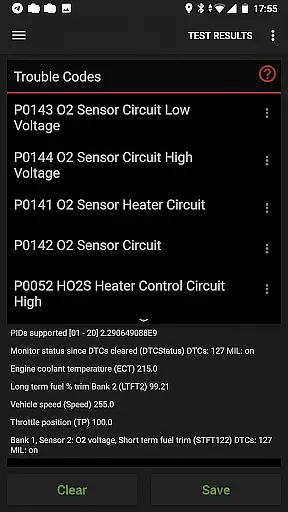
inCarDoc Pro stands out with its extensive feature set tailored for automotive diagnostics. The application reads Check Engine codes, displays related freeze frame data, and clears diagnostic trouble codes (DTCs). It allows users to store and share diagnostic information when seeking professional repair services, ensuring accurate communication of issues.
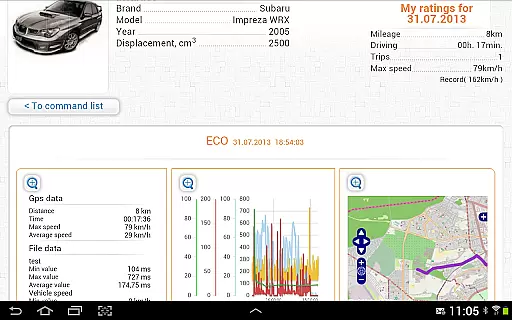
One of the key strengths of inCarDoc Pro is its ability to read real-time OBD-II parameters from various sensors. These include speed, RPM, coolant temperature, pressure, and oxygen sensor readings. The app presents this data through charts and customizable analog/digital widgets. Additionally, the built-in economizer function tracks fuel consumption and economy statistics, providing valuable insights into vehicle efficiency.
Beyond diagnostics, the application includes a comprehensive logbook for recording maintenance notes, service records, and fueling information. The GPS functionality adds another layer of utility by tracking speed and altitude. Advanced users will appreciate the console mode that allows direct OBD-II and ELM327 command sending, while the overlay feature enables displaying economy data over any application screen.
Detailed vehicle information is crucial for car owners who want to stay informed about their vehicle's performance and health. inCarDoc Pro provides comprehensive data directly from your car's Engine Control Unit (ECU), ensuring you have accurate and up-to-date diagnostics. The app reads real-time parameters such as speed, engine rotation, coolant temperature, and more, offering a complete picture of your vehicle's status.
The application supports OBD-II compliant cars and works seamlessly with ELM327 or compatible scanners. This compatibility ensures that users can access detailed diagnostics regardless of their car's make or model. By presenting multiple parameters simultaneously, inCarDoc Pro allows users to monitor various aspects of their vehicle's performance, making it an invaluable tool for both everyday drivers and automotive enthusiasts.
With inCarDoc Pro, users benefit from advanced features like parameter recording and background mode operation. These capabilities ensure that important data is always captured, even when the app is not actively in use. Additionally, the ability to view recorded traces and upload them to a server provides a reliable way to store and share diagnostics data, which can be crucial when seeking professional repair assistance.
Price transparency in automotive applications is essential for users to understand the value they are receiving. inCarDoc Pro offers a clear and straightforward pricing model by providing a free version with basic features and a Pro version with enhanced capabilities. This structure allows users to choose the level of functionality that best suits their needs without hidden costs or unexpected fees.
The Pro version of inCarDoc Pro includes several premium features that justify the investment. Users gain access to real-time parameter recording, extended widgets for fuel economy and acceleration, and GPS trace support. These features provide significant added value, enabling users to optimize their driving experience and maintain better control over their vehicle's performance.
Moreover, inCarDoc Pro ensures that users are fully aware of the costs associated with using the app. There are no ads in the Pro version, and all features are clearly outlined, allowing users to make informed decisions. This transparency builds trust and enhances user satisfaction, as customers know exactly what they are paying for and can see the tangible benefits of upgrading to the Pro version.
Comprehensive diagnostics
Real-time parameter recording
Multiple connection options
Professional-grade features
Detailed logbook functionality
Requires compatible scanner
Complex for beginners
Some features need premium hardware
Limited without ELM327
Advanced knowledge recommended

On the CarShield app, you can view contracts, make payments, & request roadside.
 4.40
4.40
OBD1 ECMs application. Data log or tune directly from your phone or tablet!
4.60
Ferrari inspired analog & digital watch face with quick access and premium style
4.2
Buy and sell your boat
4.70
Oil change service & coupons for car maintenance at Valvoline Instant Oil Change
4.70
Club Car Wash Mobile App—the fast lane to managing your wash membership.
3.30
AI Powered - Automotive Mechanic Assistant
4.30
DMV practice test 2025: Driver License permit test & written test for all states
4.70
Quick and easy car diagnostics to get you the right fix.
4.70
Marathon ARCO Rewards members earn rewards & apply the rewards for fuel savings!
4.80
The ExtraMile App allows you to pay for fuel from the comfort of your car!
4.70
1M+ high-quality auto parts at your fingertips. Fitment guaranteed.
4.70
Trip computer+car diagnostic tool with widest variety of features and dashboard!
4.70
Digital Car Key/Launcher, Screen Mirror, Android Dashboard, Remote Wireless Link
4.40
Secure mobile payments & fuel savings at Phillips 66®, Conoco® and 76® stations
4.40
Ultimate OBD2 Car Scanner: Diagnostics, Service and Modification Tool
4.30
Car Sounds Engine Sounds app welcomes Auto Lovers to feel Car Simulator Sound
4.20
Blink Charging Mobile app makes finding an EV charger an intuitive experience.
3.80
Theme for Car Launcher
4.3


User Reviews