
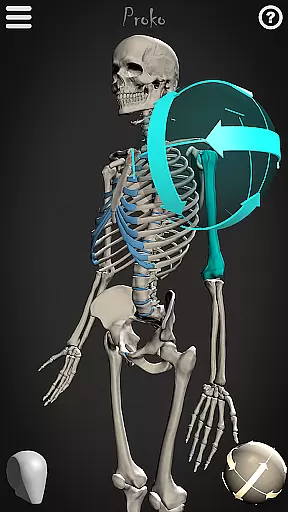
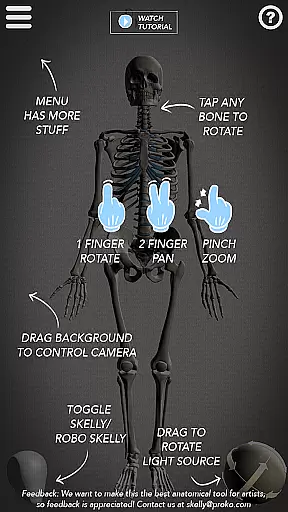
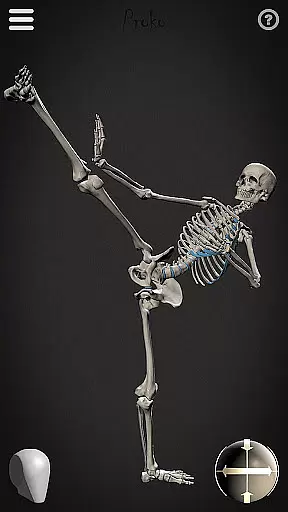
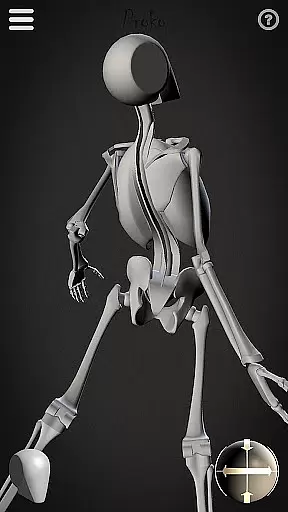
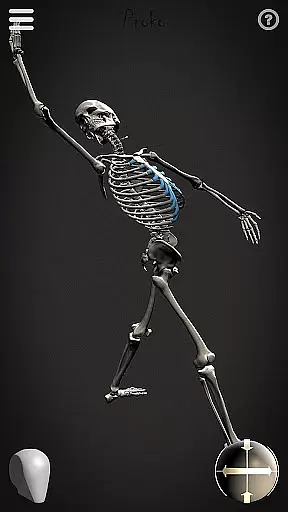
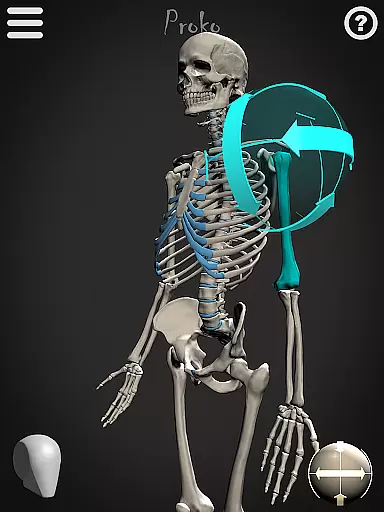
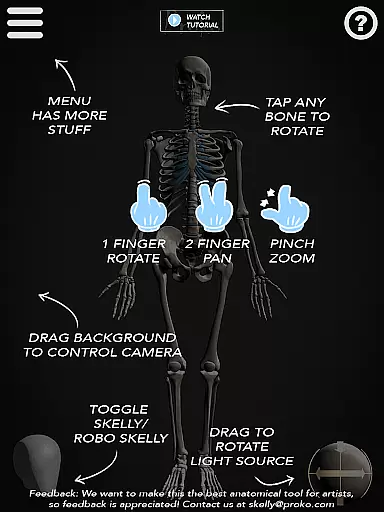
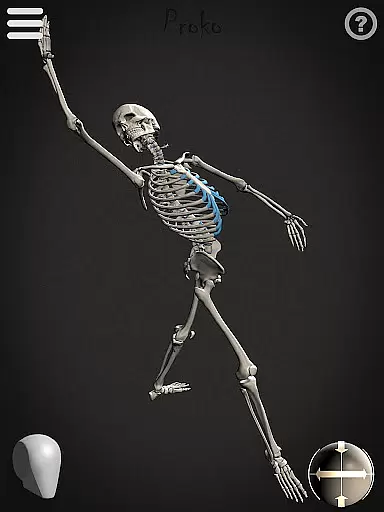
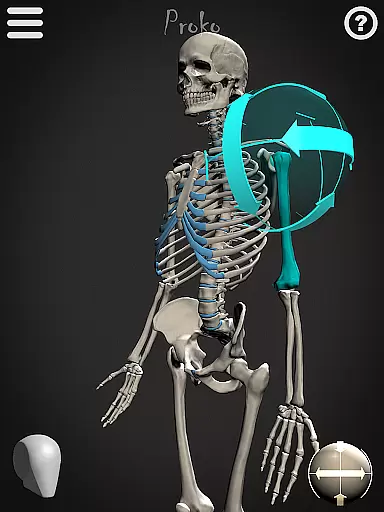

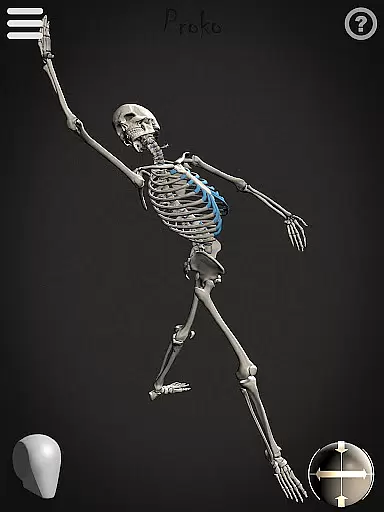
Skelly is an innovative educational app designed specifically for artists and art students who want to master human anatomy. This fully poseable, anatomically correct reference skeleton serves as a portable artistic tool that can be accessed anytime, anywhere. The app eliminates the need for physical models or questionable internet searches by providing both detailed and simplified skeleton versions.
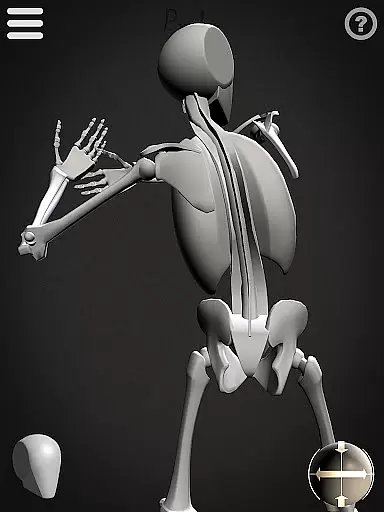
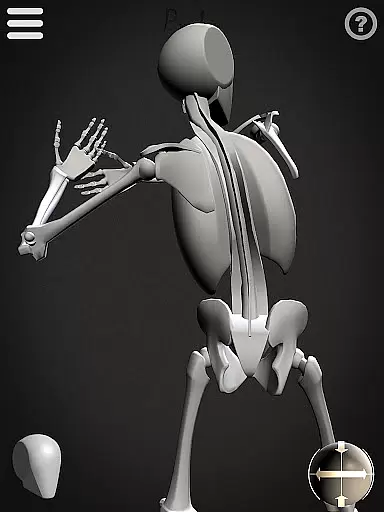
The app's standout feature is its dual skeleton system - the realistic 'Anatomical Skelly' and the simplified 'Robo-Skelly.' These tools are based on established anatomical proportions from Dr. Paul Richer's teachings and Andrew Loomis's head construction method. Users can manipulate these models through various poses while adjusting lighting and camera angles, making it perfect for practicing figure drawing from any perspective.
Skelly proves invaluable for diverse artistic applications including illustration, animation, comics, and storyboarding. Its comprehensive posing system allows artists to create and save custom poses, experiment with lighting setups, and switch between light and dark backgrounds to suit their artistic needs.
Skelly offers an impressive array of features that cater to both beginner and professional artists. The app's core functionality revolves around two distinct skeleton models - the detailed anatomical version and the simplified Robo-Skelly. Both models are meticulously crafted to maintain accurate proportions while offering different levels of complexity for artistic study.
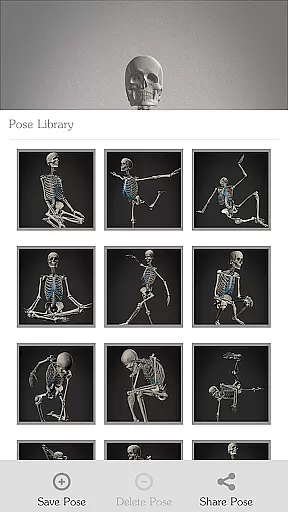
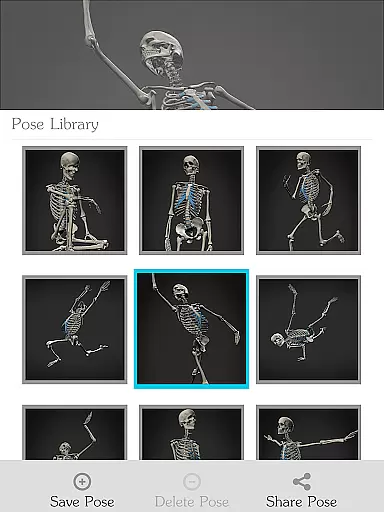
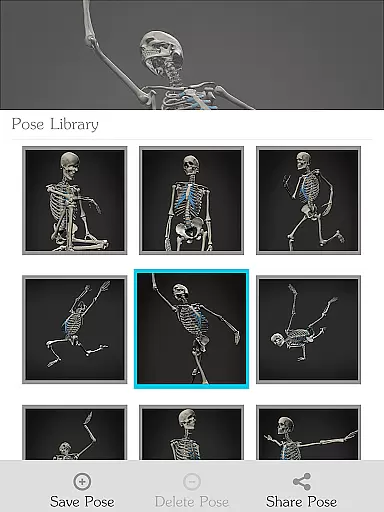
The posing system stands out as particularly sophisticated, allowing users to manipulate every joint and bone in ways that mimic real human movement. Artists can save their favorite poses in a personal library or choose from pre-made options. The app's virtual studio environment includes adjustable lighting sources and a movable camera, enabling users to experiment with different artistic perspectives and shadow effects.
Additional practical features include background color options, a quick reset to neutral pose function, and compatibility with various artistic disciplines. These elements combine to create a comprehensive learning tool that supports traditional drawing, digital painting, sculpting studies, and even animation reference work.
In the realm of art education, having access to accurate and authoritative content is crucial for learning. Skelly provides an anatomically correct skeleton model that serves as a reliable reference for artists. This precision in detailing the human skeletal structure is based on established anatomical teachings, ensuring users receive credible information.
The app includes a simplified version called 'Robo-Skelly', which maintains the integrity of human proportions while offering a less complex alternative for study. These figures are designed according to the teachings of Dr. Paul Richer, a renowned figure in the field of artistic anatomy, thus guaranteeing that learners have access to high-quality educational material.
Artists using Skelly can be confident in the authenticity of their learning resources, allowing them to focus on honing their skills without worrying about misinformation. The inclusion of features such as pose library and adjustable light source further enhances the learning experience by providing dynamic ways to interact with the anatomical models.
Skelly empowers artists with personalized learning paths through its fully poseable skeleton models. Users can manipulate the skeleton into any position they desire, catering to individual learning styles and project requirements. This flexibility supports a self-directed approach to studying anatomy, enabling artists to explore specific areas of interest at their own pace.
The app's Pose Library feature allows learners to choose from pre-made poses or save their custom creations, effectively tailoring the learning journey to their unique needs. With options like movable camera angles and adjustable lighting, Skelly creates an immersive environment where users can experiment with different visual perspectives, enhancing their understanding of three-dimensional forms.
By integrating these customizable tools, Skelly not only aids in mastering the intricacies of skeletal anatomy but also encourages creativity and innovation within each artist's personal development plan. This adaptability makes it an invaluable resource for both students and professionals seeking to refine their craft.
User-friendly interface
Accurate anatomy
Custom pose saving
Adjustable lighting
Offline functionality
Limited device support
No advanced tutorials
Occasional glitches
Subscription required
Steep learning curve

Build math skills in: addition, subtraction, multiplication and division.
 4.10
4.10
FAR/AIM, FAR for Flight Crew and FAR for Aviation Maintenance Technicians
3.80
Short Lessons for Better Finances, Health, Skills, Jobs & Relationships.
4.80
Study for your 608 certification.
4.50
Astronomy Guide To Night Sky
4.30
An aviator’s preparation, study and test tool for FAA Knowledge Exams.
4.10
Learn to make peaceful contact with extraterrestrial civilizations
4.10
The best way to study for your amateur radio license exam.
4.90
Memorize anything efficiently with AnkiDroid! Many pre-built decks available.
4.80
Prepare for the BCBA / BCaBA exam. Study ABA with the ABA Wizard app.
4.60
Intuitive Transformer Lab - By a Lineman, For Linemen & Apprentices
4.50
Your guide to thousands of satellites and spacecraft in orbit around Earth!
3.90
Listen, request and record pronunciations in more than 450 languages. Everywhere
3.90
Deal Craps (Practice Craps Payouts)
3.80
Explore the City of the Sun in Augmented Reality
3.70
Bebefinn and Baby Shark educational, animated videos & games for kids
3.40
Visit Daniel's house & make believe. Play doctor, make music, & feed fish.
3.20
MONOPOLY JUNIOR brings Hasbro's classic the board game to life.
3.00
Test prep for Indiana students
4.4


User Reviews