
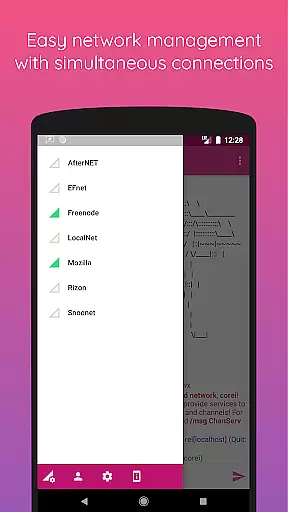
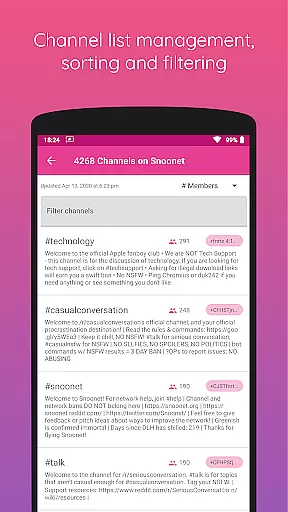
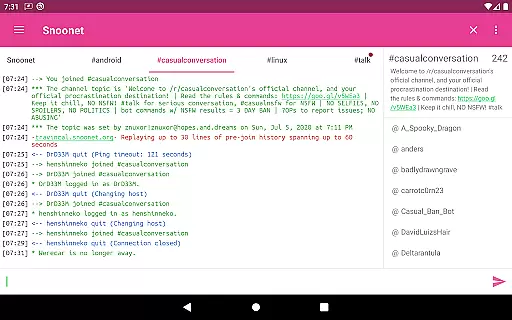
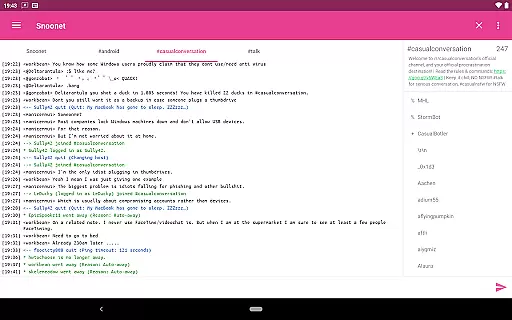
CoreIRC is a feature-rich IRC client designed for Android users who require secure and reliable communication. The app supports multiple secure IRC connections through SSL encryption, ensuring your chats remain private and protected. With support for modern authentication methods like IRCv3 SASL and NickServ, you can connect to various networks with confidence.
The application also offers a robust notification system that allows you to customize alerts based on channels, senders, or specific messages. Whether you're managing multiple networks or just staying in touch with friends, CoreIRC provides the tools you need to stay informed without missing important updates. Its modern design follows the latest Material Design principles, delivering an intuitive and visually appealing user experience.
CoreIRC stands out with its comprehensive set of features tailored for both casual and power users. One of its key strengths is the support for advanced IRC protocols, including IRCv3 capabilities such as account-notify, away-notify, and server-time. These features ensure you have the most up-to-date information about your contacts and conversations.
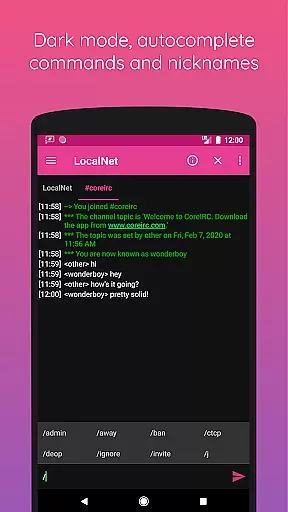
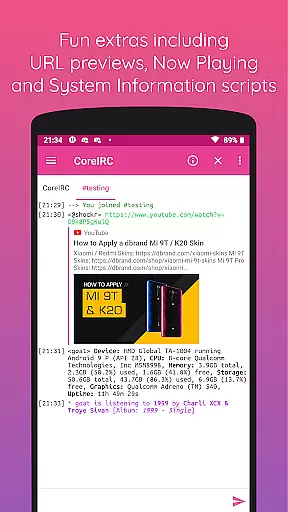
In addition to protocol support, CoreIRC includes practical extras like inline URL previews, which allow you to preview links directly within the chat interface. The Now Playing script lets you share what you're listening to on various music platforms, while the System Information script provides detailed insights into your device's performance. With background connectivity, chat logging, and extensive customization options, CoreIRC empowers users to tailor their IRC experience exactly how they want it.
Real-time messaging speed and reliability are crucial for any communication app, especially one like CoreIRC that focuses on Internet Relay Chat (IRC) networks.
This application ensures fast message delivery through optimized network protocols and background connectivity using Android services, allowing users to stay connected even when the app is not actively open.
CoreIRC supports modern IRC features such as CAP 302, account-notify, away-notify, and server-time, which collectively enhance the real-time experience by providing instant updates on user status and message timestamps.
With robust notification settings, users can customize alerts based on channels, senders, or specific messages, ensuring they never miss important communications.
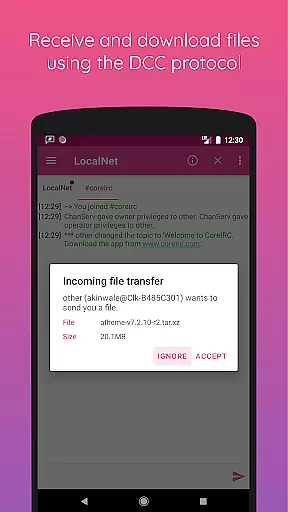
Media sharing is an essential feature in today's communication apps, enabling users to exchange files and multimedia seamlessly. CoreIRC offers comprehensive media sharing capabilities through its support for the DCC protocol, allowing users to send and receive files with resume support.
In addition to traditional file transfers, CoreIRC includes inline URL previews, letting users preview links shared within chats before opening them in a browser. This functionality extends to images, which can be toggled on or off depending on user preference.
The app also integrates with popular music streaming services like Spotify and Google Play Music via the Now Playing script, enabling users to share what they're currently listening to directly within chat sessions.
Furthermore, CoreIRC supports various character sets and mIRC colors, ensuring that shared content retains its intended formatting and visual appeal across different devices and platforms.
Secure connections
Custom notifications
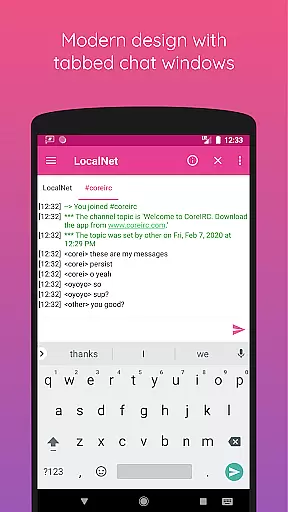
Modern design
Advanced IRC support
Comprehensive feature set
Complex for beginners
Limited iOS support
No built-in VoIP
Heavy on resources
Occasional bugs

Enables Plus features of Quick Search.
 4.0
4.0
Adblock & VPN Browser: Blocks banners, pop-ups and video ads, fast downloader!
4.60
Manage BoostMobile Account
4.60
Block spam calls & scam - no more annoying calls with the call blocker function
4.30
Messenger app for faster and simpler SMS text messaging, and personalized themes
4.10
Message and video call your family and friends in HD!
3.80
Create a secure hotspot on-the-go with Portable WiFi - Mobile hotspot.
4.40
Fast internet with AI, Adblock & VPN. Browse on a safe, incognito web browser.
4.70
Talk & text free with a second phone number plus unlimited 5G data, no fees.
4.50
فیلتر شکن قوی پرسرعت کلید جدید برای اندرویدسریع ترین وی پی ان برای همه اپراتورها
4.70
Connect and browse the internet with a fast VPN proxy server and IP blocker.
4.50
Enjoy secure messaging & calling. Safe Messenger: group chats, calls, messages.
4.20
Chill zone on your phone: relax with fun reels & hype shorts!
4.20
SMS Messenger is a lightning-fast messaging app.
4.20
Federated instant messaging for your mobile device (Jabber, XMPP, Snikket)
4.10
Caller ID, Spam Call & SMS Blocker
3.80
Call & Text Anywhere With A Canadian Number.
3.60
At select facilities, you now have an easy way to video visit your loved ones!
3.30
Auto Reply SMS, Text Messaging, Away SMS Response, Busy SMS messages, Block Text
3.10


User Reviews