
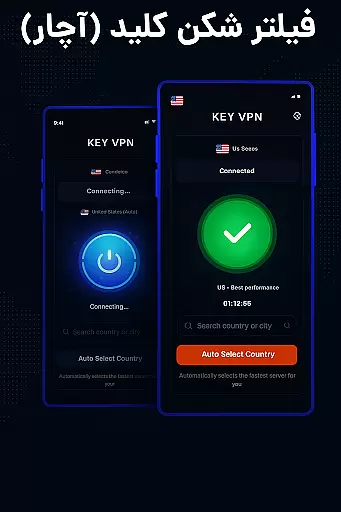
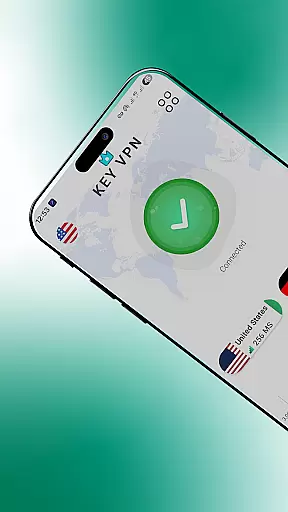

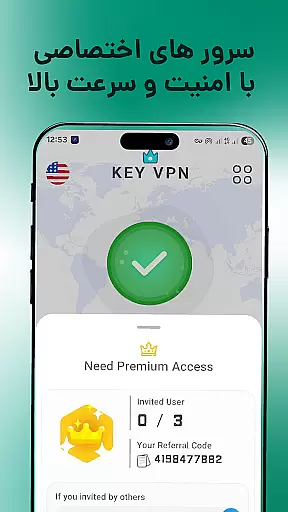
Key VPN is a fast and secure virtual private network (VPN) application designed to provide users with high-speed connections, primarily focusing on USA-based servers. The app allows users to unblock restricted websites, protect their privacy under WiFi hotspots, and browse the internet anonymously without being tracked. With its one-tap connection feature, users can easily connect to proxy servers, ensuring a stable and reliable browsing experience. Key VPN also offers multiple cloud proxy servers that enhance network performance and stability, making it an ideal choice for those seeking both speed and security.
The app supports various network types including WiFi, LTE, and 3G, ensuring compatibility across different mobile carriers. It uses OpenVPN protocols (UDP/TCP) to encrypt data, providing users with a secure tunneling client. Additionally, Key VPN operates as a lightweight Android app, making it easy to download and use without consuming excessive device resources. Whether you're looking to bypass geo-restrictions or simply want to ensure your online activities remain private, Key VPN delivers a seamless and efficient solution tailored to meet modern communication needs.
Key VPN stands out due to its impressive range of features that cater to users seeking both simplicity and functionality. One of its key highlights is the 'one-tap' connection feature, which allows users to instantly connect to secure proxy servers with minimal effort. This ease of use is complemented by the app's access to numerous cloud-based proxy servers, ensuring enhanced network stability and faster connection speeds. These servers are strategically located to deliver optimal performance, particularly for users connecting to USA-based VPN services.
Another notable feature is the app's ability to encrypt data using OpenVPN protocols (UDP/TCP), safeguarding user information from potential threats while browsing over public WiFi or mobile networks. The app also includes a boot activation option, allowing users to enable automatic startup upon device reboot. Furthermore, Key VPN employs a foreground service to maintain uninterrupted VPN functionality, notifying users through system alerts. With support for all major mobile data carriers and compatibility with WiFi, LTE, and 3G networks, Key VPN ensures consistent connectivity regardless of the user's location or network type.
Real-time messaging speed and reliability are crucial for maintaining seamless communication in any application. Key VPN offers a fast and secure connection that ensures your messages are delivered instantly and reliably.
By utilizing high-speed USA-based VPN servers, the app provides an uninterrupted flow of data, making sure that users experience minimal latency during their communication sessions. This is particularly important when engaging in real-time conversations where every second counts.
The advanced infrastructure of Key VPN includes numerous cloud proxy servers which enhance stability and provide better network conditions for optimal messaging performance. Whether you're connected via WiFi or mobile data carriers such as LTE or 3G, you can expect consistent speeds and dependable service.
With just one tap to connect to a Secure VPN proxy server, users benefit from encrypted data transmission using OpenVPN protocols (UDP/TCP), ensuring private browsing without being tracked. This not only secures your privacy but also guarantees that your communications remain confidential and tamper-proof.
Media sharing support is an essential feature for modern communication apps, allowing users to exchange photos, videos, and other files seamlessly. Key VPN enhances this experience by providing a secure environment for media sharing through its robust encryption capabilities.
Using the app's high-speed USA-based servers, users can share large media files quickly without compromising on security. The efficient tunneling client routes traffic via a remote server, protecting it from potential threats while maintaining impressive transfer rates.
Key VPNu2019s permission system further strengthens media sharing by activating upon device boot if enabled, ensuring continuous protection even when switching between networks or resuming activity after downtime. This means uninterrupted access to shared content regardless of location or time constraints.
Moreover, with POST NOTIFICATIONS permission enabled, the app keeps running smoothly in the background thanks to foreground services dedicated to sustaining the quality of media transfers over time. Users enjoy peace of mind knowing their shared media remains safe under any circumstances.
Fast connection speeds
Easy one-tap setup
Strong encryption protocols
Multiple server options
Lightweight design
Limited free version
Occasional connection drops
Ads in free tier
No live support
Basic UI design

Secure Messaging App to Enhance Messenger Texting Experience and Organize SMS.
 3.50
3.50
Use this Dialer app alone or as a TREK: Total Interface companion.
4.70
Adblock & VPN Browser: Blocks banners, pop-ups and video ads, fast downloader!
4.60
The ultimate productivity solution for all your email communication needs.
4.40
Messenger for SMS - texting message app, faster, simpler & safer, for you.
4.70
Manage BoostMobile Account
4.60
A softphone app with seamless SIP calling and an intuitive VoIP dialer
3.50
Build your web browser around you with private search, and more.
4.60
Caller ID, Spam Call & SMS Blocker
3.80
Simple tool for businesses to talk to their customers.
4.40
Our Black Friday sale is here. Unlock special discounts on Proton Mail now.
4.30
Call Blocker app: Identify unknown callers, block spam calls, fraud & robocalls
4.30
Simplify texting with Messages SMS, offline messaging, themes & smart tools!
4.30
Chill zone on your phone: relax with fun reels & hype shorts!
4.20
SMS Messenger is a lightning-fast messaging app.
4.20
A customizable phone number in the cloud
4.20
SMS Messenger ensures that communication become effortless and accessible.
3.80
TeamSpeak - Secure Chat for Gaming & Business
3.10
Bringing the functionality of Winlink to your Android device
4.5


User Reviews