
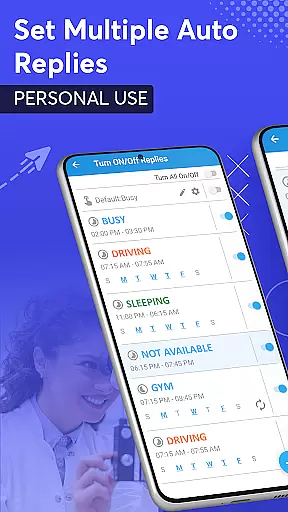
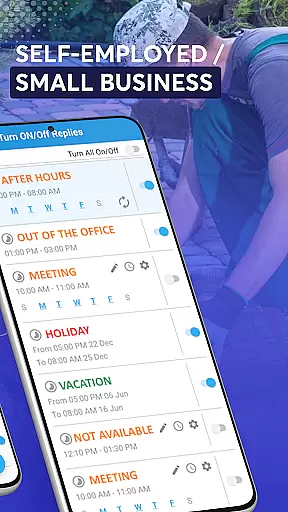
SMS Auto Reply is a versatile communication tool designed to streamline your messaging experience. This app allows users to automatically respond to incoming SMS and messages from various platforms including WhatsApp, Facebook, and more. Whether you're driving, in a meeting, or simply need some undisturbed personal time, SMS Auto Reply has got you covered.
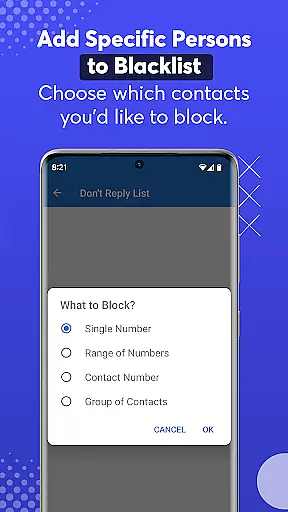
With customizable auto-reply options, the app caters to different scenarios such as setting up multiple text responses for various situations like driving or sleeping. It also supports personalized lists and blacklists, ensuring that your replies are sent only to desired contacts while unwanted messages are blocked. Additionally, its Text-to-Speech feature reads out incoming messages, enhancing safety by allowing hands-free operation.
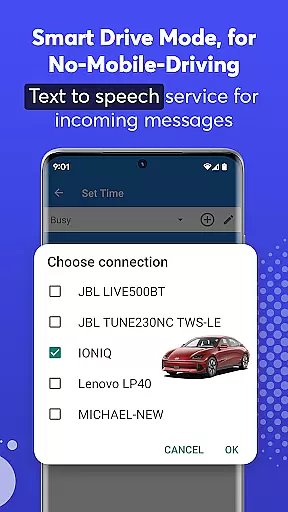
The app's Smart Drive Mode is particularly beneficial for those who want to minimize distractions while driving. By connecting via Bluetooth, it can automatically activate when you start driving and deactivate once the journey ends. Overall, SMS Auto Reply offers an efficient way to manage communications without compromising on safety or privacy.
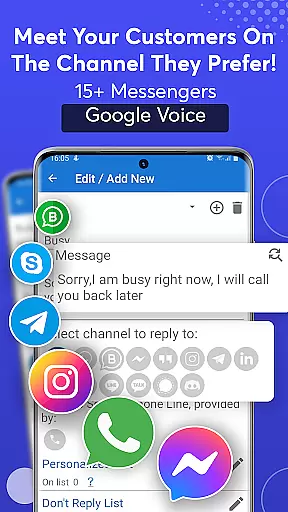
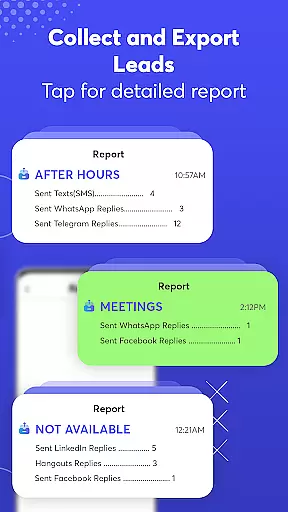
One of the standout features of SMS Auto Reply is its ability to integrate with numerous messaging platforms such as WhatsApp, Facebook, Telegram, and others. This ensures that no matter where your messages come from, you have the capability to set automated responses tailored specifically for each platform.
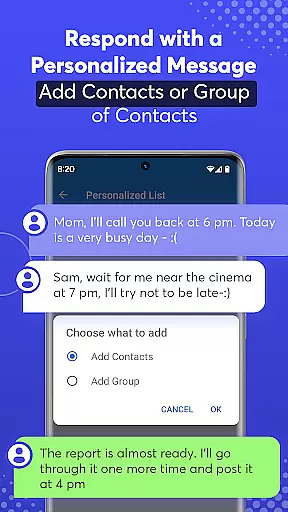
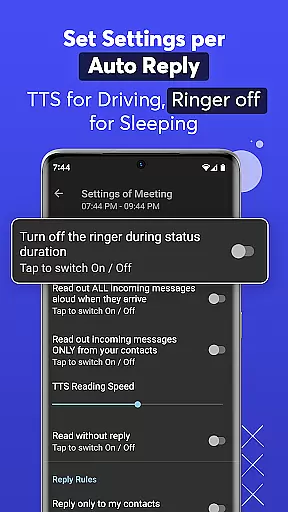
Beyond just basic auto-reply functions, this app provides advanced customization options. Users can create personalized lists to send unique responses to specific contacts or groups. The inclusion of a 'Do Not Disturb' mode further enhances user control over their messaging environment by silencing notifications during critical times. Moreover, the Text-to-Speech functionality not only reads incoming messages aloud but also allows adjustment of reading speed for convenience.
For drivers, the Smart Drive Mode offers unparalleled safety benefits. By leveraging Bluetooth connectivity, the app intelligently activates when paired with a vehicle’s system, providing seamless hands-free operation. This feature significantly reduces distractions, promoting safer driving practices while still keeping users connected through automated replies.
Real-time messaging speed and reliability are crucial for any communication app. SMS Auto Reply ensures that your messages are sent instantly when specific conditions are met, such as driving or being in a meeting. This immediacy is vital for maintaining effective communication without manual intervention.
The app achieves this reliability through smart detection of your current status, whether it's via Bluetooth connection to your car or recognizing when you're in a scheduled event. By doing so, it guarantees that every incoming message receives an appropriate and timely response, keeping your contacts informed of your availability.
For users, this means peace of mind knowing that their communications are managed efficiently. The appu2019s ability to integrate with various messaging platforms like WhatsApp, Facebook, and others ensures that no matter where the message originates, an automated reply will be dispatched without delay.
This feature not only enhances personal convenience but also significantly contributes to safety by reducing the need to interact with your phone physically. With SMS Auto Reply, you can focus on your immediate tasks while maintaining seamless digital communication.
Media sharing support is another essential aspect of modern communication apps. SMS Auto Reply goes beyond simple text responses by allowing media files to be part of the automated reply process. This functionality is particularly useful when you want to send images, videos, or other file types automatically based on predefined triggers.
The app supports a wide range of media formats, ensuring compatibility across different devices and platforms. Whether you receive a message on WhatsApp, Facebook, or any other supported platform, the app can respond with media files if needed. This versatility makes it an invaluable tool for both personal and professional use cases.
Users benefit from this feature by having the capability to share rich content effortlessly. For instance, you could set up an auto-reply that includes a video message explaining your unavailability, adding a personal touch to your automated responses. This level of customization enhances user engagement and satisfaction.
By incorporating robust media sharing capabilities, SMS Auto Reply ensures that all forms of digital interaction are covered. This comprehensive approach allows users to maintain dynamic and meaningful connections without needing to handle their devices directly, thus promoting safer and more efficient communication practices.
User-friendly interface
Wide platform compatibility
Customizable auto-replies
Effective Text-to-Speech
Smart Drive Mode
Premium version costs
Occasional bugs
Limited free features
Complex setup
Bluetooth dependency

Use this Dialer app alone or as a TREK: Total Interface companion.
 4.70
4.70
Messenger app for faster and simpler SMS text messaging, and personalized themes
4.10
Fast Dialer & Contact Manager with Caller ID and Spam Protection
4.00
Experience real private browsing without tracking, surveillance, or censorship.
4.50
2nd Phone Number Line for Anonymous Texting, Calling, and Picture Messages
4.30
HD Video Meeting app is a fast & unlimited video conferencing app across world.
4.30
RemoteHams.com Android RCForb Client Pre-Release
4.30
BE PRIVATE
Anonymous. No Trace. Fast.
4.20
Fast internet with AI, Adblock & VPN. Browse on a safe, incognito web browser.
4.70
Build your web browser around you with private search, and more.
4.60
Manage your mobile phone plan, check unlimited 5g data usage and track rewards
4.50
Fast and simple walkie talkie app
4.20
Enjoy secure messaging & calling. Safe Messenger: group chats, calls, messages.
4.20
A customizable phone number in the cloud
4.20
Google's fast and secure browser
4.10
Caller ID, Spam Call & SMS Blocker
3.80
A softphone app with seamless SIP calling and an intuitive VoIP dialer
3.50
TeamSpeak - Secure Chat for Gaming & Business
3.10
Comprehensive and powerful scan tool app with enhanced functions
3.00


User Reviews