
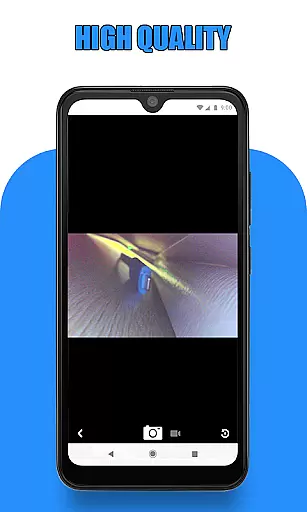
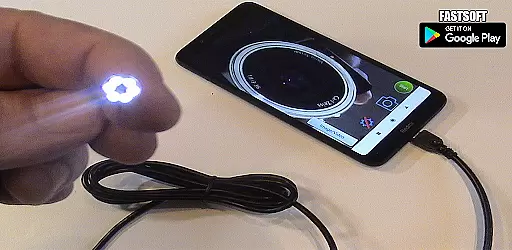
Endoscope Camera Connector is a specialized app designed to connect Android devices with external cameras such as endoscopes, USB cameras, or Borescope cameras. This app functions similarly to an OTG viewer, enabling users to access and control their external camera devices directly from their smartphone. By using USB OTG or Type-C connections, the app allows you to view live feeds, record videos with sound, and manage captured media through its integrated gallery feature.
The app is particularly useful for professionals in plumbing, sewer inspection, and similar fields where remote visual inspections are required. With compatibility checks for USB OTG support and UVC-compatible cameras, it ensures seamless connectivity and operation. Whether you need to inspect blocked drains or require a portable inspection camera solution, Endoscope Camera Connector provides a versatile toolset to capture, review, and manage visual data efficiently.
Endoscope Camera Connector offers a comprehensive set of features tailored for managing external camera devices. Upon launching the app, users can easily check if their device supports USB OTG technology through the built-in USB OTG checker. Once confirmed, connecting your endoscope or Borescope camera via USB allows real-time viewing directly on your smartphone screen. The app facilitates capturing photos and recording videos, storing them within its dedicated gallery section.
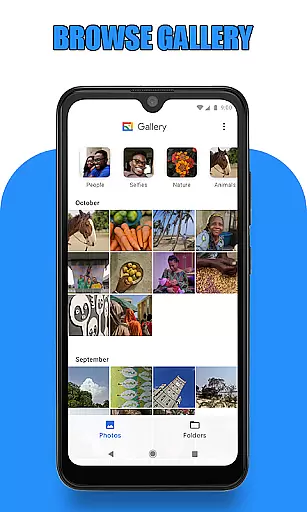
Within the gallery, users can conveniently browse, review, and manage all captured media. Photos and videos are organized intuitively; swiping left in the gallery switches from images to video files. Each media file can be played back using preferred media players, ensuring flexibility in reviewing content. Additionally, basic file management options like deletion are accessible by long-pressing on specific files, streamlining the process of maintaining an organized media library.
Endoscope Camera Connector offers a comprehensive solution for connecting your mobile device with various external cameras, including endoscopes, USB cameras, and Borescope cameras. This app ensures that users can access the full functionality of their external devices directly from their Android phones.
The app supports essential features such as video recording with sound and photo capturing, making it versatile for different use cases. Whether you are conducting sewer inspections or examining blocked drains, this app provides the necessary tools to get the job done efficiently.
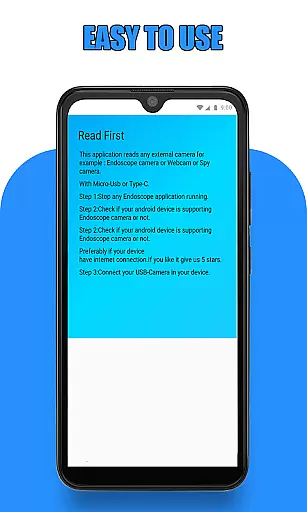
Before using the app, users should verify that their device supports USB OTG technology and that their camera is UVC-compatible. These checks ensure seamless integration and optimal performance, allowing users to leverage the app's complete feature set without compatibility issues.
By covering a wide range of functionalities, Endoscope Camera Connector stands out as a robust tool for professionals and hobbyists alike, providing reliable access to external camera capabilities right from your smartphone.
Usability is a key aspect of Endoscope Camera Connector, designed to provide a smooth and intuitive user experience. The app simplifies the process of connecting and operating external cameras, ensuring that even those new to such technology can easily navigate its features.
Upon opening the app, users are guided through straightforward steps to connect their endoscope camera via USB OTG or Type-C. Once connected, the app allows users to take photos, record videos, and manage media files effortlessly. The interface is crafted to be user-friendly, minimizing the learning curve typically associated with specialized equipment.
Additional usability features include an integrated gallery where users can view, manage, and delete captured images and videos. This streamlined approach enhances operational efficiency, enabling users to focus on their tasks rather than struggling with complex controls.
Overall, Endoscope Camera Connector excels in delivering a hassle-free experience, empowering users to utilize their external cameras effectively while maintaining ease of use throughout every step of the operation.
User-friendly interface
Real-time camera feed
Integrated gallery management
OTG compatibility checker
Versatile use cases
Limited to compatible devices
Requires OTG support
Dependent on UVC cameras
No advanced editing tools
Potential connection issues

Game Booster GFX for smoother gaming experience. Enjoy 120 FPS and 4x Game Space
 4.20
4.20
If you are looking for melon playground mod that fun you deffinitely try our app
2.70
SmartCast mirrors Android phone to TV screen With Cast Screen, Chromecast.
4.80
Read Quran pak offline & listen online mp3 Quran in Al Quran Majeed app
4.5
charging your phone by other phone easly
4.00
TV USB connector app provides you a seamless cast option from your phone to tv.
4.70
Block, disable and secure phone camera from secretly taking photos by spyware.
4.50
MirrorLink for connecting your Android phone to your car’s infotainment screen.
4.50
Game booster GFX may reduce interruptions and improve gaming experience.
4.50
Al QURAN-القرأن الكريم app to read Quran offline just like an actual Quran book
4.30
View your cameras anywhere and anytime
4.20
Do you want to drive easy ? do you wanna full mirror link Mobile with your car
4.10
A Pydroid Quick Install repository provider.
4.00
Connect your phone to any endoscope camera, USB camera, or borescope with ease.
3.70
Ps2 plugins for 64 bit artitechture
3.70
Mobs maker Minecraft help MCPE creators make their own mob by using Blockbench
3.50
Identify securely online
3.10
Zlink Carplay Android a mirror link app with a Carplay interface style
4.0
Turn your phone into a wireless Xbox controller – play, stream & control anytime
4.5


User Reviews