
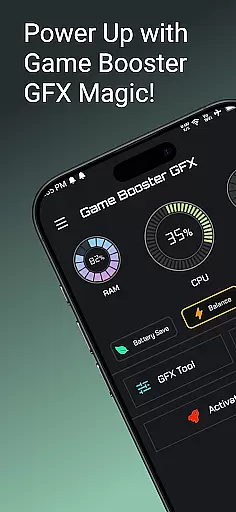
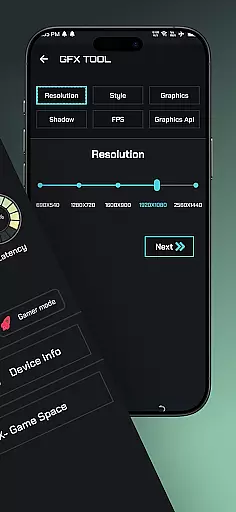
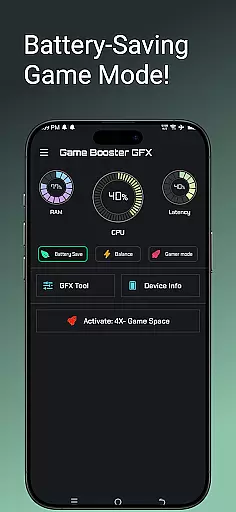
Game Booster GFX 4x is a powerful tool designed to enhance your mobile gaming experience. The app focuses on optimizing game performance by providing smoother gameplay with support for up to 120 FPS on compatible devices. It offers features like 4x Game Space, Gamer Mode, and an advanced GFX Tool that allows users to customize resolution settings, unlock extreme frame rates, and choose from multiple graphic styles such as Realistic, Colorful, Soft, and Classic. Whether you're a casual or competitive gamer, this app ensures lag-free gaming sessions while delivering Ultra HD and HDR graphics quality.
The application is particularly beneficial for gamers who play graphics-intensive games and want to maximize their device's potential without experiencing lags or stutters. With its easy-to-use interface and robust optimization capabilities, Game Booster GFX 4x helps players enjoy professional-level gaming experiences on their mobile devices.
Game Booster GFX 4x stands out due to its comprehensive feature set tailored specifically for gamers. One of the key highlights is the GFX Tool, which enables users to fine-tune various graphical settings within their games. This includes adjusting resolutions, unlocking higher frame rates (up to 90-120 FPS), and selecting preferred graphic styles such as Realistic, Colorful, Soft, or Classic modes. Additionally, the app supports Ultra HD and HDR graphics, ensuring top-notch visual fidelity during gameplay.
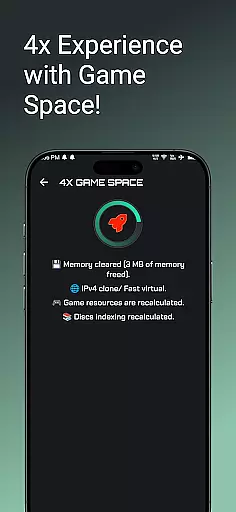
Another notable feature is the 4x Game Space, which optimizes storage and system resources dedicated to gaming applications. Alongside this, the Gamer Mode provides an uninterrupted gaming environment by minimizing background activities and notifications. These functionalities collectively contribute to a seamless gaming experience, allowing users to fully immerse themselves in their favorite titles without worrying about performance issues.
Functionality completeness is a critical aspect of any application, especially for tools like Game Booster GFX 4x. This app offers an extensive range of features designed to enhance gaming performance.
The app provides users with the ability to customize game resolution without experiencing lag, which is crucial for maintaining smooth gameplay. Additionally, it allows gamers to unlock extreme FPS up to 90 and 120 on supported devices, ensuring that they can enjoy their favorite games at the highest possible frame rates.
Game Booster GFX also includes various graphics styles such as Realistic, Colorful, Soft, and Classic, catering to different preferences and device capabilities. With options for Ultra HD and HDR graphics, it ensures top-notch visual quality.
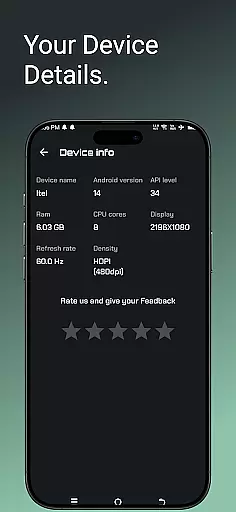
By covering essential aspects like 4x Game Space, Device Info, Gamer Mode, and a comprehensive GFX Tool, this app demonstrates excellent functionality coverage, making it a versatile choice for gamers looking to optimize their gaming experience.
Usability and operational smoothness are vital for ensuring that users can easily navigate and utilize an app's features. Game Booster GFX 4x excels in providing a user-friendly interface that simplifies the process of enhancing gaming performance.
The app's GFX Tool is intuitively designed, allowing users to effortlessly customize resolution settings and choose from various graphics styles. This ease of use ensures that even those who may not be tech-savvy can still take full advantage of the appu2019s capabilities.
Moreover, the inclusion of features like Gamer Mode and Device Info enhances the overall usability by offering additional tools that cater to specific needs during gameplay sessions. These features contribute to a seamless operational experience.
Overall, Game Booster GFX 4x delivers a smooth and efficient user experience, enabling gamers to focus on enjoying their games rather than struggling with complex settings or dealing with performance issues.
Enhances game performance
Supports high frame rates
Customizable graphics
User-friendly interface
Optimizes device resources
Limited to supported devices
Potential battery drain
May cause overheating
Not all games compatible
Requires technical knowledge

Sad ringtones full of feeling, sad music ringtones
 3.90
3.90
A great tool help you to format Micro SD memory Card
3.10
Mirror Link Car Display to share your screen with car dashboard wirelessly
4.4
Mirror link car connector to share your screen with car dashboard
3.80
Turn your phone into a wireless Xbox controller – play, stream & control anytime
4.1
Endoscope camera an app to connect with endoscope cam or any device
3.30
Simulator of real black light
3.50
Mirror phone to TV effortlessly! Stream, share & connect with Airplay ease.
3.60
The best PS2 games from your childhood come to life in their mobile version!
4.00
The Free Catholic Latin American Bible in complete Spanish
4.60
MirrorLink for connecting your Android phone to your car’s infotainment screen.
4.50
Game booster GFX may reduce interruptions and improve gaming experience.
4.50
use your smartphone as Remote control drones .
4.20
Connect and find your Smarttag devices through our app.
4.00
charging your phone by other phone easly
4.00
Demo version of the mcpro24fps manual video camera. Try and buy a full version!
4.00
Mobile Connect To TV - HDMI USB & WiFi Screen Mirroring
3.70
Now Available on Android ™
3.40
Zlink Carplay Android a mirror link app with a Carplay interface style
4.5


User Reviews