
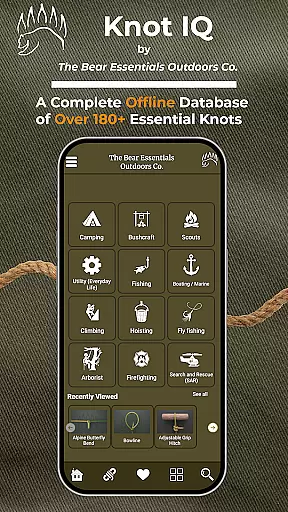
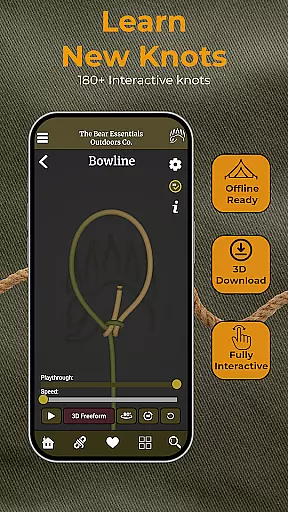
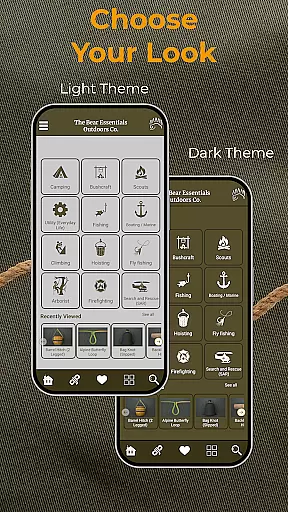
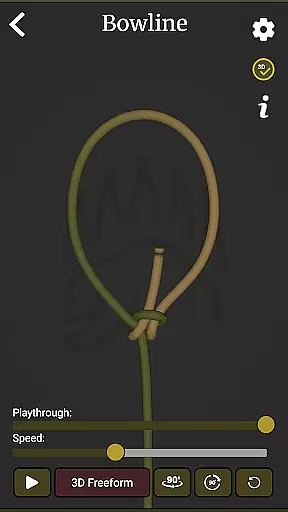
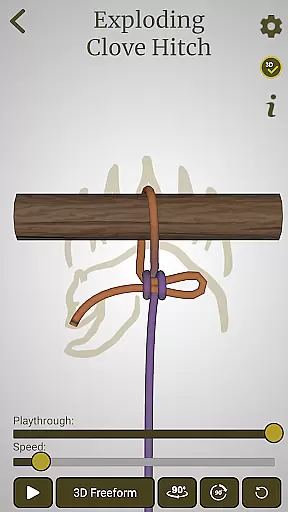
Knot IQ is an innovative knot-tying guide app designed for all skill levels, from beginners to experts. With its interactive 3D animations and comprehensive library of 185+ knots, the app provides clear step-by-step instructions for tying various types of knots. The app's offline functionality ensures users can access knot-tying guidance anytime, anywhere, making it especially useful for outdoor activities like camping, hiking, or fishing.
What sets Knot IQ apart is its focus on practical applications. Users can explore real-world use cases across multiple categories including climbing, boating, survival, and even everyday utility knots. The app also offers advanced features such as customizable knot lists, left-handed mode, and detailed comparisons between similar knots, helping users choose the best knot for their specific needs.
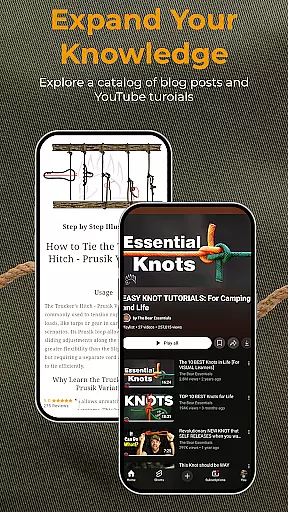
Knot IQ stands out with its rich feature set tailored to enhance the learning experience. The app includes interactive 3D animations that allow users to visualize each step of the knot-tying process in detail. These animations are complemented by expert instructions and video tutorials led by professionals from The Bear Essentials, ensuring users gain both theoretical knowledge and hands-on skills.
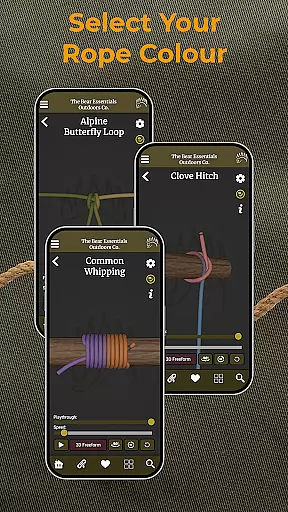
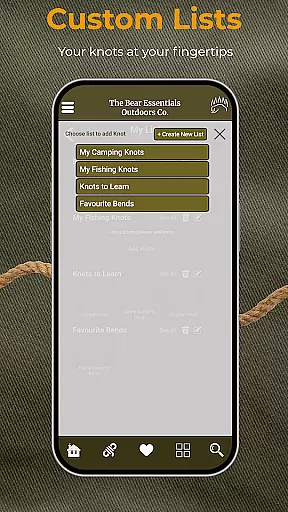
Another key advantage is the app's offline capability, which allows users to download knot guides for field use without requiring internet access. Additional features include a quick search function, filters for different knot categories, and the ability to customize rope colors and save favorite knots. Whether you're a camper, climber, angler, or DIY enthusiast, Knot IQ equips you with the tools to master essential knots efficiently.
When it comes to knot-tying guides, the size and authenticity of the content library are crucial factors. Knot IQ offers an extensive collection of 185+ knots, ensuring users have access to a comprehensive resource for all their knot-tying needs. This vast library covers a wide range of categories including climbing, camping, fishing, and more, making it suitable for various real-world applications.
The app guarantees the authenticity of its content by providing expert instructions for each knot. These instructions are crafted to offer accurate and reliable information, which is essential for users who rely on these techniques in critical situations such as rescue operations or survival scenarios. The inclusion of real-world use cases further enhances the credibility of the knot-tying methods taught within the app.
One of the standout features of Knot IQ is its offline functionality. Users can download the entire 3D knot library, allowing them to reference the guide without needing an internet connection. This ensures that adventurers, climbers, and boaters can access crucial knot-tying information even when they're off the grid, thus increasing the practicality and reliability of the app in remote locations.
Knot IQ demonstrates impressive format compatibility by offering multiple ways to engage with its knot-tying content. The app provides interactive 3D animations alongside traditional stop-motion visuals, catering to different learning preferences and ensuring that users can choose the format that works best for them. This dual-format approach allows for both detailed step-by-step guidance and quick visual references, enhancing the overall learning experience.
In addition to visual formats, the app supports various customization options that improve user interaction. Features like rope color changes and left-handed mode showcase the app's attention to detail and commitment to accessibility. These options ensure that users from diverse backgrounds and with different needs can effectively utilize the knot-tying resources provided by the app.
The comprehensive nature of Knot IQ extends to its organizational features as well. With quick search and filter capabilities, users can easily find specific knots or explore categories that interest them. Customizable knot lists allow users to save their favorite knots or create specialized collections for particular activities, while pros and cons comparisons help users select the most appropriate knot for each situation. This combination of flexible formats and thoughtful organization makes Knot IQ a versatile tool for both casual learners and professional users across various fields.
User-friendly interface
Offline functionality
Comprehensive knot library
Interactive 3D animations
Customizable knot lists
Limited early-stage content
Potential bugs in testing phase
No voice-guided instructions
Left-handed mode not universal
High learning curve for beginners

Bilingual dictionary with English translations of Modern Standard Arabic words.
 4.30
4.30
Mirror Bible - eye-opening paraphrase translation of the NT by Francois du Toit
4.30
Essential Technical Rescue Field Operations Guide 6, the Industry Standard Guide
4.20
Translate into 100+ languages with the world’s most accurate AI translator.
4.70
F9 Cookbook Mobile App
4.60
Holy Bible, a KJIV Bible study, audios & daily verses, talk with God now.
4.80
Discover, track, and share your reading with friends & our community of readers
4.60
World's most comprehensive dictionary app: 13 languages, all online or offline!
4.80
Premium reader for ePub, PDF, and more. TTS and translation. Great on any screen
3.50
Daily rosary and gospel reflections for catholic
4.90
The Bible Audio Guide
4.80
Bible Study App with Audio Book, Verse of the Day, and Devotionals.
4.80
"Do you like green eggs and ham?"
4.70
Powerful Bible study tools linked to every verse in an easy-to-use Bible reader!
4.60
Full text, sheet music, and recordings of the print edition
4.60
Pretty Moon information App with Complications and Tile
4.30
KJV Bible works offline with Audio, Hebrew & Greek lexicon (concordance) & more!
4.20
Unlock more features in Lithium and show your support. Expand for details.
4.00
Read popular romance books and web novels on the fantastic ebook reader
3.50


User Reviews