
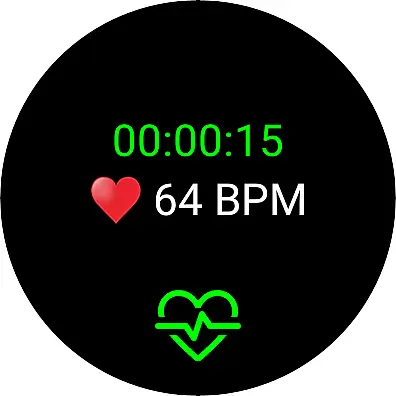
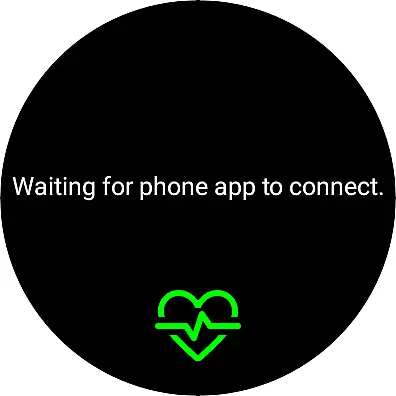
Live Heart Rate Pro is a cutting-edge heart rate monitoring application designed for fitness enthusiasts and athletes who demand precision in their training. This app connects seamlessly to Wear OS devices or Bluetooth (BLE) heart rate transmitters, providing real-time tracking of your heartbeat and calorie burn during workouts. With its advanced analytics capabilities, users can access detailed post-workout reports including heart rate zones and distribution charts.
The app caters to both weight loss seekers and performance-driven athletes. For those aiming to shed pounds, the Goal feature helps maintain optimal workout intensity by setting specific time and calorie targets. Meanwhile, competitive athletes can leverage the Compete feature to benchmark against previous performances and enhance their stamina and endurance through precise zone analysis. The intuitive interface displays key metrics prominently, ensuring users stay informed and motivated throughout their fitness journey.
Whether you're a casual exerciser or a professional athlete, Live Heart Rate Pro transforms your training sessions into data-driven experiences. Its comprehensive feature set includes visual graphs, pace indicators, hydration reminders, and cloud-based competition options, making it an indispensable tool for optimizing physical performance and achieving personal fitness goals.
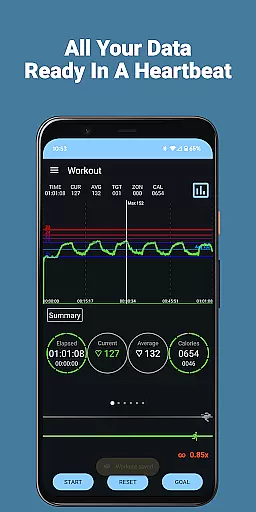
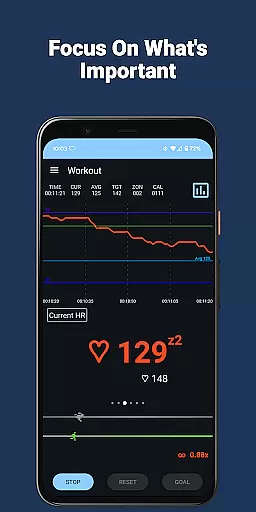
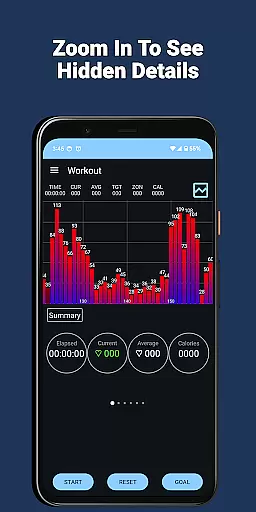
Live Heart Rate Pro stands out with its extensive array of features tailored for comprehensive workout analysis. One of its core functionalities is the real-time heart rate graph that visually tracks your pulse throughout the exercise session. The Zoom Follow feature enhances this by automatically adjusting the graph's scale to focus on your current heart rate, providing a more detailed view of fluctuations.
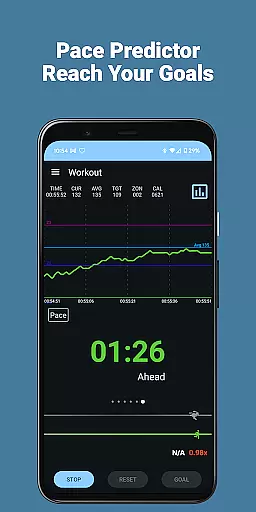
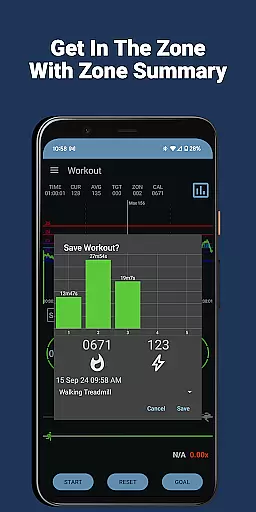
Beyond basic tracking, the app offers advanced analytical tools such as the heart rate distribution chart and zone display. These features allow users to understand how much time they spend in different heart rate zones, crucial for optimizing training intensity. Additionally, the Goal Setting function enables personalized workout plans by letting users define specific time and calorie objectives, while the Pace Indicator and Predictor keep them on track to meet these targets efficiently.
Unique to Live Heart Rate Pro is its social and competitive aspect. The Cloud Compete feature lets users challenge others' workout records, adding a layer of motivation and engagement. Moreover, practical additions like the Hydration Reminder and Heart Rate Alarm ensure safety and proper hydration during intense sessions. With support for both Wear OS and Bluetooth devices, along with exportable data files, this app provides a versatile and complete fitness monitoring solution.
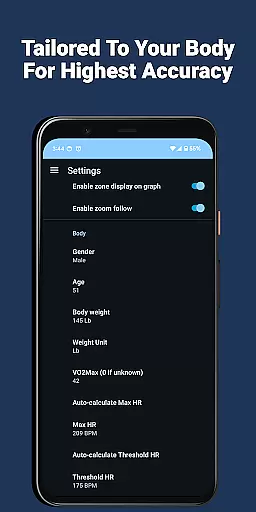
Personalized planning in Live Heart Rate Pro offers users a tailored approach to achieving their fitness goals. The app's Goal feature allows you to set specific workout durations and calorie targets, ensuring your exercise routine aligns with your personal objectives.
By analyzing your heart rate data alongside other metrics, Live Heart Rate Pro provides real-time feedback on your workout intensity. This helps maintain the optimal level needed to meet your goals efficiently, whether it's weight loss or enhancing performance.
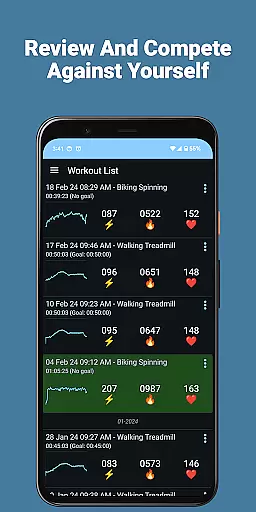
The Compete feature adds an element of challenge by letting you compete against your previous workouts. This not only motivates you to beat past performances but also ensures continuous improvement over time.
With personalized planning, users can effectively increase stamina, endurance, and strength while enjoying a guided path towards their fitness milestones. This makes Live Heart Rate Pro an invaluable tool for anyone looking to optimize their workouts.
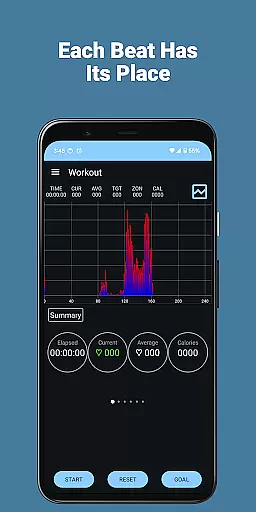
Live Heart Rate Pro excels in progress visualization, providing users with clear insights into their fitness journey. The app features a large heart rate graph that displays your heart rate in real time throughout your workout, offering immediate visual feedback on your performance.
In addition to the graph, the heart rate distribution chart shows how much time you spend at each heart rate level. This detailed breakdown helps users understand their cardiovascular activity patterns and make necessary adjustments for balanced training.
Visual indicators such as the Pace Predictor and TRIMP scores offer further clarity by summarizing your training load and predicting if you're on track to meet your goals. These tools ensure you stay informed about both short-term achievements and long-term progress.
By leveraging these comprehensive visualization features, Live Heart Rate Pro empowers users to monitor their advancements accurately and remain motivated towards reaching new fitness heights.
Real-time heart rate tracking
Comprehensive workout analytics
Customizable goal settings
Cloud-based competition
Hydration reminders
Requires external device
Premium price point
Complex for beginners
Limited free features
Occasional connectivity issues

SportWerks - Workout Tracker for Wear OS Watches
 3.90
3.90
Text notifications, button control, heart monitor & more for your Amazfit.
2.40
Chair Workout: Women's Edition for safe, flexible, and personalized fitness.
4.40
Power-lifting, weightlifting and Wendler 531 app to track your workout program.
4.90
Easy reconstitution calc for mixing peptides and creating protocols
4.70
Using Recognise™ has been shown to reduce pain and improve performance
4.0
Load the bar with this barbell & plate calculator. It's leg day, not brain day!
4.70
Track sleep cycle, relax with white noise, sleep sounds & smart alarm clock
3.80
Lazy home workouts with your virtual fitness coach for weight loss.
4.30
App to stop smoking slowly or now with a motivational badges and helpful tips
4.80
Wall Pilates at home & Pilates workout for beginners for core and weight loss.
4.80
Effortlessly and naturally release anxiety by harnessing the power of your brain
4.60
The Crunch Mobile app - Find a gym, manage favorites, reserve & cancel classes.
4.60
Binaural Beats - Fully Customizable Waves - Pure Sound - No Loops
4.50
Your Health Has Met Its App (℠)
3.90
Your Health Assistant
3.90
Turn your steps into cash, gift cards & rewards with our step counting pedometer
3.80
Focus on BP & Health
3.80
Control your sleep in real-time wearing Garmin device
3.60


User Reviews